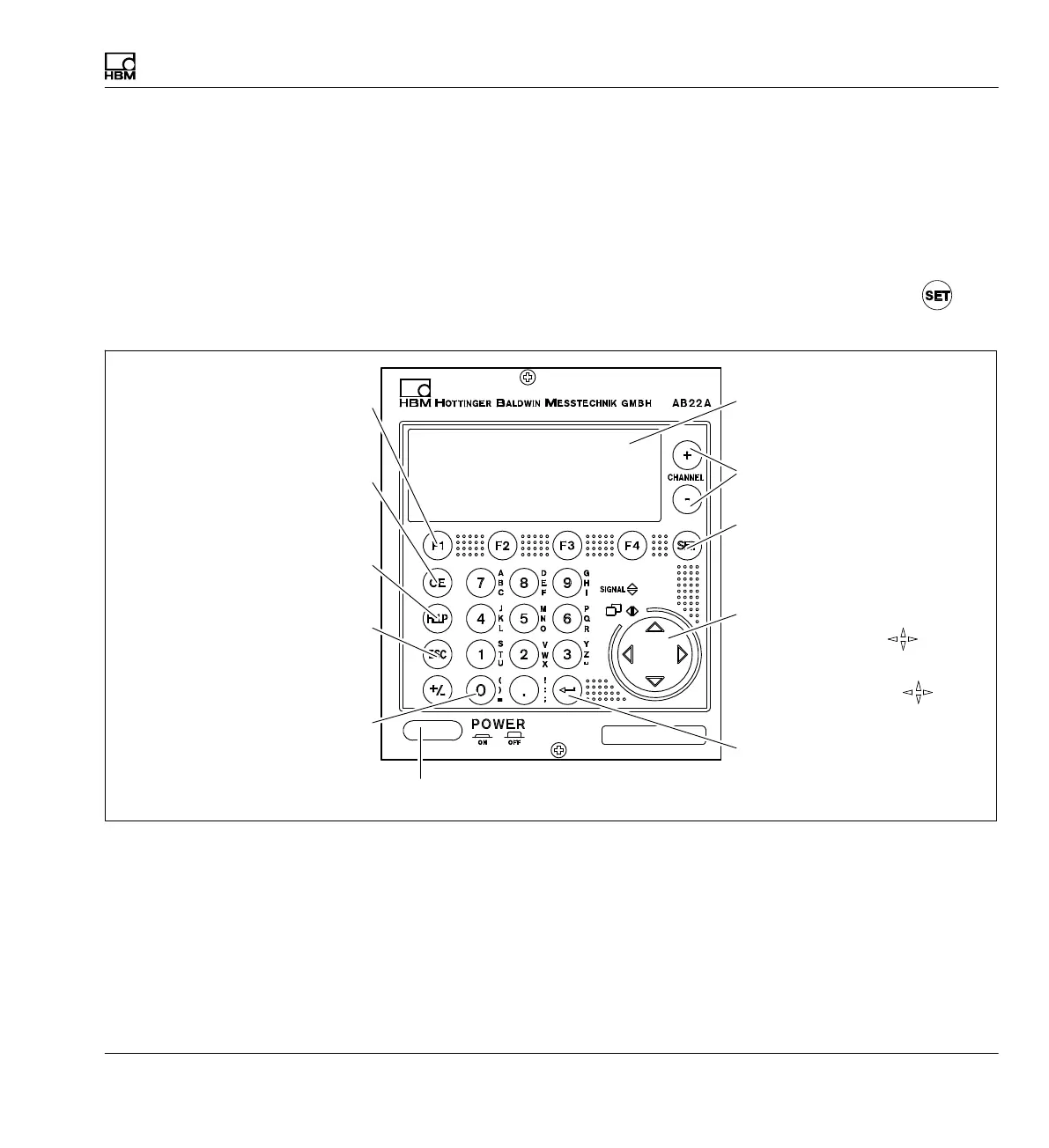
Functions and symbols of the AB22A
Control elements of the AB22A
MGCplus A0534-30.0 HBM: public 103
6 Functions and symbols of the AB22A
6.1 Control elements of the AB22A
You can make all the settings on your device with the keys on the
AB22A/AB32 display and control unit. You can use the Switch key to
select the operating states "Measurement" or "Setting".
Function keys F1...F4
Functions in Measuring mode
and Setup mode
Cancel (ESC) key
Resets the last entry in the
menus or selection fields and
closes the Help texts.
Help key
Activates Online help texts for
certain functions
Delete (CE) key
Deletes the most recent entries
in write fields
Channel selection buttons
Select the active channel
Switch key
Switches between Measuring
mode and Setup mode
Cursor keys
Measuring mode:
Cursor control
Setup mode:
Menu navigation
Enter key
Activates the settings that have
been made
Display
Alphanumeric
keypad
For entering numbers, letters
and special characters in the
edit fields
Power switch



 To Next Page