Additional functions
Remote control (single-channel modules only)
192 A0534-30.0 HBM: public MGCplus
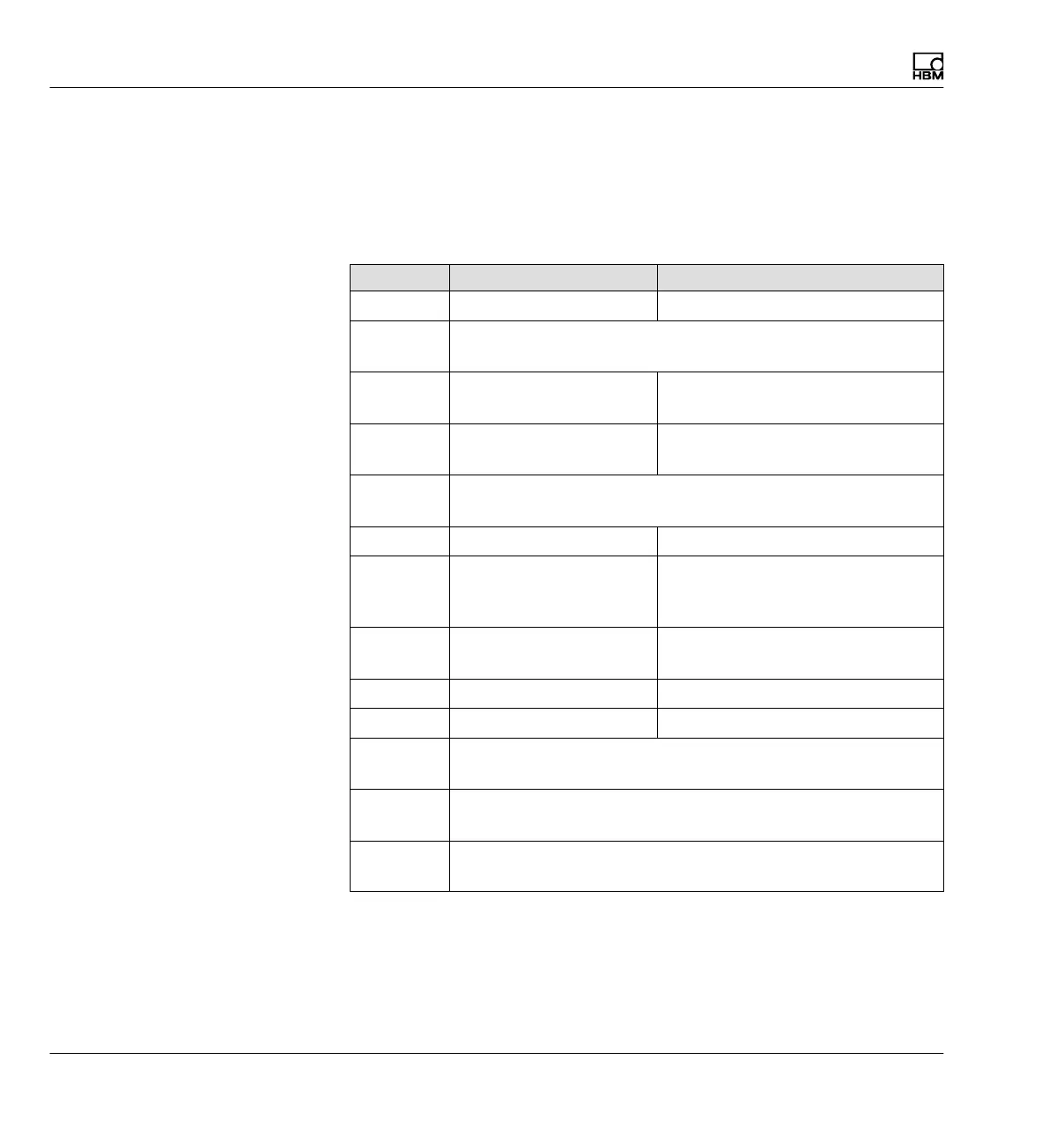
8.1.2 Assigning remote control contacts
The assignment of control contacts is freely selectable. They are not as
signed in the factory settings. The table below shows the possible functions
with a description of the function.
Function Level 5V Level 0V
ACAL Autocalibration ON Autocalibration OFF
TARE The transition from 5V0V (0V24V for AP13i) starts with
taring
CPV1/2 Peak value 1/2 is
saved
Peak value 1/2 is deleted for the
instantaneous value
HLD1/2 Peak-value memory 1/2
free
Content of peak-value memory
1/2 is frozen
ZERO When the transition from 5V0V occurs the instantaneous
measurement signal is set to zero
SHNT Shunt turned off Shunt turned on
PRNT When print is activated
the channel will also be
taken into consideration
When print is activated the chan
nel will not be taken into consider
ation
CAL Input is switched to internal cali
bration source
ZERO Input is switched to zero signal
INV Polarity is reversed (ML60B only)
PSEL1 Select parameter set, coding line 1
(
è see Tab. 8.1)
PSEL2 Select parameter set, coding line 2
(
è see Tab. 8.1)
PSEL4 Select parameter set, coding line 4
(
è see Tab. 8.1)



 To Next Page