System
Password
242 A0534-30.0 HBM: public MGCplus
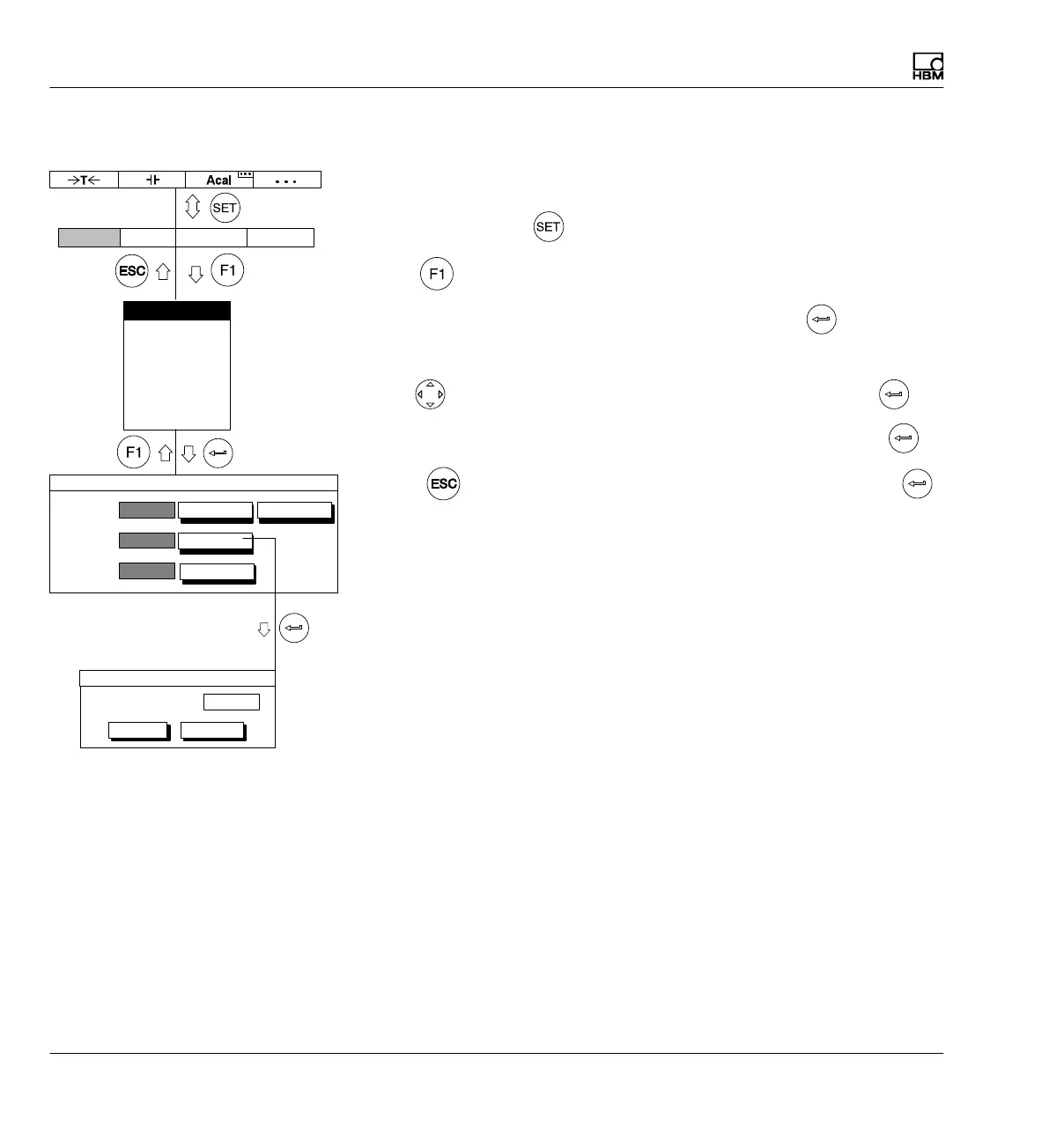
10.1.5 Change password
If you are still in the Password setup window, continue with item 4.
1. Use the Switch key
to switch to Setup mode
2. Print
3. In the pull-up menu select Password and confirm with .
You will then be in the Passwordsetup window.
4. Use
to select the change... button symbol and confirm with .
5. Enter the password in the New password edit field and confirm with
.
6. Press (so you will go immediately to the OK key) and confirm with .
Access:
User:
Password:
new...
change...
set...
delete...
PASSWORD
Display Amplifier OptionsSystem
New password:
OK Cancel
Change password
Password
Save/load
Recording
Interface
Print
Language
Time



 To Next Page