Display
Display format
230 A0534-30.0 HBM: public MGCplus
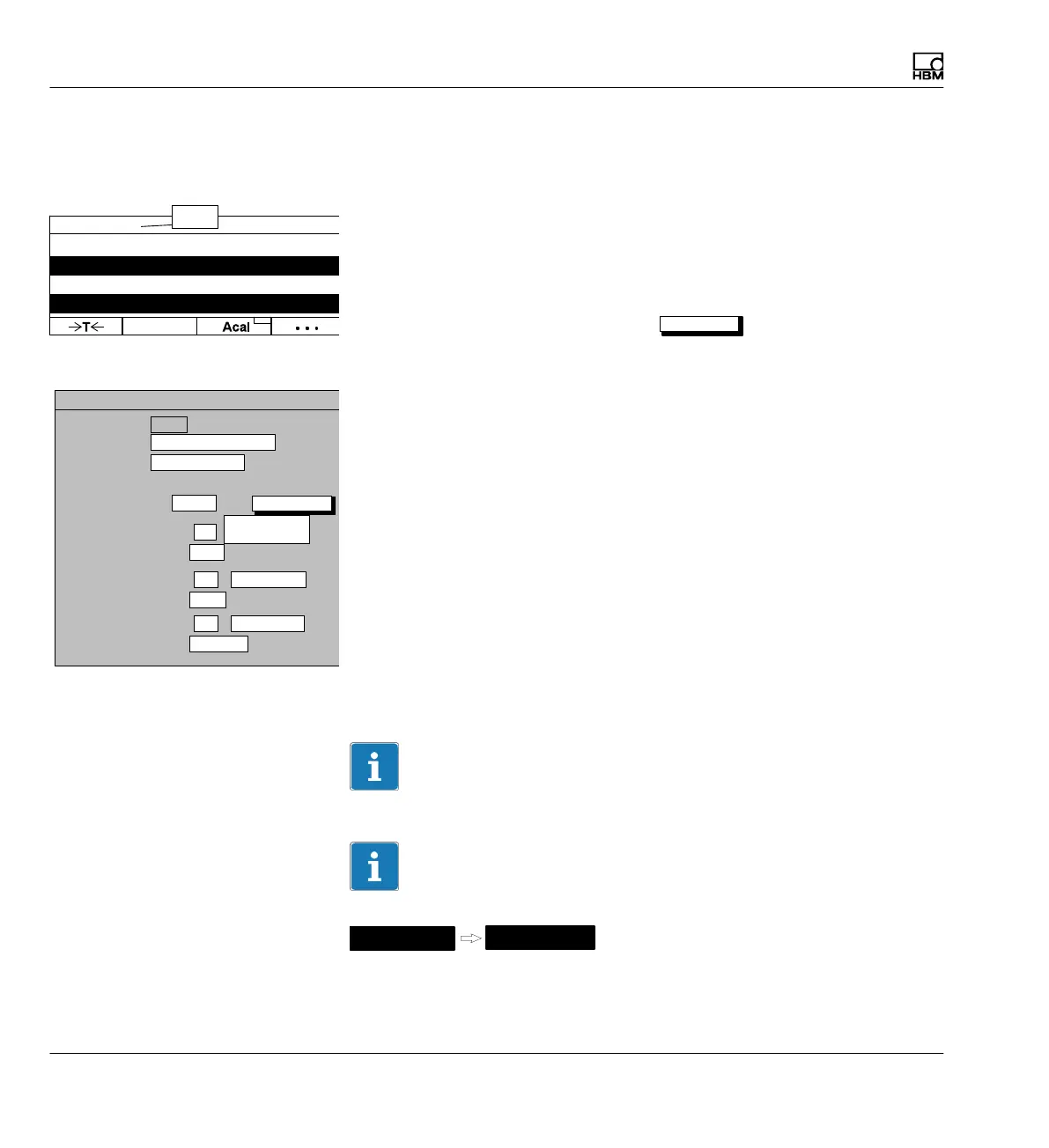
9.1.4 Limit value status
Title
Any user-specific name; appears in the header (factory setting "limit value").
Display value 1 (basic value): Channel
You can define here which channels will be displayed with which signals in
the first status line. You can define your settings for all channels or only for
certain ones (Selection) (button symbol
define...
). You can call a maxi
mum of four signals one after the other per channel.
define...
Button symbol opens new menu Channel/signal selection.
Absolute/relative to basic value
You can use this setting to determine whether a reference to the basic
channel should be set up.
Absolute
The measured value and the signal of the selected channel are displayed
independently of the basic value. The number that is entered corresponds to
the actual channel number. Switching channels has no effect.
Relative to basic value
The number entered here refers to the basic channel. The basic channel
number is 0. Channels located to the left of the basic channel are entered
with a negative sign, channels to the right with a positive sign.
Important
This values does not correspond to the actual channel number
Information
Enter the designation of the limit values in the
Options
Limit switch
menu.
1−ML30 Gross 8.483 kN
1−LV1 Below 10kN
1−LV2 Below 20kN
1−LV3 NOK
Title
0 ...
Limit value status
Limit value
Image no.:
Image type:
Status line 2: Channel
DISPLAY FORMAT Limit value status
2
Relative to
basic value
LV 1
Display value 1 (basic value):
Channels/signals:
All
define...
Image type: Limit value status
Setup window
Title
Status line 3: Channel
2 Absolute
LV
1
Status line 4: Channel
2 Absolute
LV 1
LIMIT VALUE
Measure



 To Next Page