System
Password
MGCplus A0534-30.0 HBM: public 241
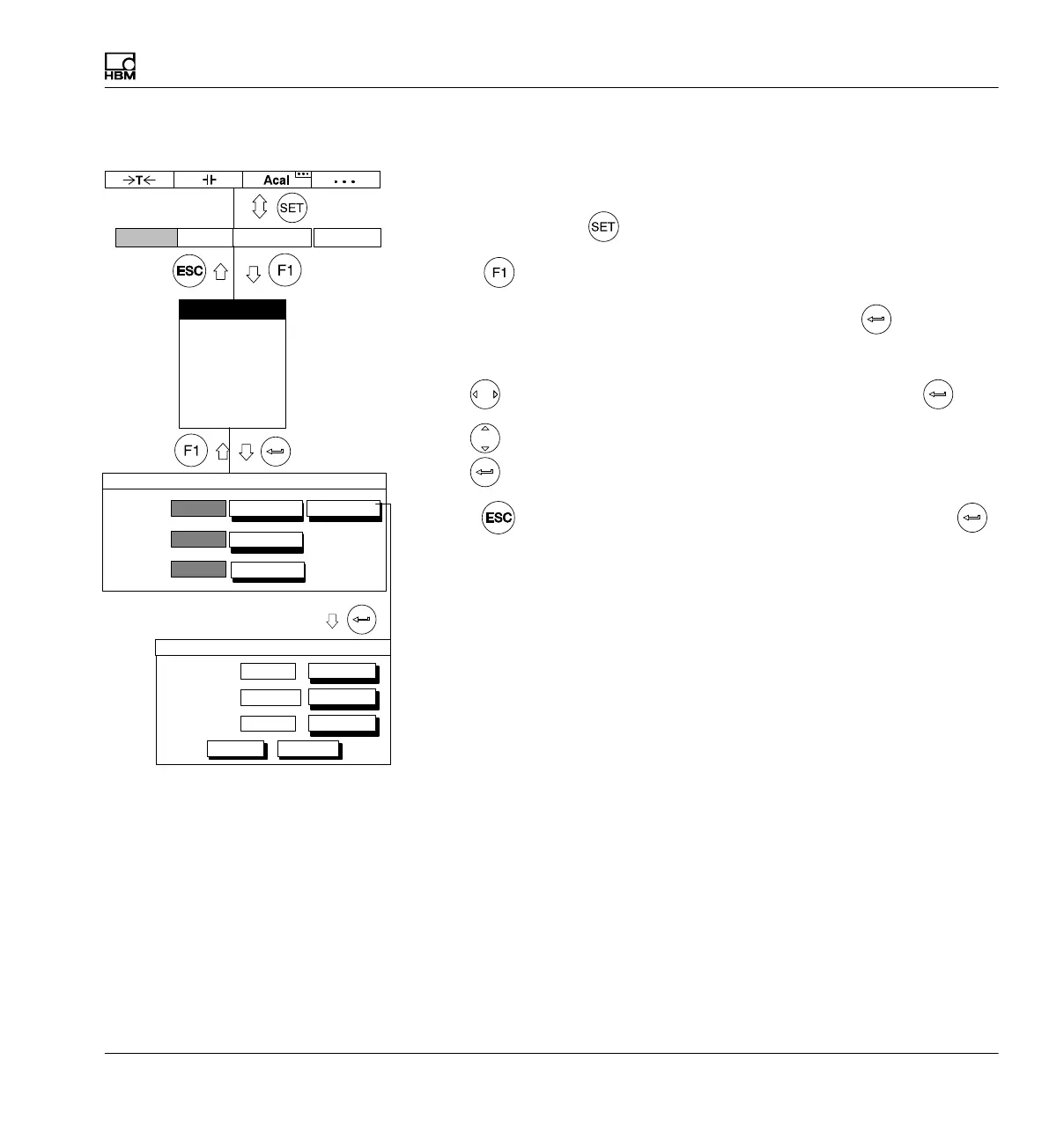
10.1.4 Delete user
If you are still in the Password setup window, continue with item 4.
1. Use the Switch key
to switch to Setup mode.
2. Press
.
3. In the pull-up menu select Password and confirm with
.
You will then be in the Passwordsetup window.
4. Use
to select the delete... button symbol and confirm with .
5. Use
to select the delete... button symbol after the user and confirm
with
.
6. Press
(so you will go immediately to the OK key) and confirm with .
Miller
User1:
Delete user
delete
Morgan
User2:
delete
User3
delete
OK Cancel
Access:
User:
Password:
new...
change...
set...
delete...
PASSWORD
Display Amplifier OptionsSystem
Password
Save/load
Recording
Interface
Print
Language
Time



 To Next Page