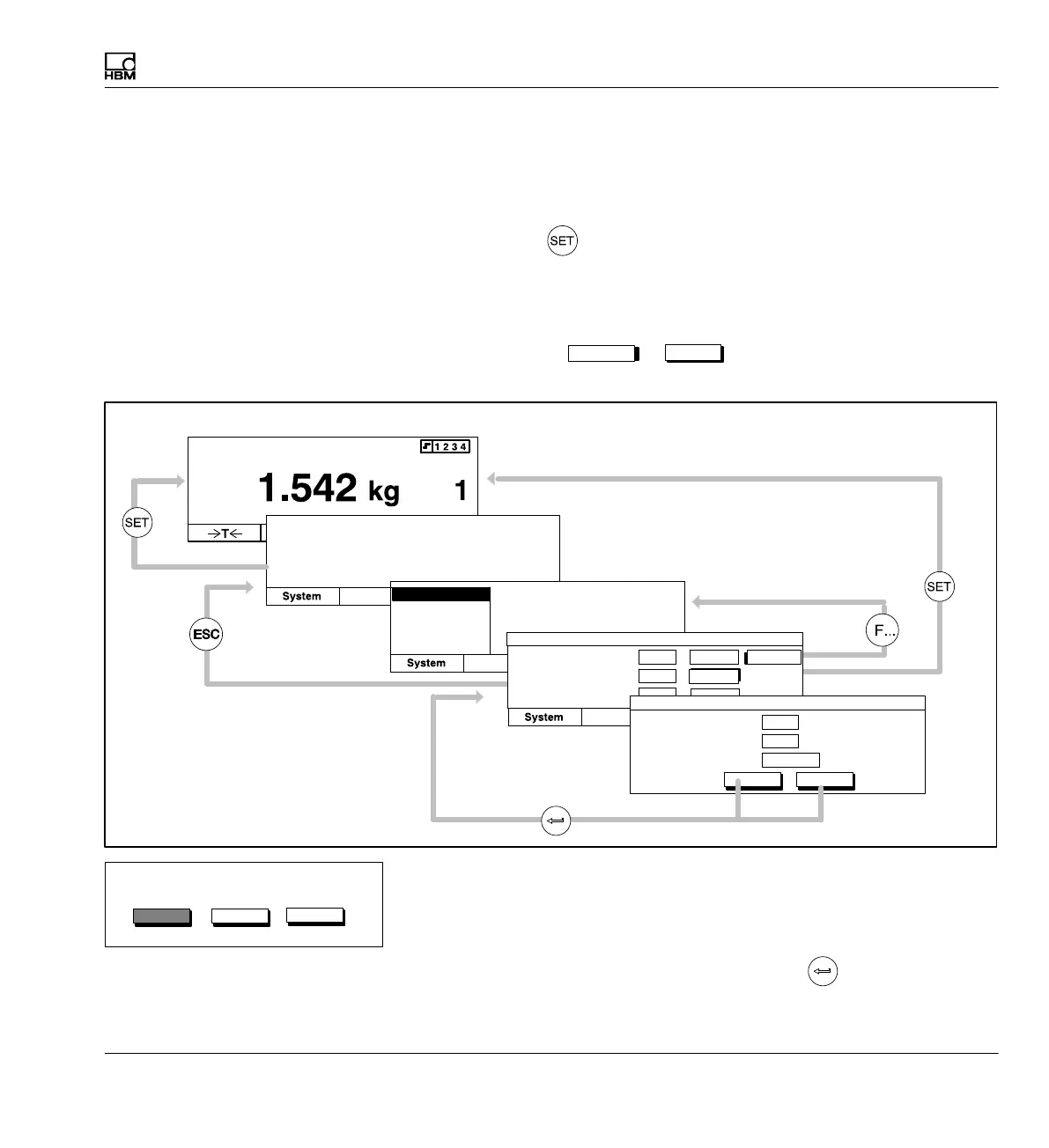
Functions and symbols of the AB22A
AB22A in Setup mode
MGCplus A0534-30.0 HBM: public 113
6.3.2 Exit menus
If you want to leave a menu level press
S the Switch key
Result: Return to measuring mode:
S or one of the function keys F1...F4
Result: Return to selection level 2
S or (if present) the
Cancel
or
OK
button symbol. Result: Return to the previous menu level
Password
Save/load
Recording
Interface
Print
Language
Access:
....
....
....
User:
Password:
new
change
set
delete
Selection level 1
Selection level 2
Setting level 1
Access:
....
....
Operator
User:
Password:
CancelOK
Setting level 2
Measuring mode
Gross
Channel
Display
Displa
Display
PASSWORD
Add user
Password
Before you exit a menu window and return to measuring mode, you always
have the option of saving the settings you have made, deactivating them or
aborting the dialog window. The confirmation prompt shown on the side ap
pears for this purpose.
In the factory settings Yes is selected. Confirm with
.
Save settings?
Cancel
Yes No



 To Next Page