Functions and symbols of the AB22A
AB22A in Setup mode
112 A0534-30.0 HBM: public MGCplus
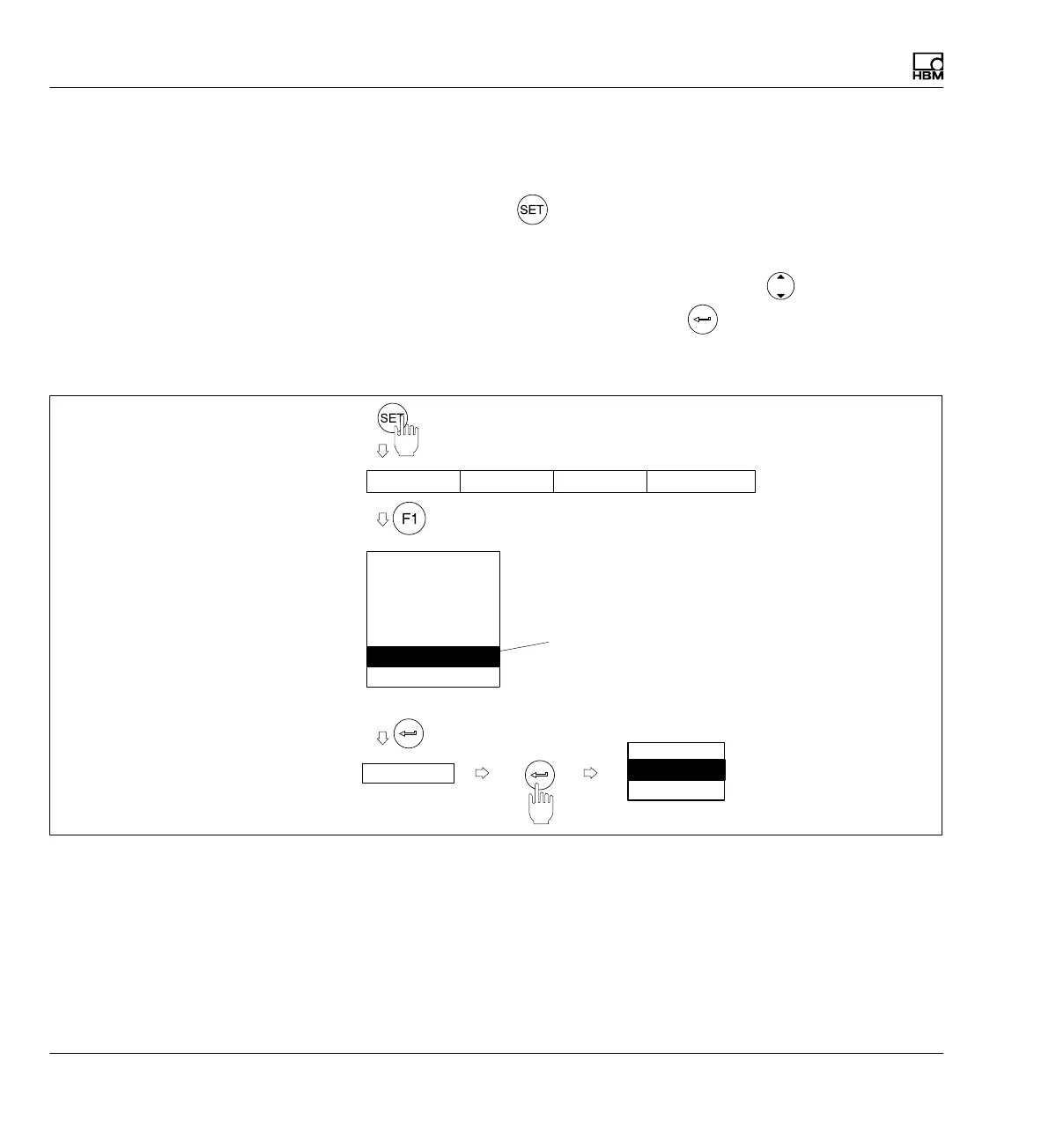
6.3.1 Call menus
Press the Switch key
. At first only the selection bar appears. Now if you
press the function keys F1...F4, the associated pull-up menu appears above
the corresponding term (in this example System). Move the light bar to the
desired term in the pull‐up menu with the cursor keys (in this case
Language) and press the confirmation key . Now you are in the setting
level for the selected term. The current setup window may lead to additional
setting levels.
Password
Save/load
Recording
Interface
Print
Language
Time
Deutsch
English
Francais
Display Amplifier Press-fittingSystem
Selection level 1
Selection bar
Selection level 2
Pull‐up menu
Light bar
Setting level 1
Selection window
Deutsch O



 To Next Page