Functions and symbols of the AB22A
Display
MGCplus A0534-30.0 HBM: public 105
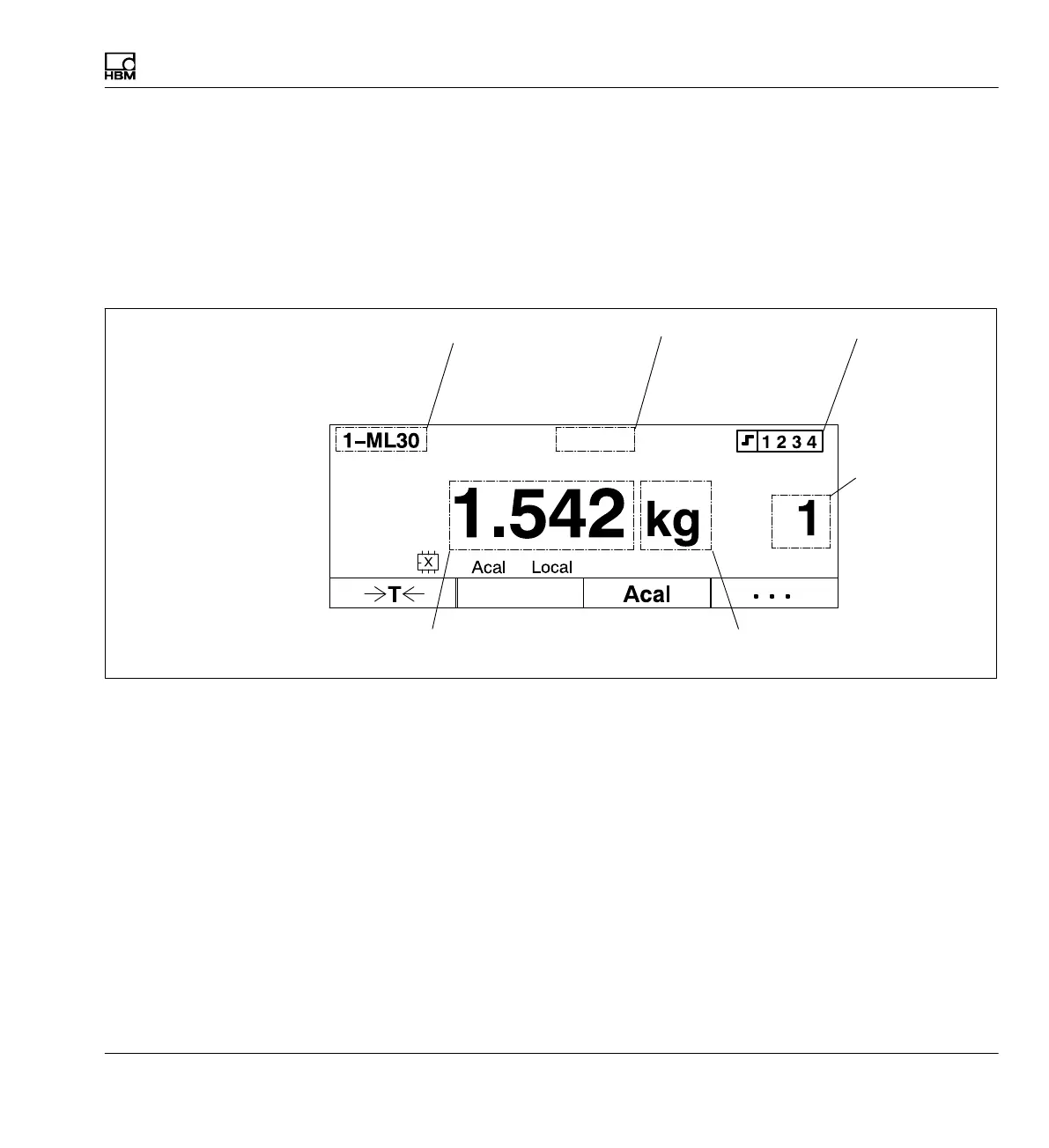
6.2.2 Display in measuring mode
Display with image type "1 measured value"
Settings for different image types are described in detail in
è section 9
"Display", page 213. The image types set by default in the factory are pre
sented here as an overview.
Output signal
Gross
Net
Peak values
Limit values
Channel name
(freely selectable)
Status line
Function key assignment
(shown here in measuring
mode, first level)
Number of the
selected channel
(maximum 16 or
16.8 with multi-
channel
modules)
Unit
Measured value
Limit value status
Measure
Gross
Channel
Measure



 To Next Page