System
Recording series of tests
MGCplus A0534-30.0 HBM: public 249
10.3.1 Setting parameters of test series
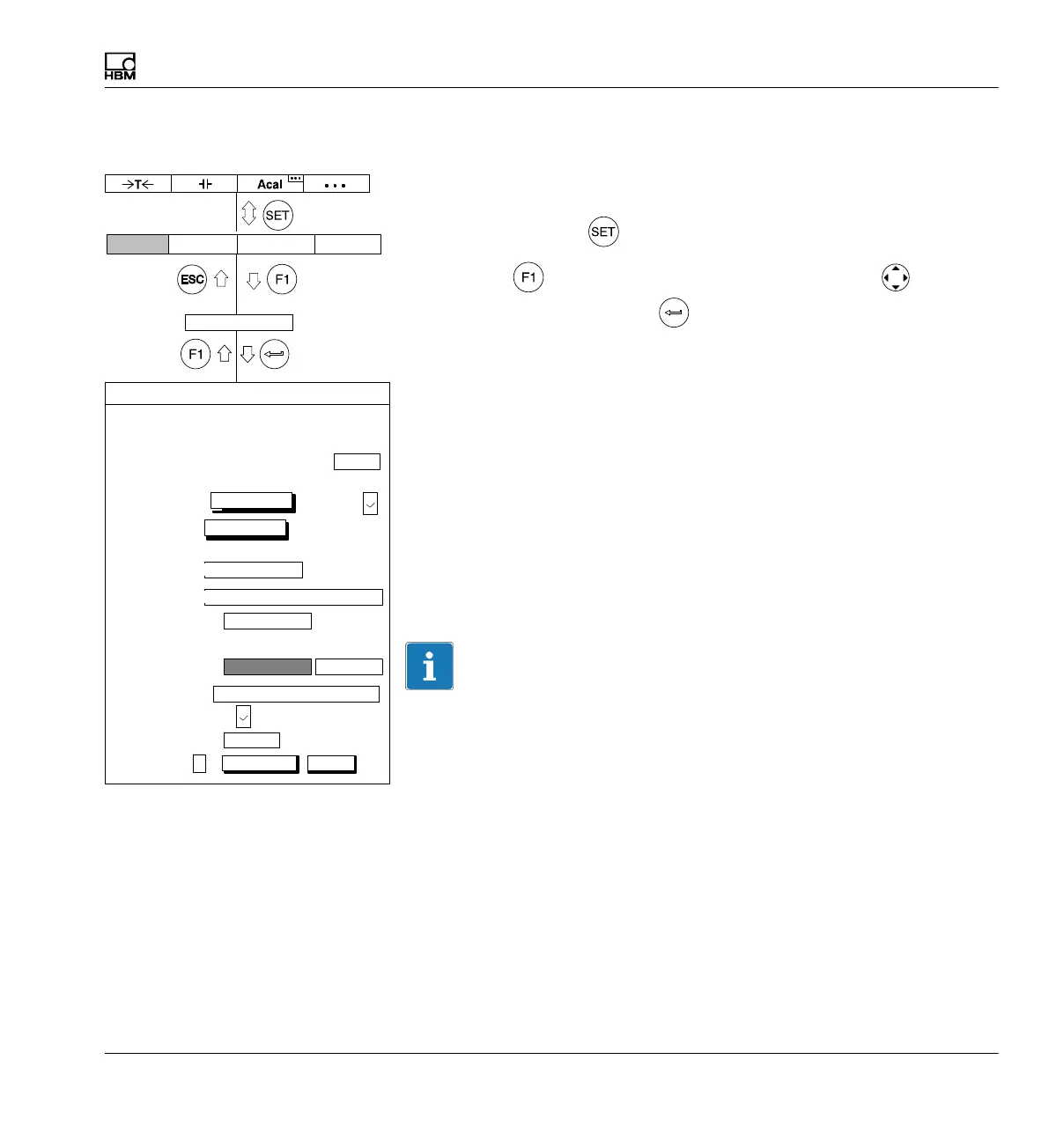
Select setup window
1. Use the Switch key
to switch to Setup mode.
2. Press the function key, use the cursor keys to select
Recording and confirm with .
Measuring interval/sampling rate
Desired sampling rate (> 1Hz: selection in Hz) or measuring interval (< 1
Hz: selection in seconds) for defined channels/signals. You can select three
different sampling rate and assign certain channels/signals to each
sampling rate (see Channels/signals).
Number
Number of measured values to be measured per measurement period.
Duration
Duration of the measurement period in seconds, minutes or hours.
Information
The number and duration affect each other. If you define the number of
measured values with an assigned sampling rate, the duration will be
calculated or vice versa.
Measurement periods
Number of measurement periods If zero is selected here, the measurement
period will be repeated infinitely after the measurement is started with an F
key.
Display Amplifier OptionsSystem
Recording
Number:
Measuring interval/sampling rate:
Duration: 20.00
Measurement periods:
Channels/signals:
define...
Time
channel:
define...
Trigger:
PreTrigger:
Immediately
Start condition:
20.00 % ...
Number of measured values
Stop condition:
Recording to:
a file
Recording information file:
MGCP0000.MEA ...
Recording format:
4−byte integer LSB.. MSB
Autostart:
No
Param.set:
1
1000 ...
10 ...
s...
Rec. Comments:
change
Compression factor:
480
1: 2400 Hz 2: 2400 Hz 3: 100 Hz
RECORDING PARAMETERS
save load



 To Next Page