Measuring
Adapting to the transducer
148 A0534-30.0 HBM: public MGCplus
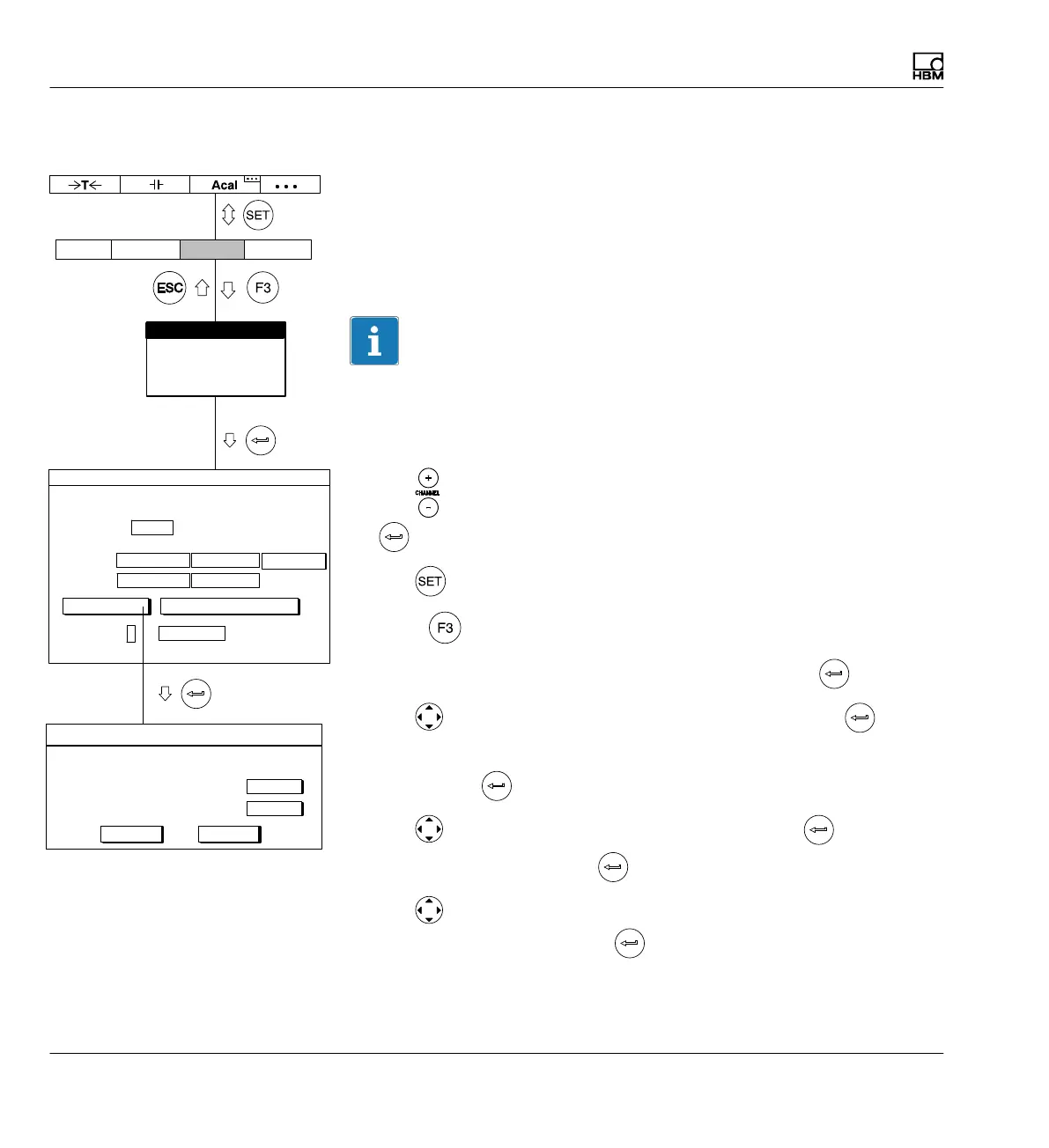
7.3.3.2 Calibrating the characteristic curve of the transducer
By transferring the signals supplied by the transducer at a defined
deflection
Example: A displacement transducer with a nominal (rated) displacement of
20 mm (nominal (rated) value 10 mV/V) is set with a gaging block of 10 mm,
but the measuring range should be 15 mm.
Information
If the zero point and nominal (rated) sensitivity are not changed (for exam
ple in a recalibration), you can skip steps 1-12.
1. Move the transducer to the zero position.
2. Use
or a direct entry to choose the desired channel (for example 3.2
).
3. Use
to switch to Setup mode.
4. Press
.
5. In the pull-up menu select Transducer and confirm with
.
6. Use
to switch to the Current feed selection field, press and
select 2.5V.
7. Confirm with
.
8. Use
to switch to the Unit selection field and press . Select mm
as the unit and confirm with
.
9. Use
to switch to the Zero point edit field and enter the value 0 in
the left edit field. Confirm with
.
mm
0.0000Point 1:
mV/V
0.0021
Shunt off
CancelOK
measure
10.000Point 2 5.0018
measure
Characteristic curve points
Unit
Type IND half bridge circuit
Current feed
Unit: mm mV/V
Zero pt.:
Nom. val.:
Gage factor:
AmplifierSystem Display Options
Transducer
Signal conditioning
Display
Analog outputs
Switch
10.0000 ...
TRANSDUCER CHANNEL1
0.0000 ... 0.0000 ...
20.0000 ...
calibrate... Adjust amplifier
0.0000 ...
measure
2.5V



 To Next Page