Functions and symbols of the AB22A
AB22A in Setup mode
116 A0534-30.0 HBM: public MGCplus
6.3.6 Drop-down menus
In the first two selection levels you can select terms. On the first level (menu
bar) by pressing the corresponding function key, on the second level by
making a selection in pop‐up menus.
S Select and confirm in the selection fields (pull‐up menu)
S The selected field appears in reverse video. Confirm the selection with
6.3.7 Setting elements in the setup windows
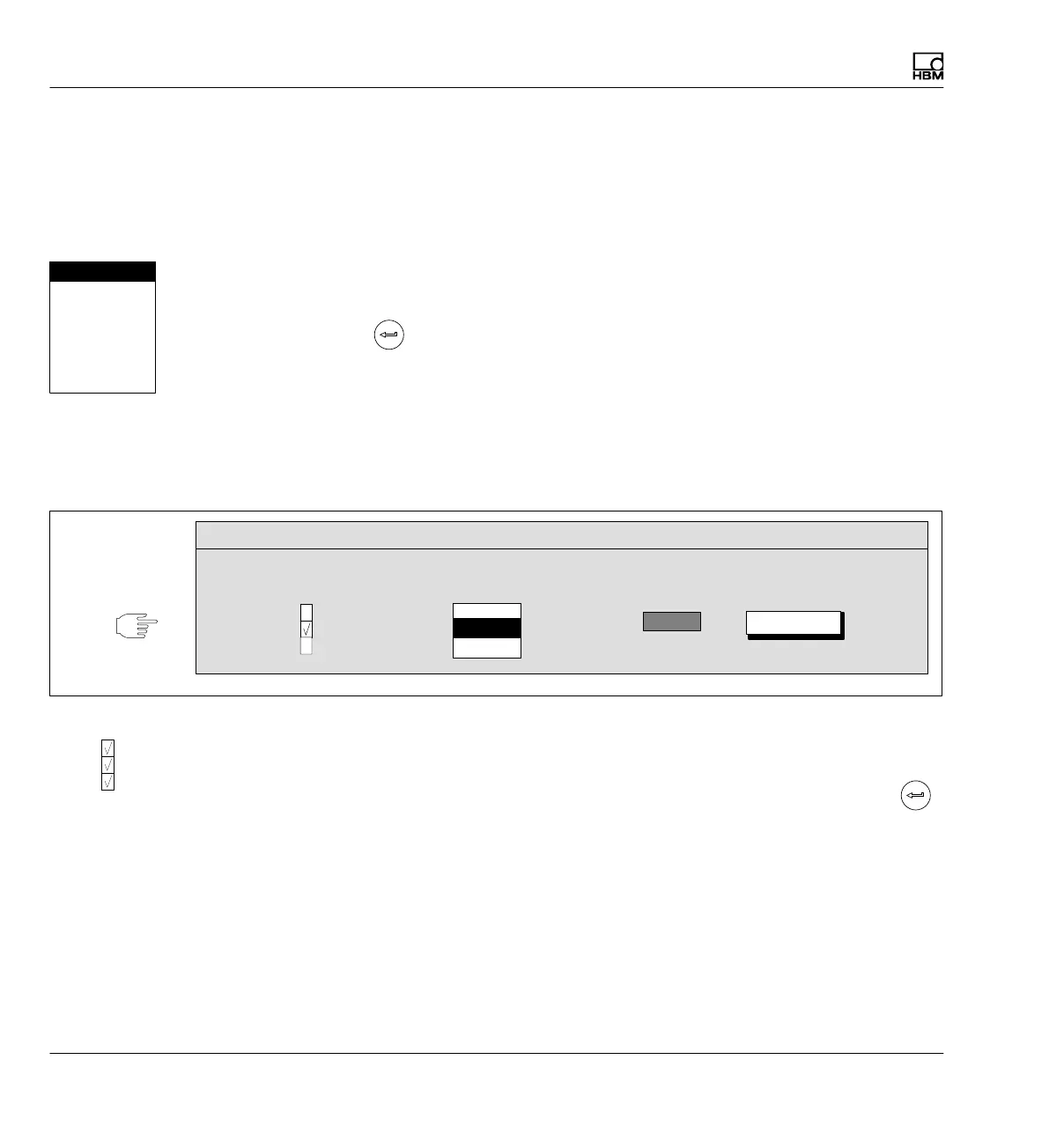
Enter the parameters on the setting level with the setup window. The setup
windows contain Dialog boxes that include four different types.
Activation fields Selection field Edit field
Net
Abs
Gross
User:
Current feed
Button
Cancel
SETUP WINDOW
1V
2.5V
5V
2.5V
Dialog boxes
Fig. 6.2 Four different kinds of dialog boxes in setup windows
S Switch on or off in activation fields
The selected field appears in reverse video. Confirm the selection with
.
A tick appears in selected boxes ("activated"). Pressing the activation button
again cancels activation.
Password
Save/load
Recording
Interface
Print
Language
Time
Net
Abs
Gross



 To Next Page