Measuring
Adapting to the transducer
146 A0534-30.0 HBM: public MGCplus
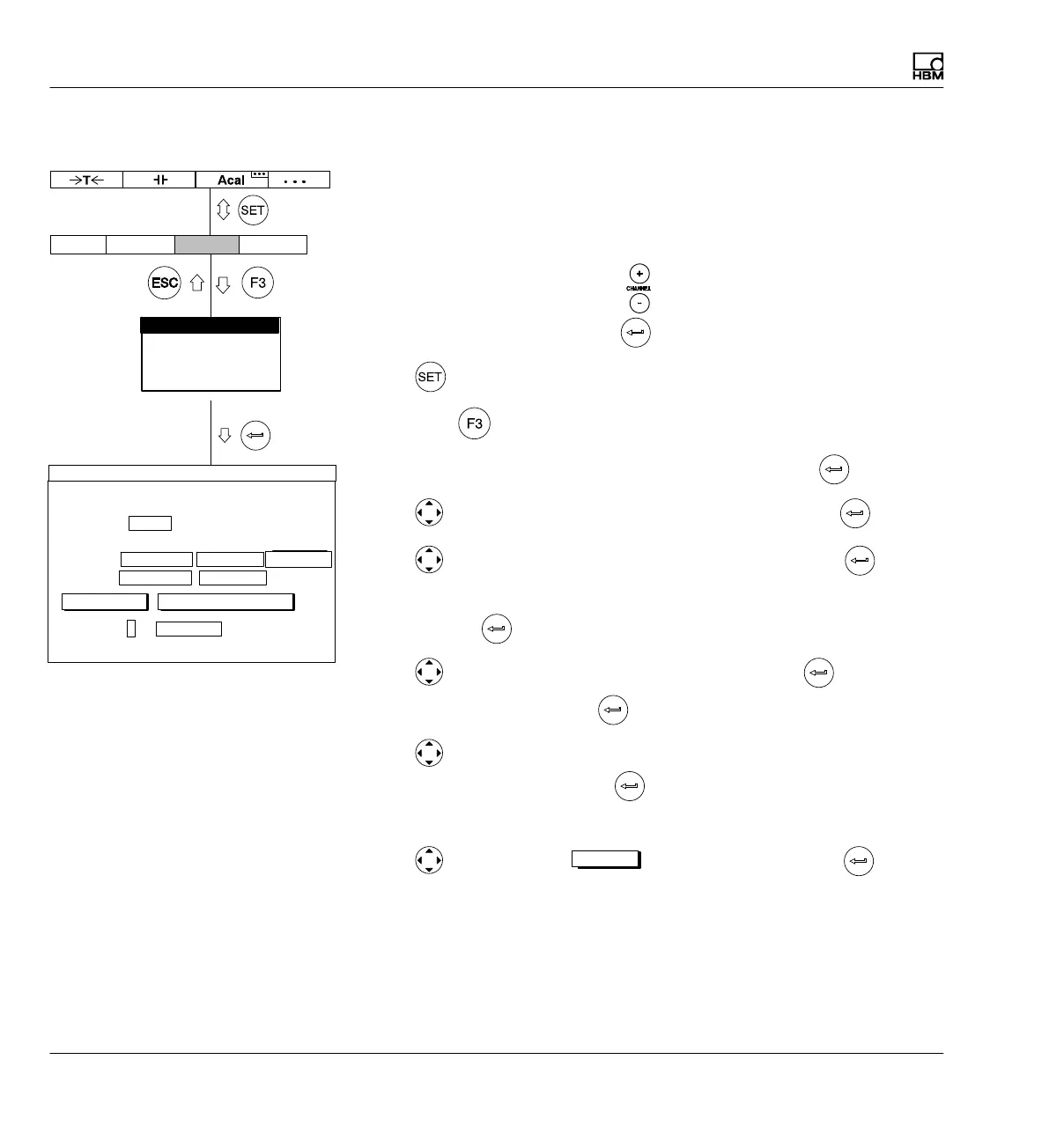
7.3.3.1 Direct entry of transducer characteristics
The example below illustrates the settings for a displacement transducer:
Nominal (rated) displacement 20 mm, excitation voltage 2.5 V, nominal
(rated) value 10 mV/V.
1. Use the channel selection keys
or a direct entry to choose the de
sired channel (for example 3.2
)..
2. Use
to switch to Setup mode.
3. Press the
function key.
4. In the pull-up menu select Transducer and confirm with
.
5. Use
to select IND half bridge circuit and confirm with .
6. Use
to switch to the Current feed selection field, press and
select 2.5V.
7. Confirm with
.
8. Use
to switch to the Unit selection field and press . Select mm
as the unit and confirm with
.
9. Use
to switch to the Zero point edit field and enter the value 0 in
the left edit field. Confirm with
.
10. Move the transducer to the zero position.
11. Use
to switch to the
measure
button and confirm with (the
measured value appears in the right edit field of Zero point)
AmplifierSystem Display Options
Transducer
Signal conditioning
Display
Analog outputs
Switch
10.0000 ...
Type IND half bridge circuit
Current feed
Unit: mm mV/V
Zero pt.:
Nom. val.:
Gage factor:
TRANSDUCER CHANNEL1
0.0000 ... 0.0000 ...
20.0000 ...
calibrate... Adjust amplifier
0.0000 ...
✓
measure
2.5V



 To Next Page