Display
Display format
MGCplus A0534-30.0 HBM: public 215
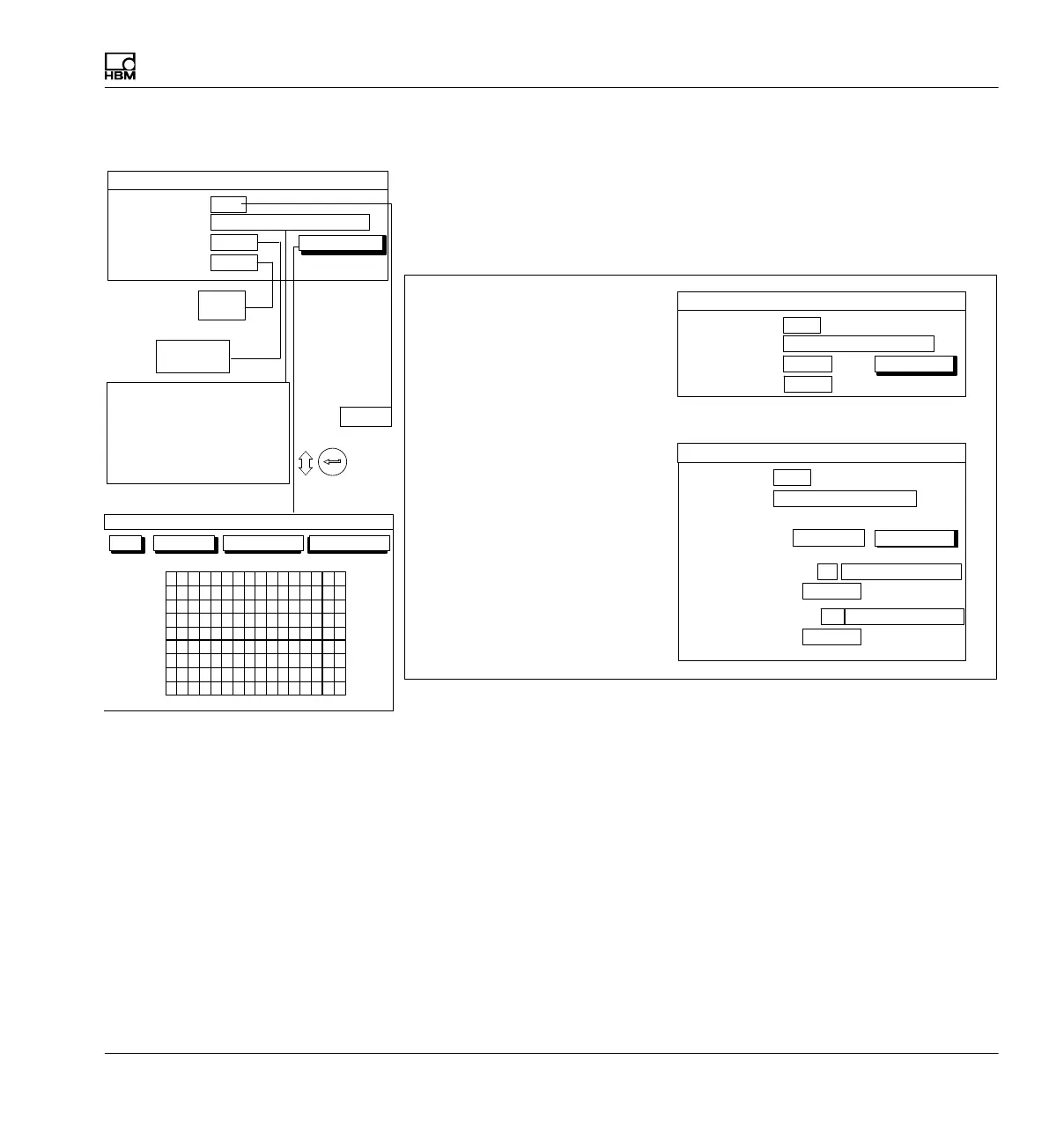
9.1.2 Setup window Display format
The layout of the Display format setup window depends on the image type
selected. The window mask changes depending on the image type se
lected. For example the Status line selection field is only present with the 1
Measured value image type.
Channels/signals:
0 ...
One measured value
All
Image no.:
Image type:
define...
DISPLAY FORMAT One measured value
Status line
Off
Menu for image type “1 measured value”
Menu for image type “3 measured values”
Display value 1 (basic value):
0 ...
3 measured values
Image no.:
Image type:
Display value 2: Channel
DISPLAY FORMAT 3 measured values
2 Relative to basic value
Signal Gross
Display value 3: Channel
-1 Relative to basic value
Signal Gross
Channels/signals:
Selection
define...
Channel
Gross
Net
PV1
PV2
PV12
LV1
LV2
LV3
LV4
101112
0...9
131415161
2
3
4
5
6
7
8
9
Channels/signals:
0 ...
One measured value
All
Image no.:
Image type:
define...
DISPLAY FORMAT One measured value
Free
One measured value
3 measured values
6 measured values
YT realization
XY realization Limit val. status
Recording status
All
Selection
Status line
Off
Off
On
OK Cancel All channels All signals
CHANNEL/SIGNAL SELECTION



 To Next Page