110
If Open or Short Correction Fails to Complete Normally
Solution
Both open correction and short correction
• Check the correction status of the measurement cables (probe and xture) (p. 2).
• Check the cable length correction setting. (If the setting is incorrect, it may not be possible to
perform correction at high frequencies.)
• Verify that the sample is not connected. (Correction cannot be performed while the sample is
being measured.)
• Check the correction range limitation function (p. 101) and the DC bias unit. (When DC cor-
rection is on, DC correction cannot be performed while the DC bias unit is connected.)
• Verify contact between L
POT
and L
CUR
and between H
POT
and H
CUR
.
Open correction
• Check that nothing is connected to the measurement cables. (Correction cannot be performed
if the open correction value impedance is 1 k
Ω
or less.)
Short correction
• Check that the measurement cables are properly shorted together with the shorting bar. (Cor-
rection cannot be performed if the short correction value impedance is 1 k
Ω
or greater.)
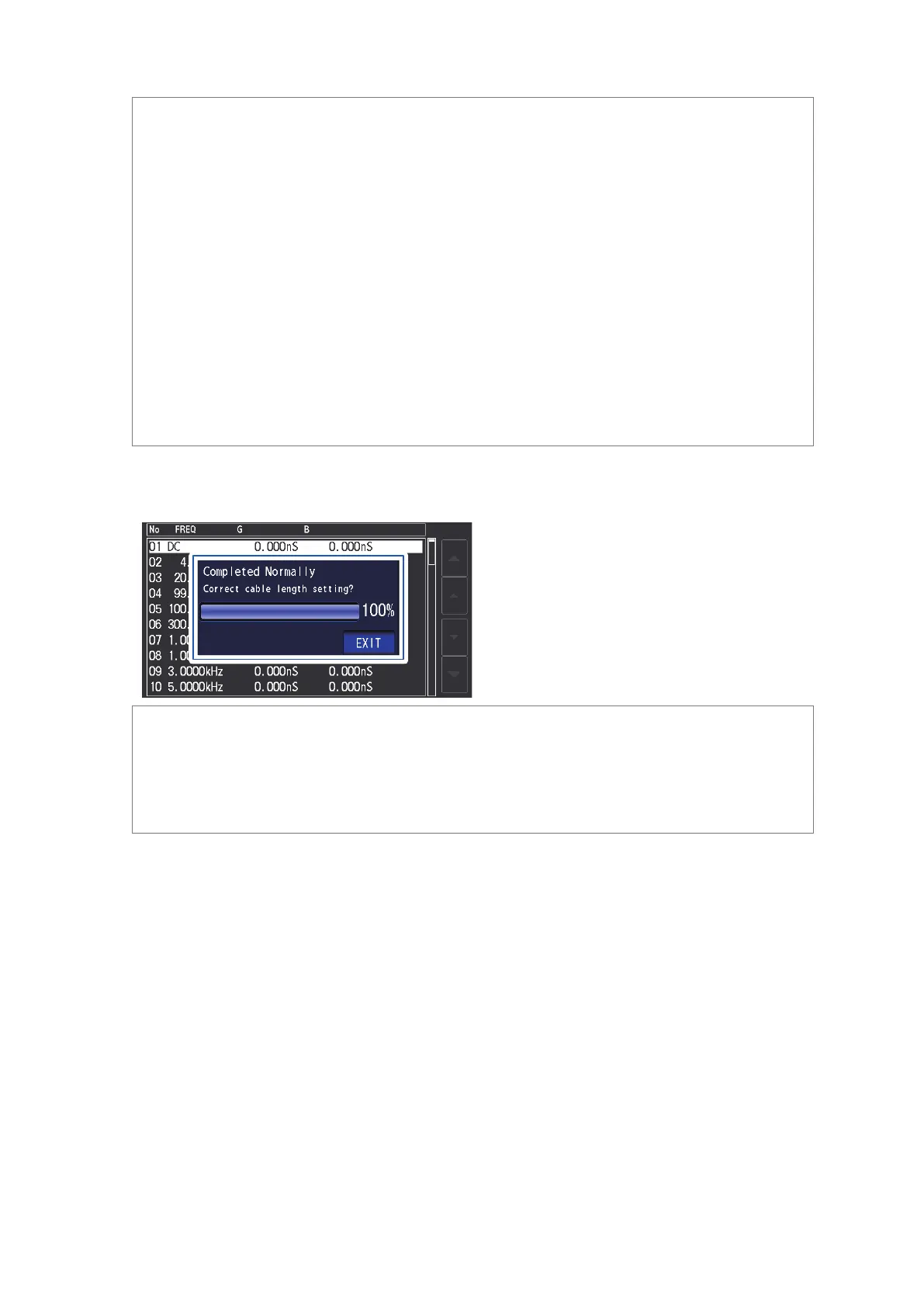
(3) A window such as the following will be displayed if the cable length setting does not
match the length of the connected cable (during open correction only).
In this case, touching the EXIT key will enable the acquired correction value.
Solution
• Verify that the length of the connected cable and the cable length setting mach (p. 98).
• The connected cable length is detected based on the voltage monitor value. It may not be
possible to properly detect the cable length depending on the cable type and length and the
impedance value at the time of open correction.



 To Next Page