Panther System
®
Operator’s Manual
AW-17791-001 Rev. 002 (EN)
76
Overview
Screen Location Description
4. Report Criteria
Panel
Define the parameters for the desired report. The
report generated by the system will be based upon
these criteria (see Selecting Reports on page 162).
Table 42. Report Menu Screen Descriptions (Continued)
Administration Screen
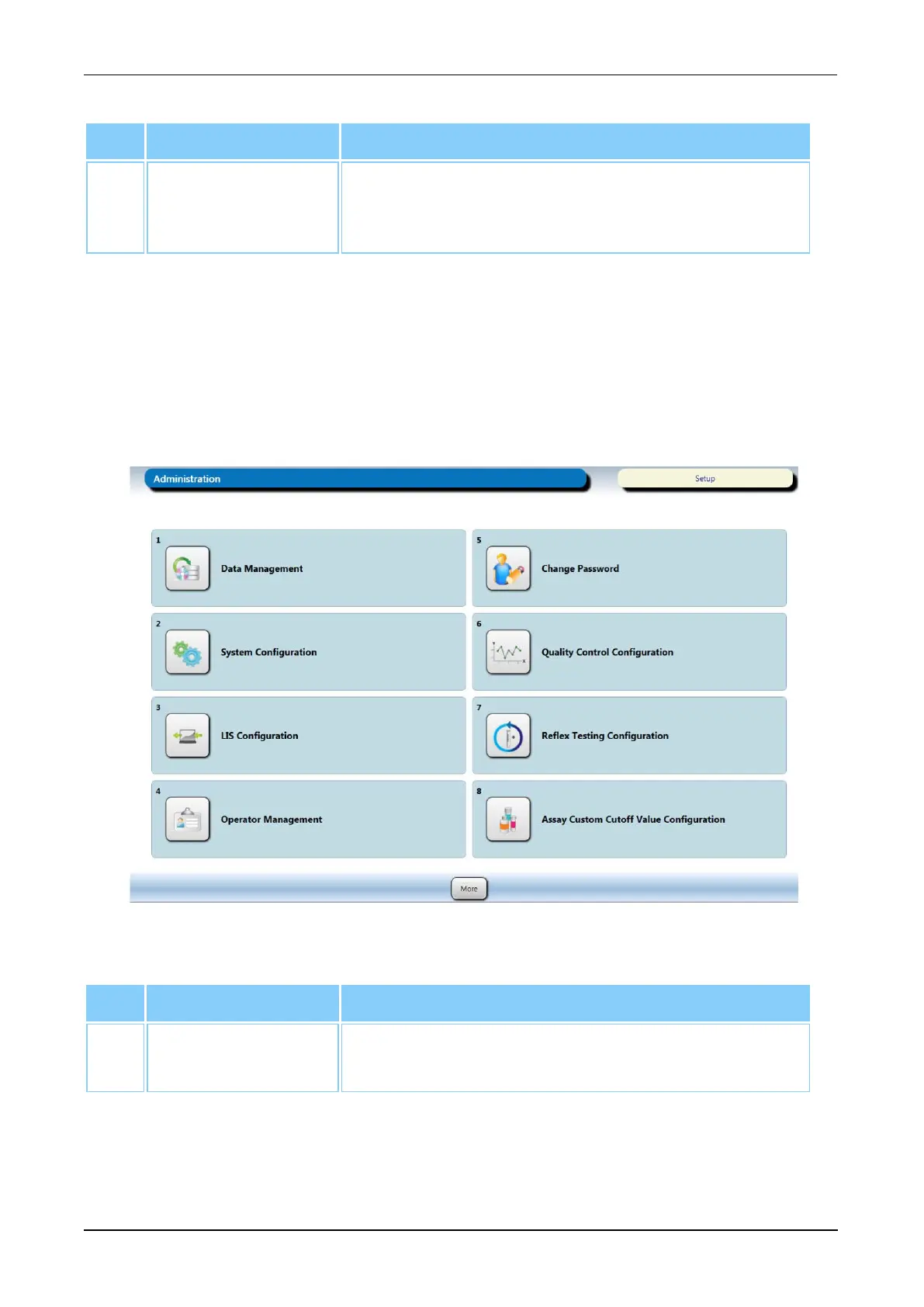
To access the Administration screen, select the Admin button on the Menu Bar (see
Menu Bar on page 45).
Refer to the Administration screen for access to the screens for configuring the system
and operator settings. Use the buttons on the screen to access the corresponding
screens.
Figure 35. Administration Screen (Example)
Screen Buttons Description
1. Data
Management
Select this button to access the Data Management
screen (see Data Management Screen on page 77).
Table 43. Administration Screen Button Descriptions



 To Next Page