Panther System
®
Operator’s Manual
AW-17791-001 Rev. 002 (EN)
246
System Administration
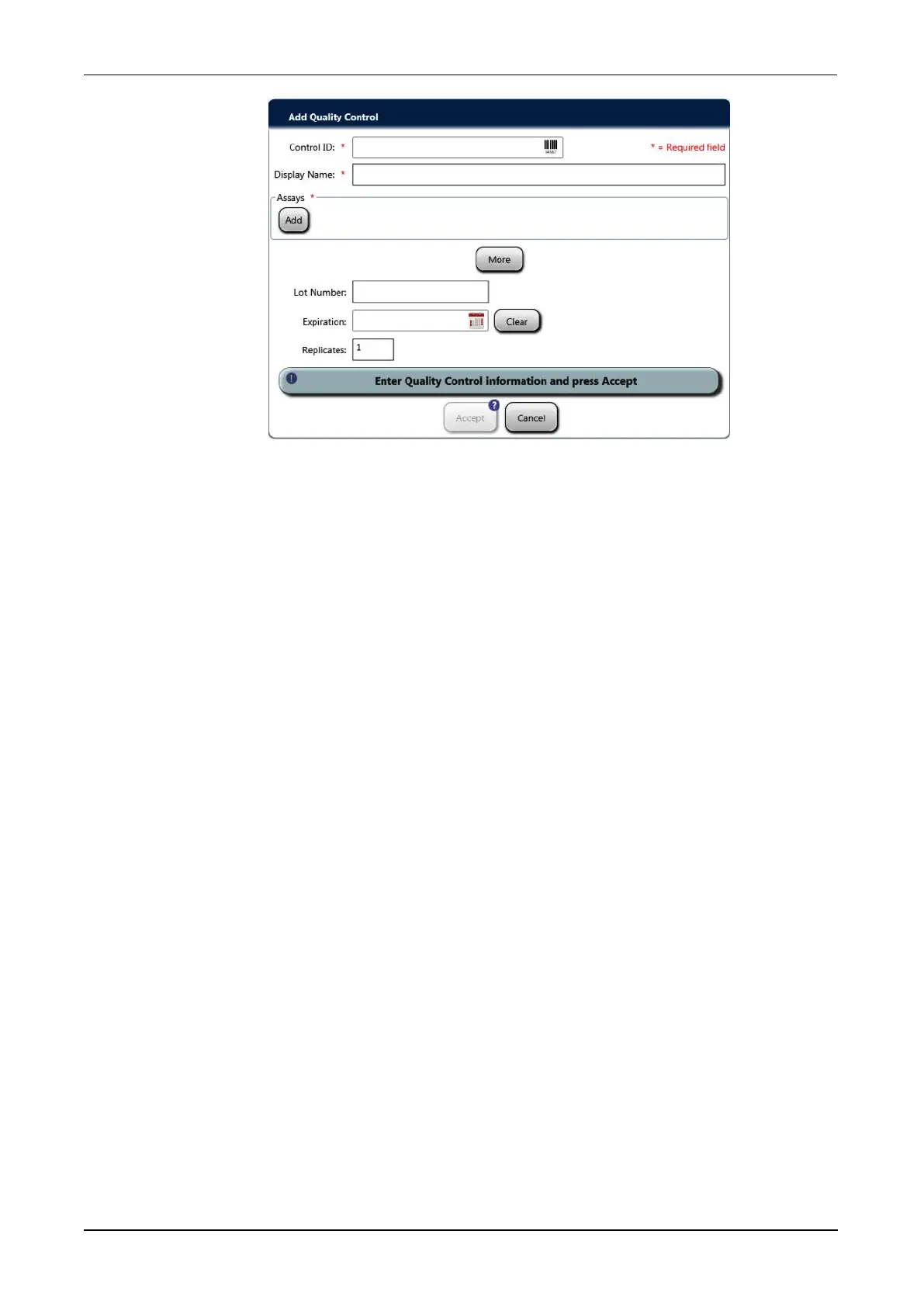
Figure 115. Add Quality Control Window (Example)
2. Select the Control ID field and enter the control identification code by entering
text on the virtual keyboard or by using the handheld barcode scanner. Select OK
or Enter on the virtual keyboard when finished. The identification code must be
four (4) to twenty (20) characters in length. The code does not need to be the
barcode.
3. Select the Display Name field and enter the name of the control to be displayed
on reports by entering the text on the virtual keyboard. Select OK or Enter on the
virtual keyboard when finished. The display name must be one (1) to fifty (50)
characters in length.
4. Select Add.
5. Select the assay(s) to be associated with the EQC from the Assay window by
clicking on the assay name. Select OK when finished.
6. Select the Lot Number field and enter the user-defined lot number for the quality
control by entering the text on the virtual keyboard, if desired. Select OK or Enter
on the virtual keyboard when finished. The lot number must be one (1) to twenty
(20) characters in length.
7. Select the Expiration field and choose the user-defined expiration date for the
quality control by selecting the date from the date selection window, if desired.
Select OK when finished choosing the date.
8. Select Clear to remove the expiration dating, if desired.
9. Select Replicates and update the number of replicates to be tested when the
quality control is used on the keypad, if desired. Select OK on the keypad when
finished. The replicate number must be one (1) to ten (10).
10. Skip to Step 12 to finish adding a new quality control. Continue to Step 11 to add
mean and standard deviation information for the EQC.



 To Next Page