Panther System
®
Operator’s Manual
AW-17791-001 Rev. 002 (EN)
109
System Operation
3. Using the handheld barcode scanner, scan the Master Lot barcode from the
Master Lot Barcode Sheet.
If the Master Lot information had previously been inactivated, the
New/Activate Master Lot window expands with all lot information fields
populated.
4. Select Accept.
The reactivated Master Lot is once again available to be used for assay
processing. The New/Activate Master Lot Barcode window closes and the
operator is returned to the Panther Assay Reagent Bay screen.
Reagent Kit Date Extension
Extend the expiration date for an assay reagent Master Lot when directed by
Hologic. Detailed instructions for how to extend the Master Lot expiration date
will be provided by Hologic. The date extension procedure is performed through
the Panther Assay Reagent Bay screen using the Date Extend Lot button
located on the New/Activate Master Lot Barcode window.
Loading Panther Assay Reagents into Racks
1. Ensure that the reagent bottles are labeled with the date and initials to identify
bottles belonging to a kit.
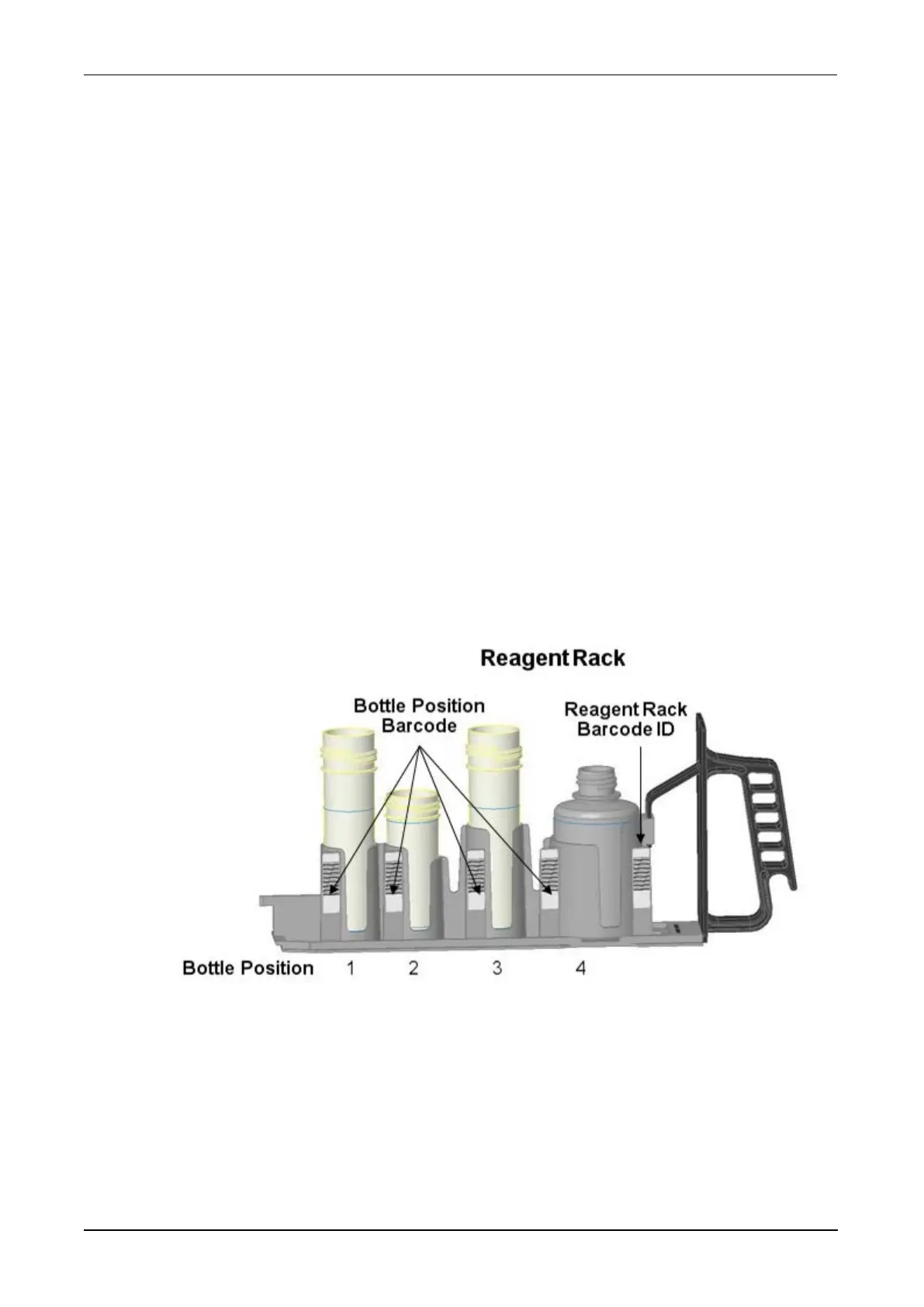
Figure 55. Panther Reagent Rack (Example)
2. Mix each reagent bottle thoroughly by gentle inversion prior to loading in the rack.
Avoid creating foam.
3. Remove and discard the caps from the assay reagent bottles and visually inspect
each reagent for foam, bubbles, and undissolved particles.



 To Next Page