Panther System
®
Operator’s Manual
AW-17791-001 Rev. 002 (EN)
193
Maintenance
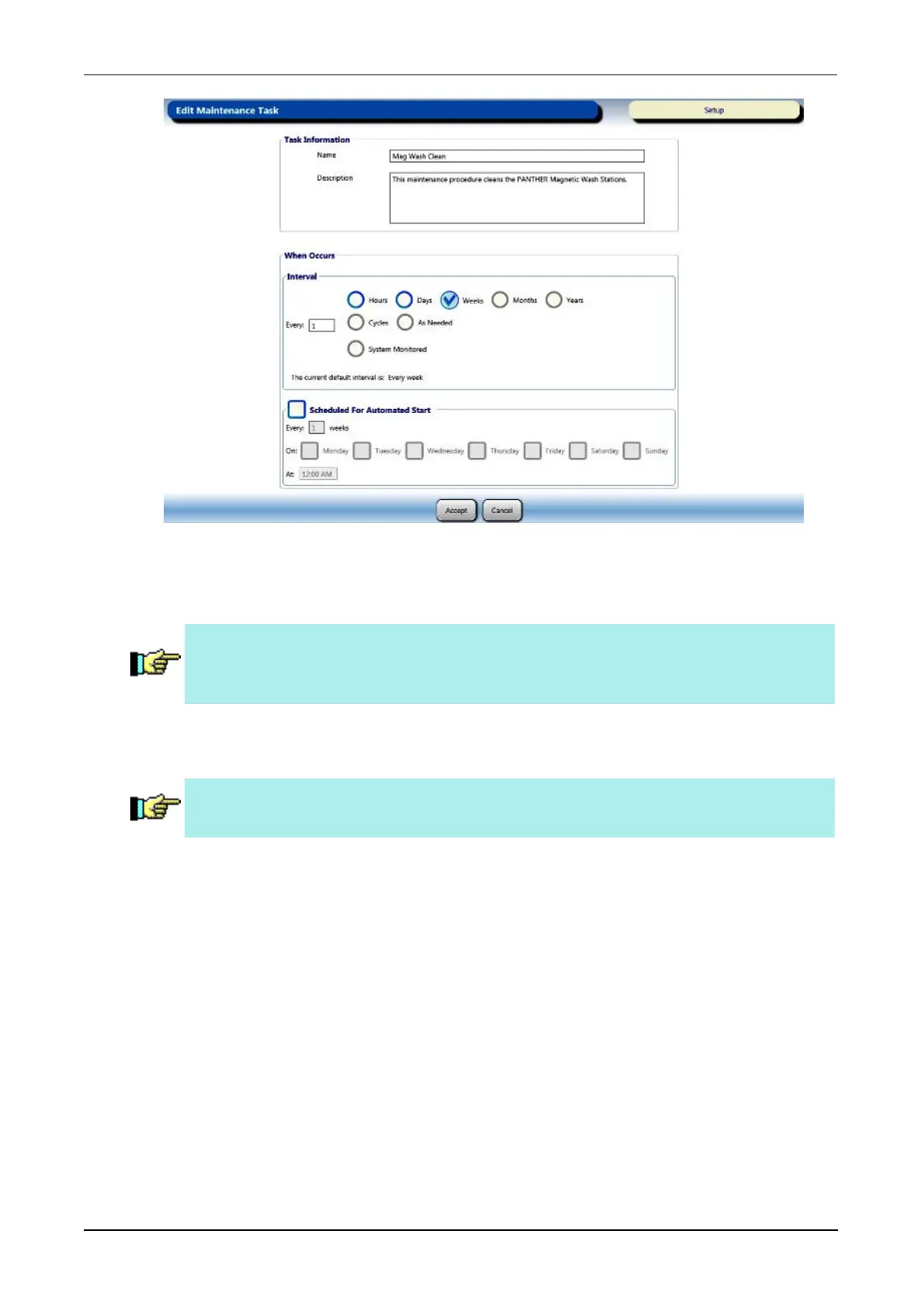
Figure 103. Edit Maintenance Task Screen Mag Wash Cleaning (Example)
3. From the Interval panel, select the Hours, Days, Weeks, Months, Years, or Cycles.
Note—The interval for the Replace Mag Wash Cleaning solution task is
permanently set to the System Monitored setting. This is the only
maintenance task that can be set to this interval category.
4. Select the Every field, enter the number based upon desired maintenance schedule
intervals, and select OK when finished.
Note—Do not select Cycles when configuring the maintenance schedule
intervals. This functionality is not available in this software version.
5. Select Accept to confirm any changes made.
The Due column on the Maintenance Activities screen updates to reflect changes in
scheduling.
Schedule an Automated Maintenance Task
Schedule the Mag Wash Cleaning maintenance task to run automatically when away
from the instrument (see Mag Wash Clean on page 200). The system will only perform the
automated task if all requirements have been met. Only Administrators can schedule an
automated maintenance task (see Adding Operator Accounts on page 240). Adjust the
maintenance settings at any time the system is in the Setup or Ready state.
To schedule an automated maintenance task:
1. From the Maintenance Activities screen, select the maintenance task to be automated.



 To Next Page