Panther System
®
Operator’s Manual
AW-17791-001 Rev. 002 (EN)
263
Troubleshooting
9. If the problem persists, contact Hologic Technical Support and provide details of the
event and the status of the sample tube.
Resolving Barcode Issues
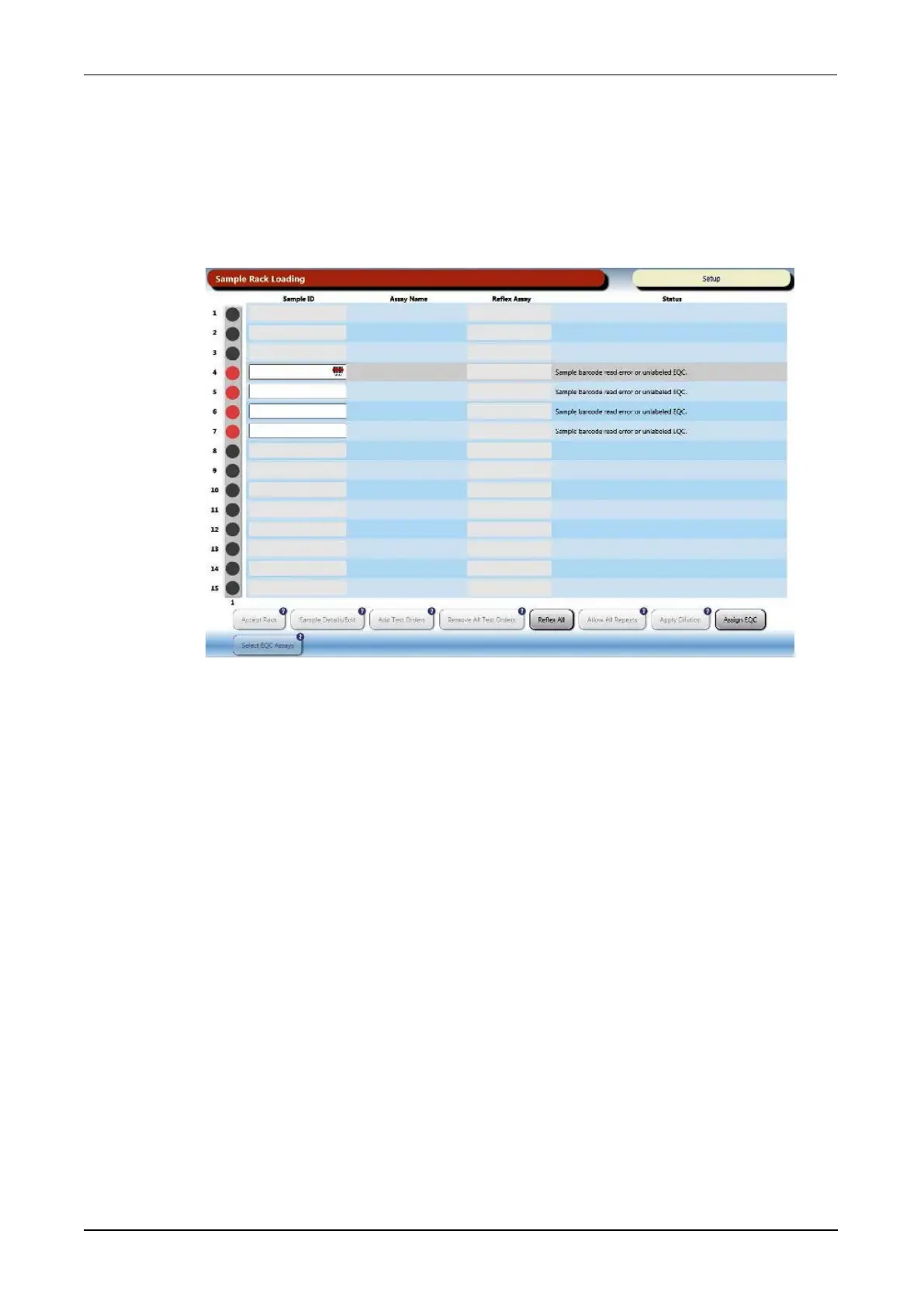
When an unreadable barcode error occurs, the user interface will transition to the Sample
Rack Loading screen and instructions on how to resolve the issue will be displayed.
Figure 125. Sample Rack Loading Screen During Barcode Error (Example)
If the sample is an EQC, follow the instructions for an unlabeled EQC (see Loading
Unlabeled Quality Controls on page 248).
When this situation occurs, follow the To correct Patient Sample Unreadable Barcodes
instructions and perform one of the following tasks:
l Remove the Sample Rack, reposition the affected sample tube and reload the rack.
l Remove the Sample Rack and use the handheld barcode scanner to scan the tube
(see Using the Handheld Scanner for Unreadable Barcodes on page 263).
l Use the virtual keyboard to manually enter an SID (see Using the Virtual Keyboard for
Unreadable Barcodes on page 264).
Using the Handheld Scanner for Unreadable Barcodes
To use the handheld barcode scanner to resolve the error:
1. Select OK on the Barcode Correction window.
2. Remove the Sample Rack of the affected specimen tube(s). Do not close the
Sample Bay Door after removing the Sample Rack.



 To Next Page