Panther System
®
Operator’s Manual
AW-17791-001 Rev. 002 (EN)
95
System Operation
l Open an unlocked Tip Drawer with a green LED drawer indicator.
l Select the Tips Count status bar at the bottom of the screen.
l Select the Load Tips button on the Tasks screen.
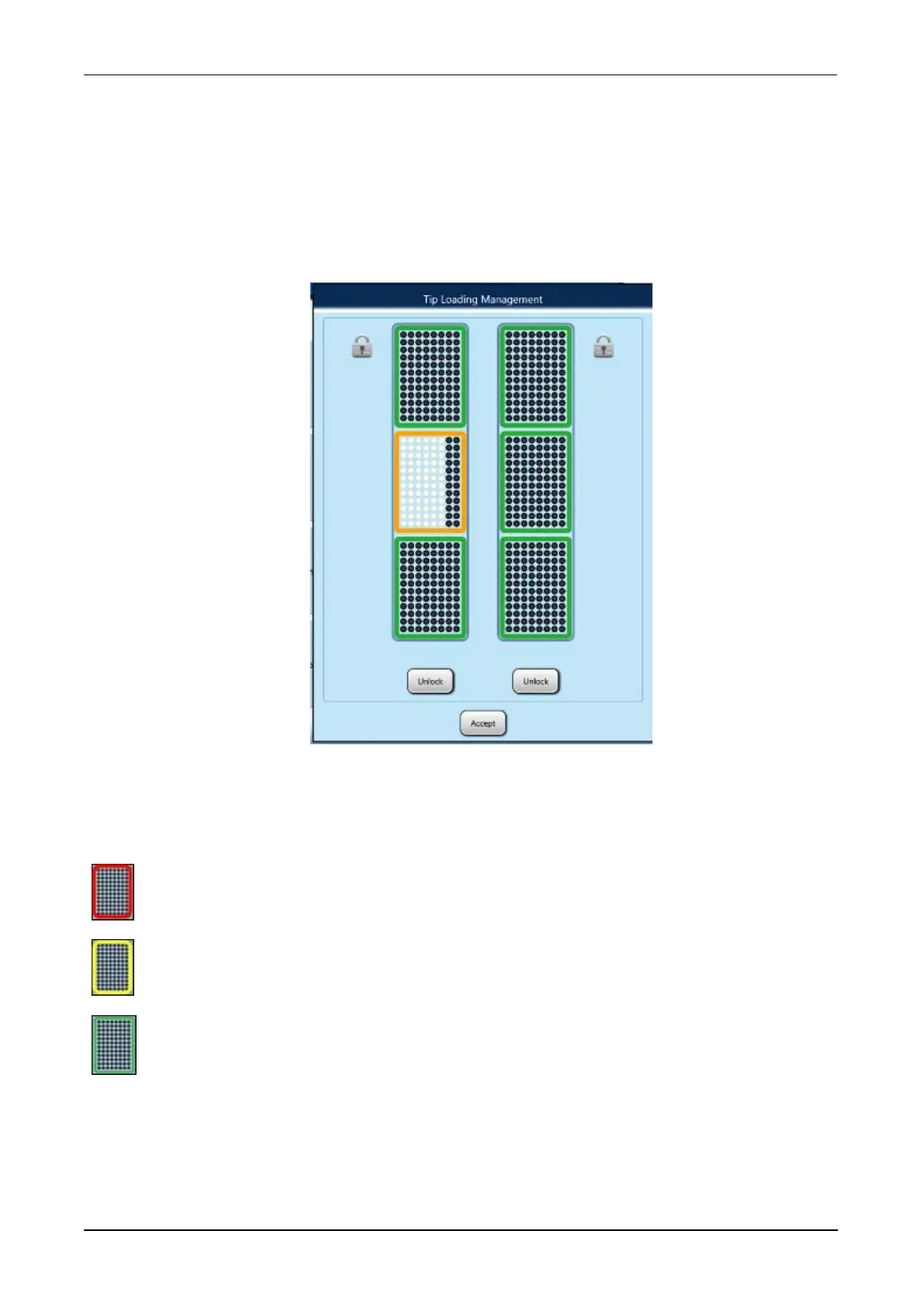
The Tip Loading Management window opens with a graphical display of both
drawers.
Figure 49. Tip Loading Management Window (Example)
Each tip tray icon will be outlined in one of the following three (3) colors indicating
the status of the tray.
Red—Tip tray is empty
Yellow—Tip tray is partially full
Green—Tip tray is full
2. Select the Unlock button for the desired Tip Drawer(s). The Tip Drawer(s) will have
automatically unlocked if all tips were depleted.
The selected drawer(s) will unlock and will be available for loading.



 To Next Page