Panther System
®
Operator’s Manual
AW-17791-001 Rev. 002 (EN)
120
System Operation
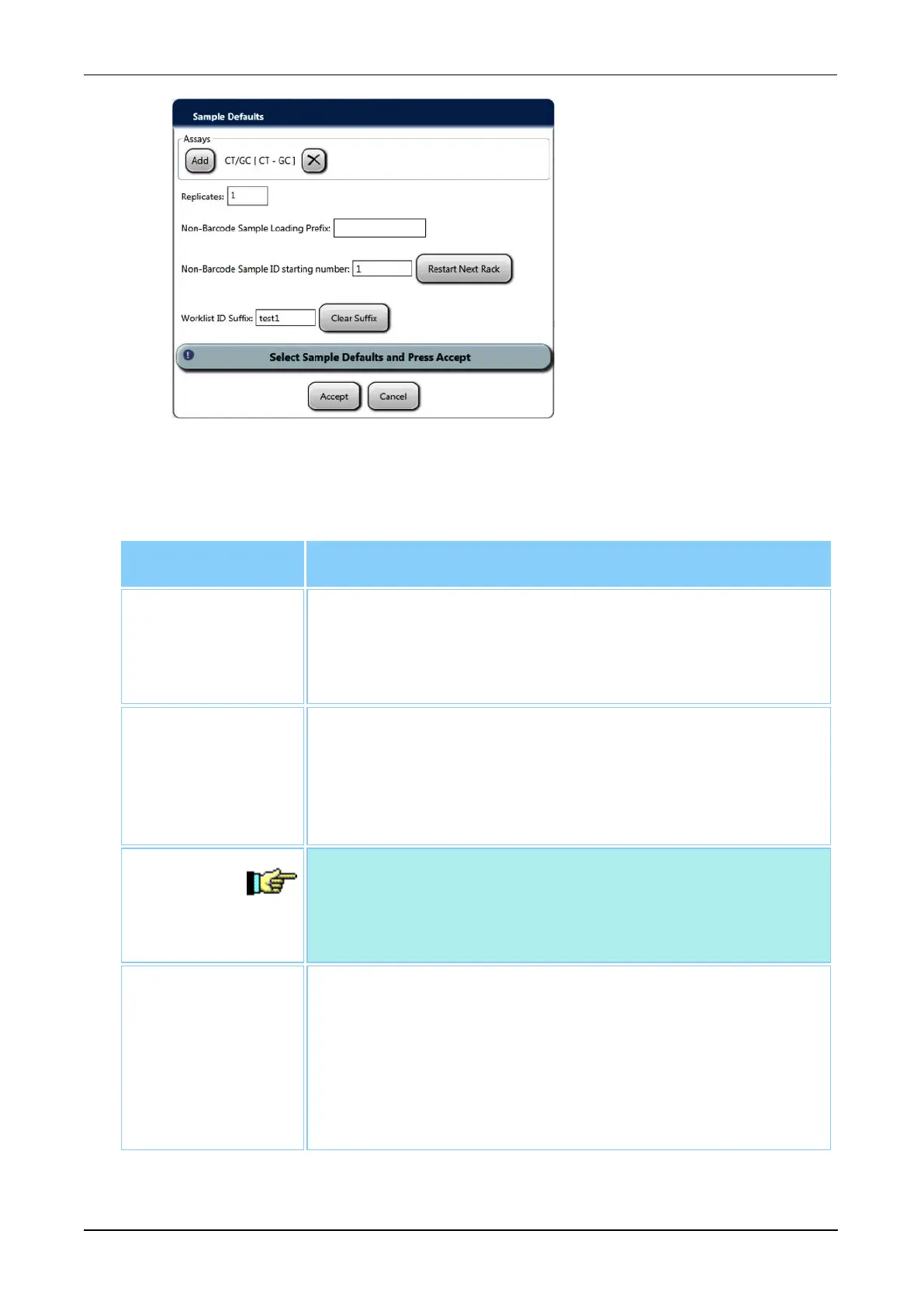
Figure 62. Expanded Sample Defaults Window (Example)
3. Select one of the following fields to amend as desired:
Option Description
Non-Barcode
Sample Loading
Prefix
This prefix will be added before the index number for
samples added when the Enable Non-Barcode Sample
Loading configuration is enabled (see Specimen Loading
on page 224).
Non-Barcode
Sample ID
starting number
The number entered will become the SID for the first sample
when the Enable Non-Barcode Sample Loading
configuration is enabled. Each additional sample loaded is
labeled sequentially (see Specimen Loading on page 224).
Select Restart Next Rack to return the starting number to 1.
Note—Resetting the Non Barcode Loading Starting number
while loading samples in the same worklist can create
repeat Sample IDs within the worklist and lead to two (2) or
more specimens with the same Sample ID.
Worklist ID
Suffix
The entered alpha-numeric sequence will become the suffix
added to the Worklist ID for samples loaded when the
Enable Worklist ID Suffix configuration is enabled (see
Specimen Loading on page 224). After processing, these
samples will be organized under the entered ID suffix in
results reports. Select Clear Suffix to remove the content of
the cells.
Table 55. Additional Sample Default Options



 To Next Page