Panther System
®
Operator’s Manual
AW-17791-001 Rev. 002 (EN)
151
System Operation
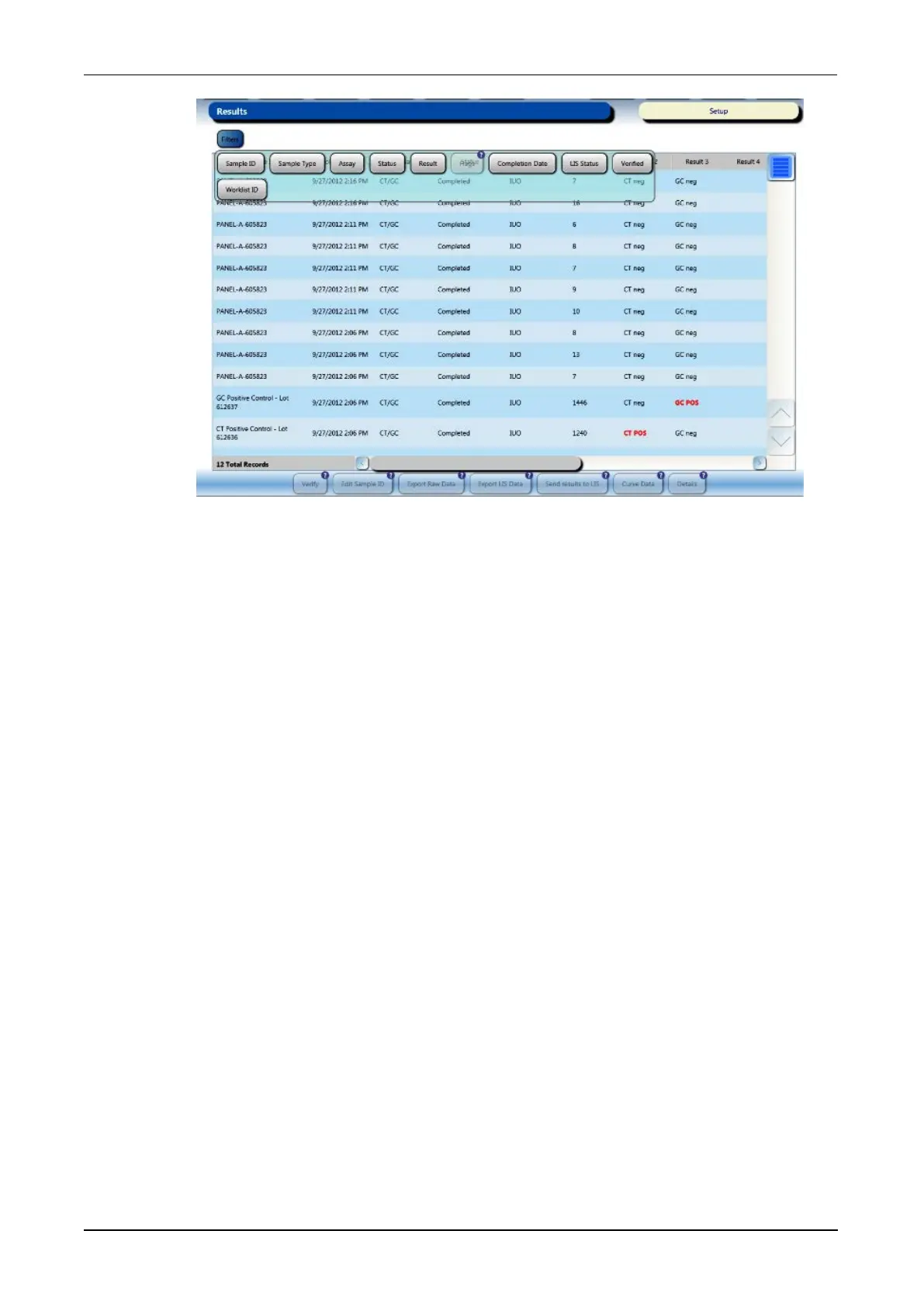
Figure 77. Results Screen—Expanded (Example)
Results Information
The table on the Results screen displays the following information for each test
order.
l Sample ID—Identification for the sample from the barcode, manual entry, or auto-
generated sample IDs.
l Completion Time—The completion time for the result.
l Assay—Assay associated with test result.
l Status—Sample status (see Monitoring Loaded Specimen Status on page 144).
l Result Flags—System-generated codes applied to the test (see Results
Processing Flags on page 283).
l Result 1–6—RLU and analyte result data is displayed in these columns. Test
results provided in these columns are dependent upon Assay type.
l Sample Type—Sample category (e.g. specimen, calibrator, control, external
quality control).
l LIS Result Status—Data status in regards to LIS transmission.
l Verified—Verified data status (True or False).
l Rack and Pos—Sample Rack ID number and tube position within the rack from
where the sample was pipetted.
l Worklist ID—ID number associated with all samples that were tested against the
same set of controls/calibrators. The worklist ID follows the naming convention:
XXXXX[Serial Number]- YYYYMMDD[Date
a
]-XX[2digitSeqNum
b
]



 To Next Page