Panther System
®
Operator’s Manual
AW-17791-001 Rev. 002 (EN)
53
Overview
Messages Screen
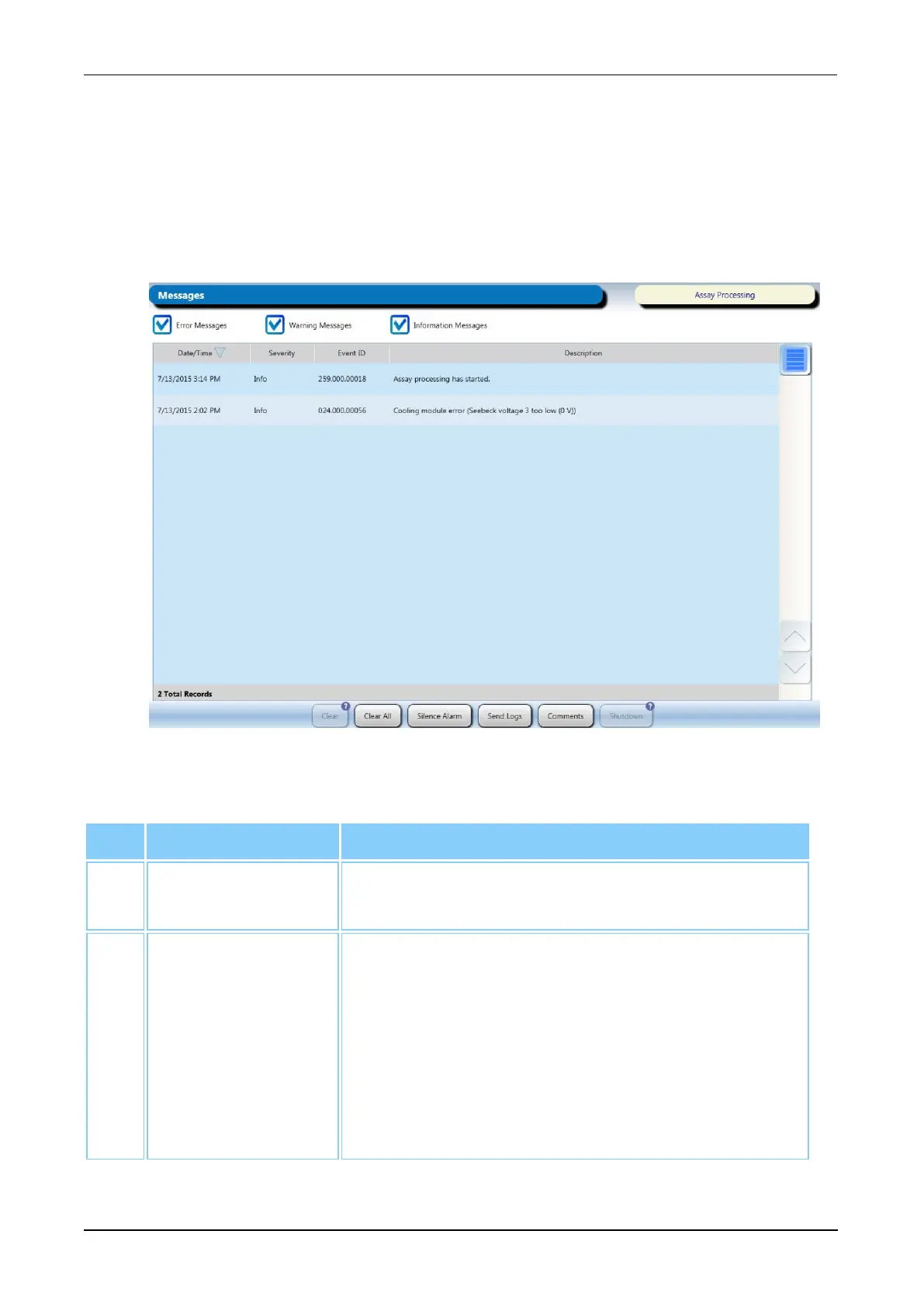
Access the Messages screen by selecting the Messages button on the Menu Bar. The
Messages screen is always available independent of login status.
Use the Messages screen to view system generated messages and to perform
troubleshooting tasks. View messages at any time the instrument is not in the Initialization
state. Use the filters at the top of the table to configure the message display as needed.
Figure 19. Messages Screen (Example)
Interactive Item Description
1. Date/Time The time that the message was generated (sorted
with most recent messages at the top of the table).
2. Severity The category of the message. The message severity
can fall into one of the following categories:
Error—System error occurred that requires operator
intervention.
Warning—System event occurred that may
necessitate operator intervention.
Info—Informational system message.
Table 28. Message Screen Descriptions



 To Next Page