Panther System
®
Operator’s Manual
AW-17791-001 Rev. 002 (EN)
65
Overview
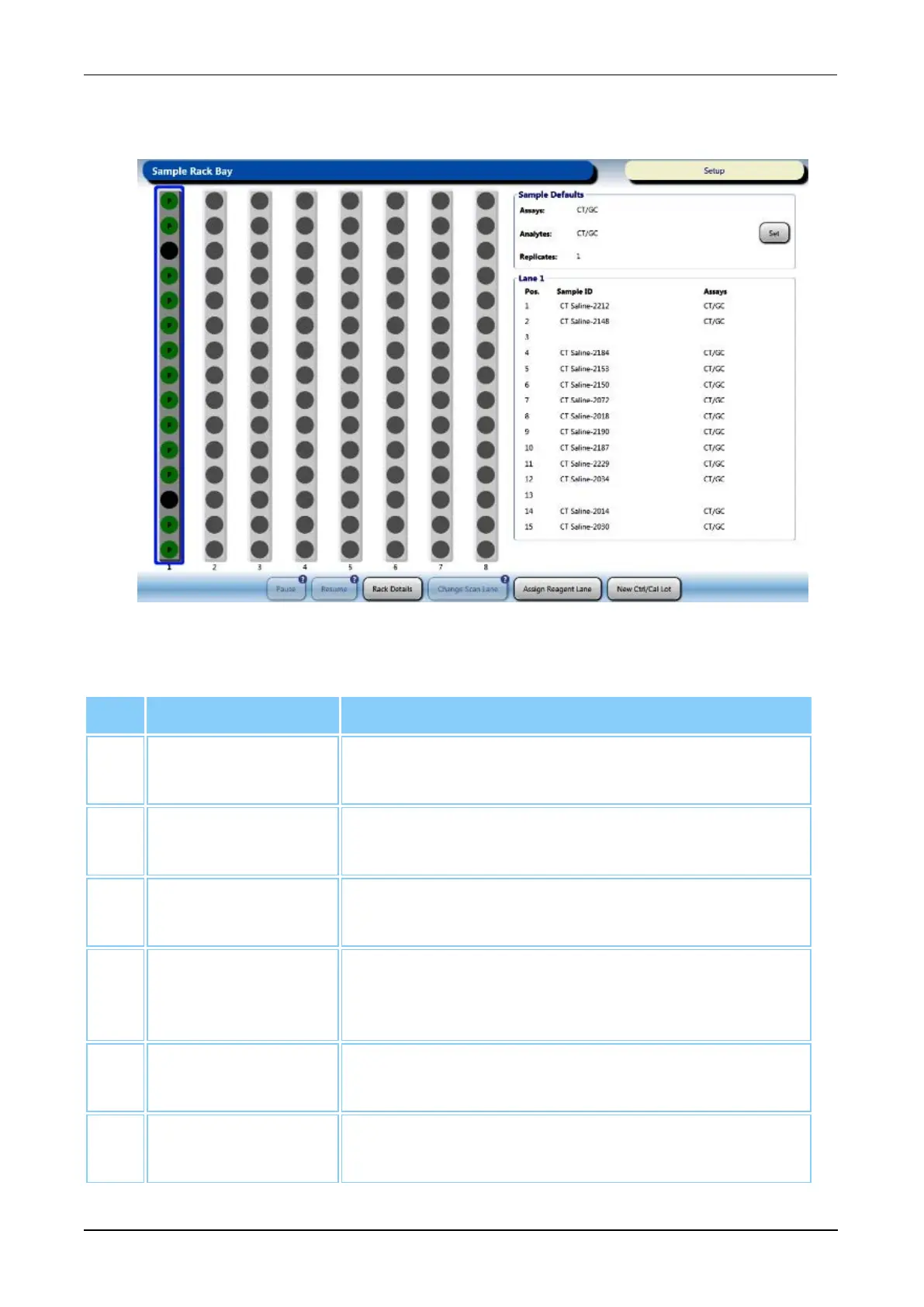
Use the Sample Rack Bay screen during the sample loading process. For more
information, see Load Samples on page 113.
Figure 28. Sample Rack Bay Screen (Example)
Screen Location Description
1. Sample Rack
Graphic
Graphical display of the eight (8) lanes of the Sample
Bay.
2. Pause Select this button to pause sample pipetting (see
Pausing Sample Pipetting on page 130).
3. Resume Select this button to resume sample pipetting (see
Resume Pipetting Following Pause on page 130).
4. Rack Details Select this button to access the Sample Rack
Loading screen (see Sample Rack Loading Screen
on page 66).
5. Change Scan
Lane
Select this button to focus the Sample Barcode
Scanner on the selected Sample Bay Lane.
6. Assign Reagent
Lane
Select this button to assign a reagent lane to be used
for processing the next sample rack that is loaded.
Table 36. Sample Rack Bay Screen Descriptions



 To Next Page