Panther System
®
Operator’s Manual
AW-17791-001 Rev. 002 (EN)
258
Troubleshooting
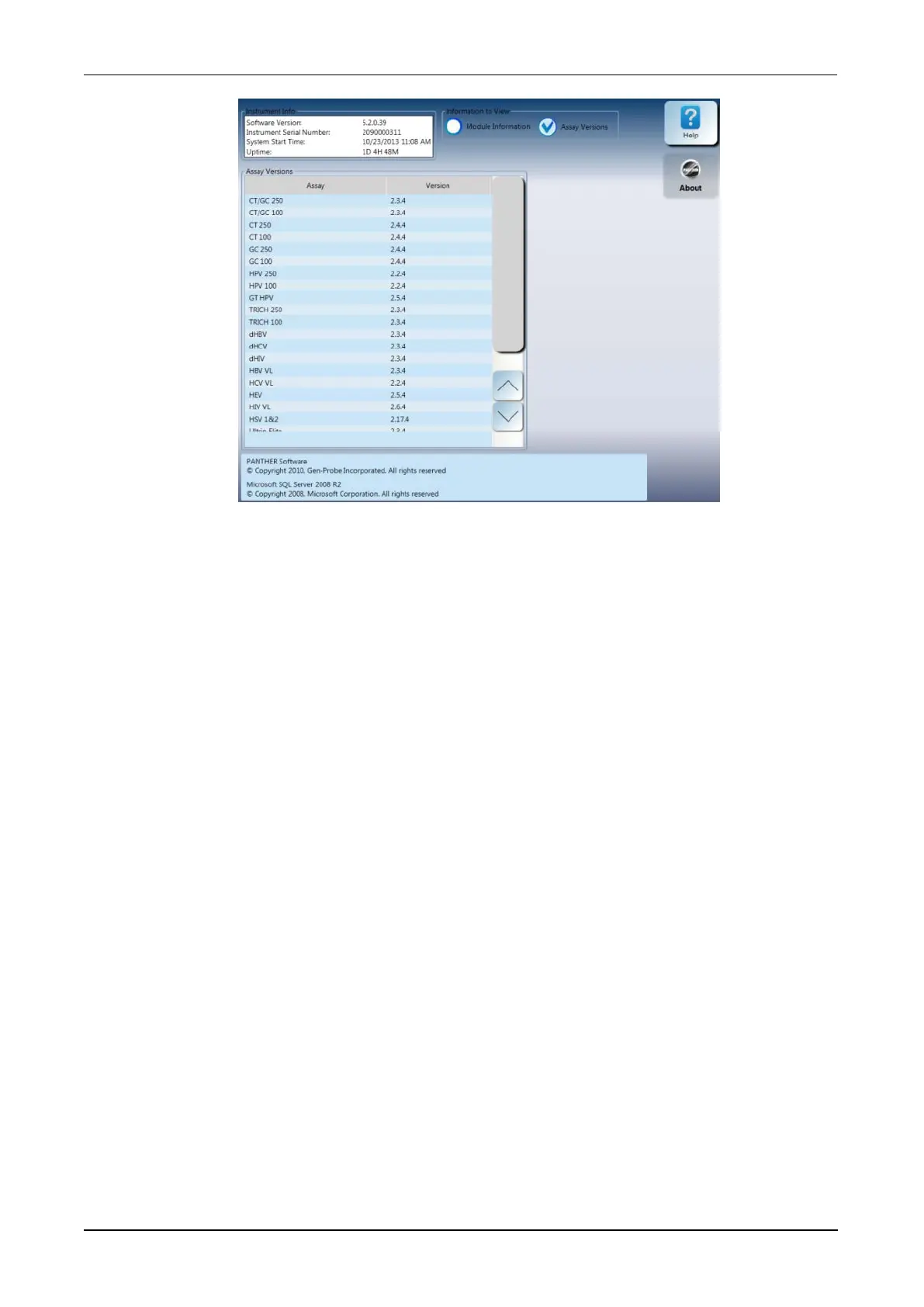
Figure 122. Instrument Info Window—Assay Versions View (Example)
Silence Alarm
The system generates audible alarms to alert the user to important updates of the status
of the instrument. Important system updates are accompanied by an alarm that will
automatically stop after a brief amount of time. Serious system issues that require user
intervention are accompanied by a continuous alarm that can only be stopped by an
operator.
To silence an audible alarm:
1. From the Messages screen, select Silence Alarm.
2. Refer to the system messages on the Messages screen for the cause of the alarm.
3. Attend to system issues as appropriate.
Force MTU Unload
In the event of a system failure, the system can potentially lose the location of MTUs in the
instrument. In order to properly reinitialize the instrument, it is necessary to remove all
MTUs from the system. Only perform an MTU unload if directed by Hologic authorized
personnel.
To initiate a maintenance unload of MTUs from the system:
1. From the Tasks screen, select Perform Maintenance.
The Maintenance Activities screen opens.
2. From the Maintenance Activities screen, select Force MTU Unload.
A confirmation screen opens.



 To Next Page