9 Configuration – in setup program only
228
9.11.1 Formula
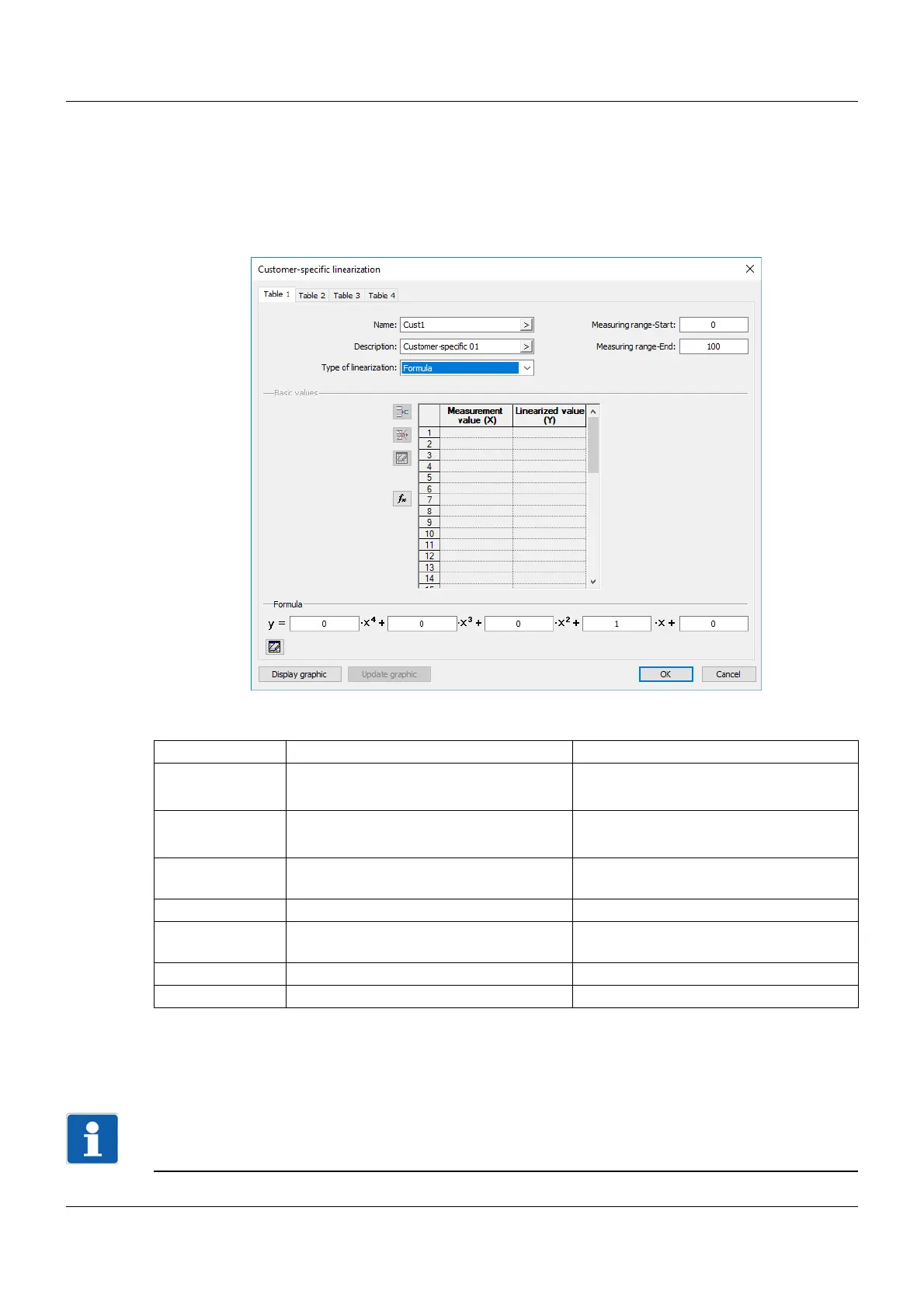
Customer-specific linearization is specified using a 4th order polynomial. The polynomial is calculated
for the entire linearization range.
Polynomial formula: y = X4*x
4
+ X3*x
3
+ X2*x
2
+ X1*x + X0
Setup dialog box
Parameter
The value range for the linearization (linearized values, y axis) is monitored in the module and limited as
follows:
Lower limit of the value range = Ymin - 0.0125 × (Ymax - Ymin)
Upper limit of the value range = Ymax + 0.03125 × (Ymax - Ymin)
NOTE!
A linearized value that lies outside of the value range results in a deviation above or below the measuring
range (out of range).
Parameter Selection/settings Description
Measuring range
start (Ymin)
-99999 ... 0 ... +99999 Start value of the y axis
Always give a temperature value in °C.
Measuring range
end (Ymax)
-99999 ... 100 ... +99999 End value of the y axis
Always give a temperature value in °C.
X0 -99999 ... 0 ... +99999 Absolute component of the polynomial
(point of intersection with the y axis)
X1 -99999 ... 1 ... +99999 Coefficient of the linear component (x)
X2 -99999 ... 0 ... +99999 Coefficient of the quadratic
component (x
2
)
X3 -99999 ... 0 ... +99999 Coefficient of the cubic component (x
3
)
X4 -99999 ... 0 ... +99999 Coefficient of the quartic component (x
4
)



 To Next Page