ASSEMBLING THE WINDROWER
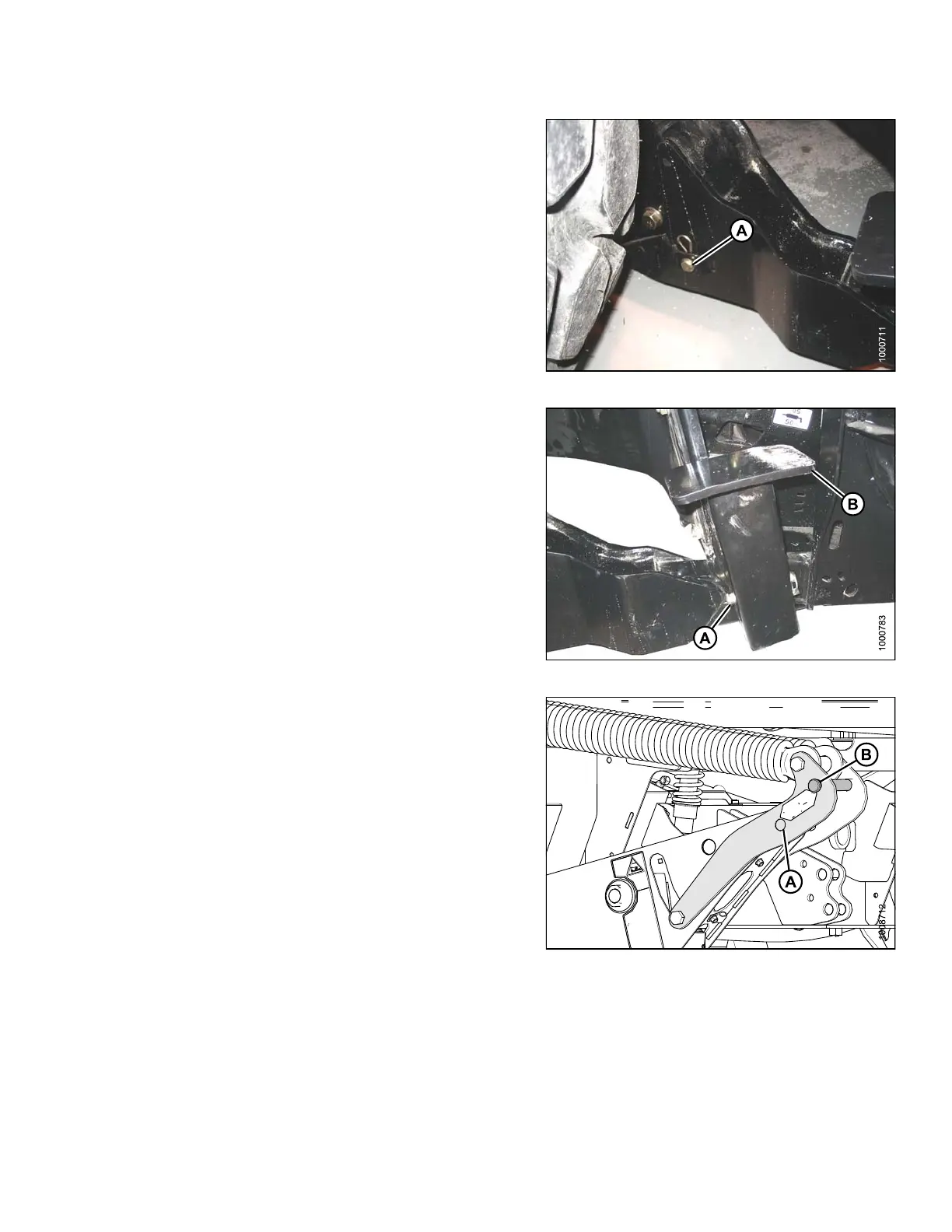
12. Install clevis pin (A) through boot and foot and secure
with hairpin. Repeat for opposite boot.
IMPORTAN T:
Ensure clevis pin (A) is fully inserte d and hairpin
is installed behind bracke t.
Figure 3.228: Header Boot
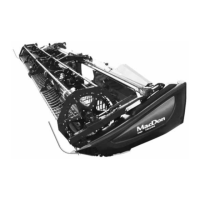
13. Remove lynch pin from clevis pin (A) in stand (B).
14. Hold stand (B) and remove pin (A).
15. Move stand (B) to storage position by inverting and
relocating onto bracket as shown. Reinsert clevis
pin (A) and secure with lynch pin.
Figure 3.229: H eader Stand
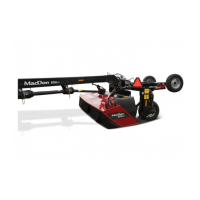
16. Remove clevis pin from storage position (B) in linkage
and insert into hole (A) to engage float sprin gs. Secure
with hairpin.
Figure 3.230: Header Float Linkage
147962 125 Revision A



 To Next Page