CAB DISPLAY MODULE (CDM)
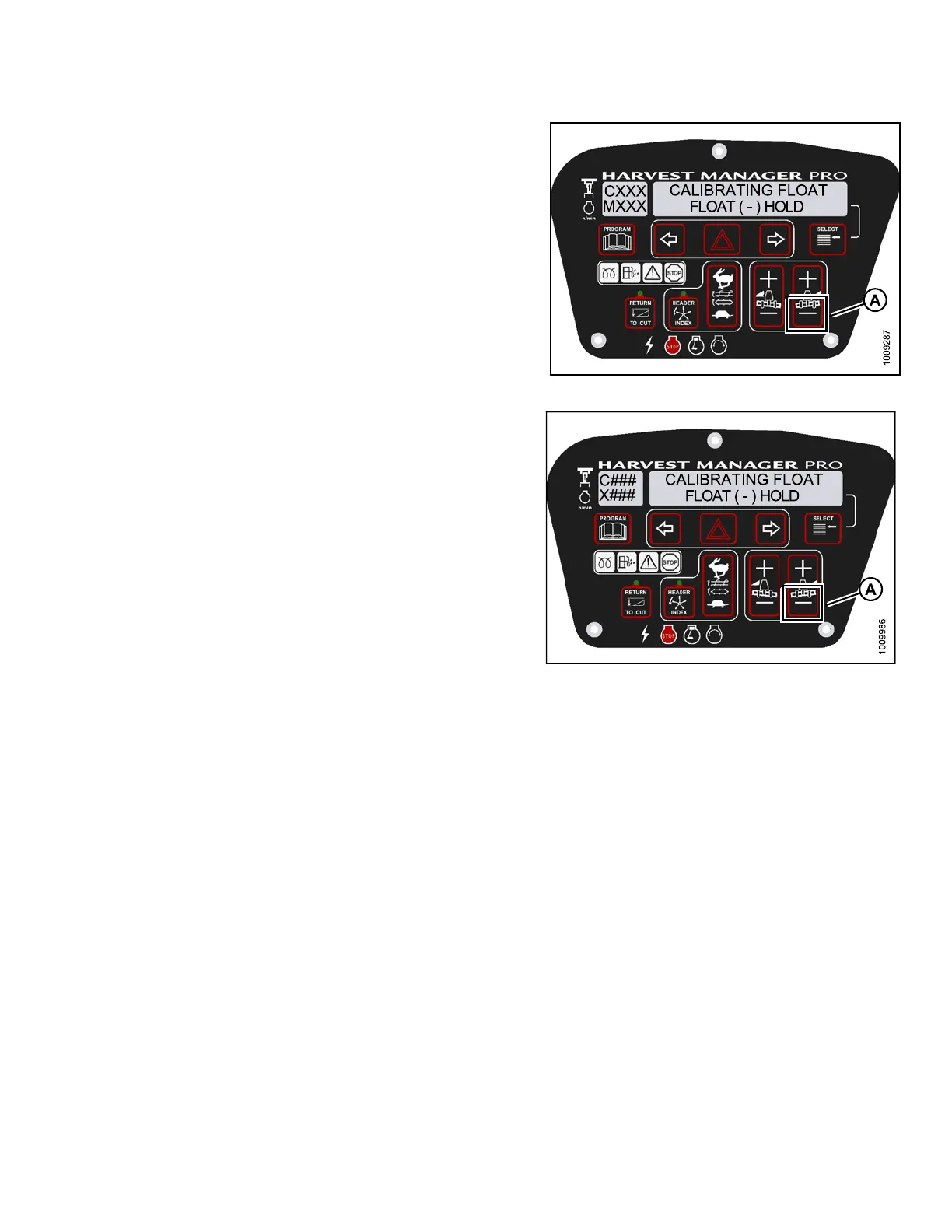
8. Press and hold FLOAT - button (A) on CDM.
• CALIBRATING FLOAT is displayed on the
upper line.
• FLOAT ( - ) HOLD is displayed on the low er line.
NOTE:
ThewordHOLDwillflash during calibration.
HDR FLOAT COMPLETE will display on the
lower line once calibration is complete.
9. Release FLOAT - button (A).
• TO CALIBR ATE SELECT is displayed on the
upper line.
• HEADER FLOAT is displayed on the lower line.
Figure 4.7
0: M155 Negative Header Float
Figure 4.71: M205 Negative Header Float
10. Press right arrow to select next header sensor
calibration or STOP & EXIT. Press SELECT
Refer to 4.3.1 Calibrating the Header Height Sensor,
page 172 or 4.3.2 Calibrating the Header Tilt Sensor,
page 176.
11. Press PROGRAM to exit Programming Mode.
147962 183 Revision A



 To Next Page