CAB DISPLAY MODULE (CDM)
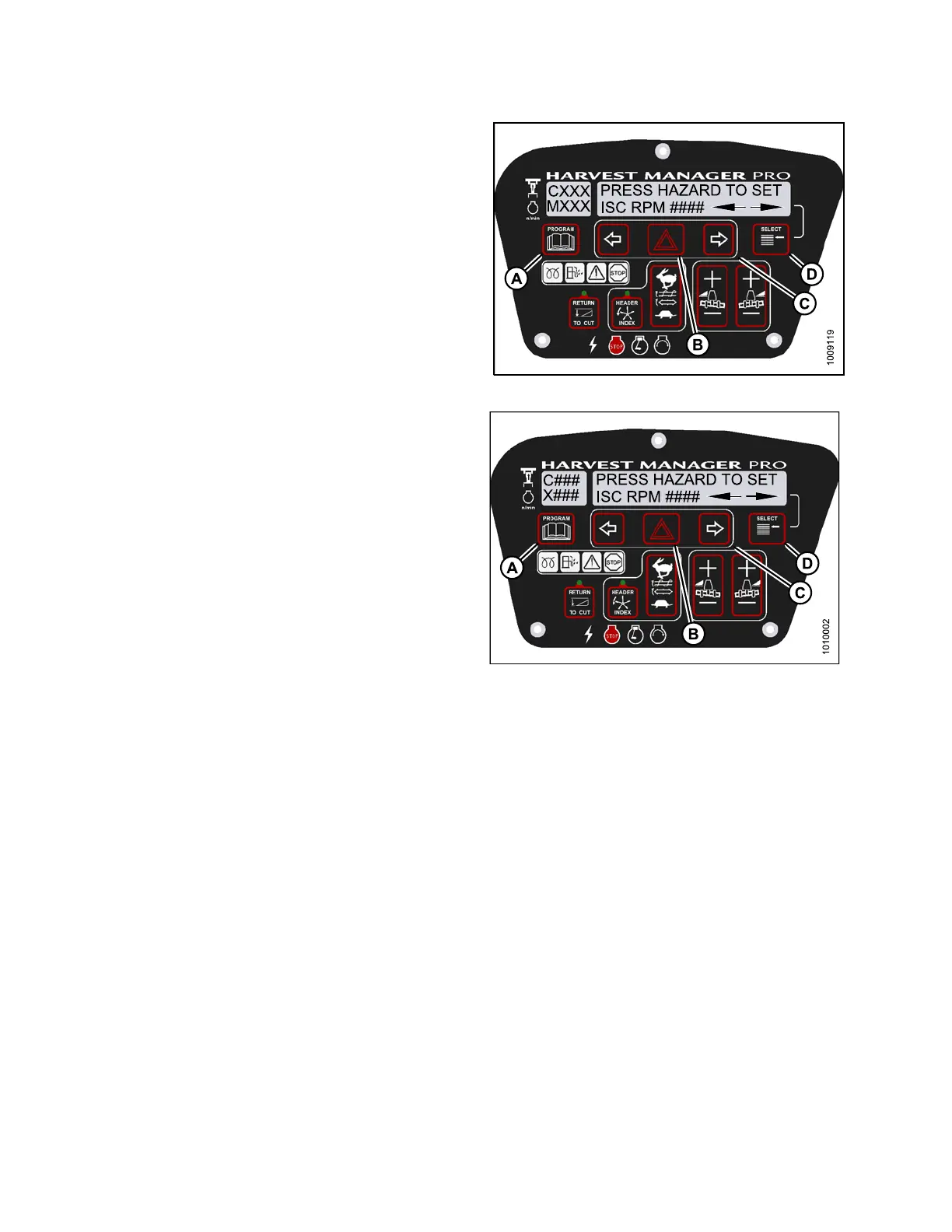
6. Press right (C) arrow to cycle between rpm options.
Press HAZAR D (B) to set.
7. Press Select (D).
• EXIT ENGINE ISC? is displayed on the upper line.
• NO/YES is displayed on the lower line.
8. Press right (C) arrow to select YES. Press
SELECT (D).
9. Press PROGRAM (A) to exit Programming Mode.
Figure 4.1
53: M155 ISC RPM
Figure 4.154: M205 ISC RPM
147962 220 Revision A



 To Next Page