28.7 Sample Processor
■■■■■■■■■■■■■■■■■■■■■■
276
■■■■■■■■
900 Touch Control
Assigning swing angles and lift positions
For each of the four possible external positions, a specific work position
can be defined. Shift position and rinse position can only be defined for all
four external positions commonly. A special position is not possible.
Proceed as follows to assign a swing angle to an external position and to
assign the current lift position to a specific lift position:
1
Move to the external position
■ Swing the robotic arm to the desired position with the arrow keys
[⇦] or [⇨].
2
Assign the external position
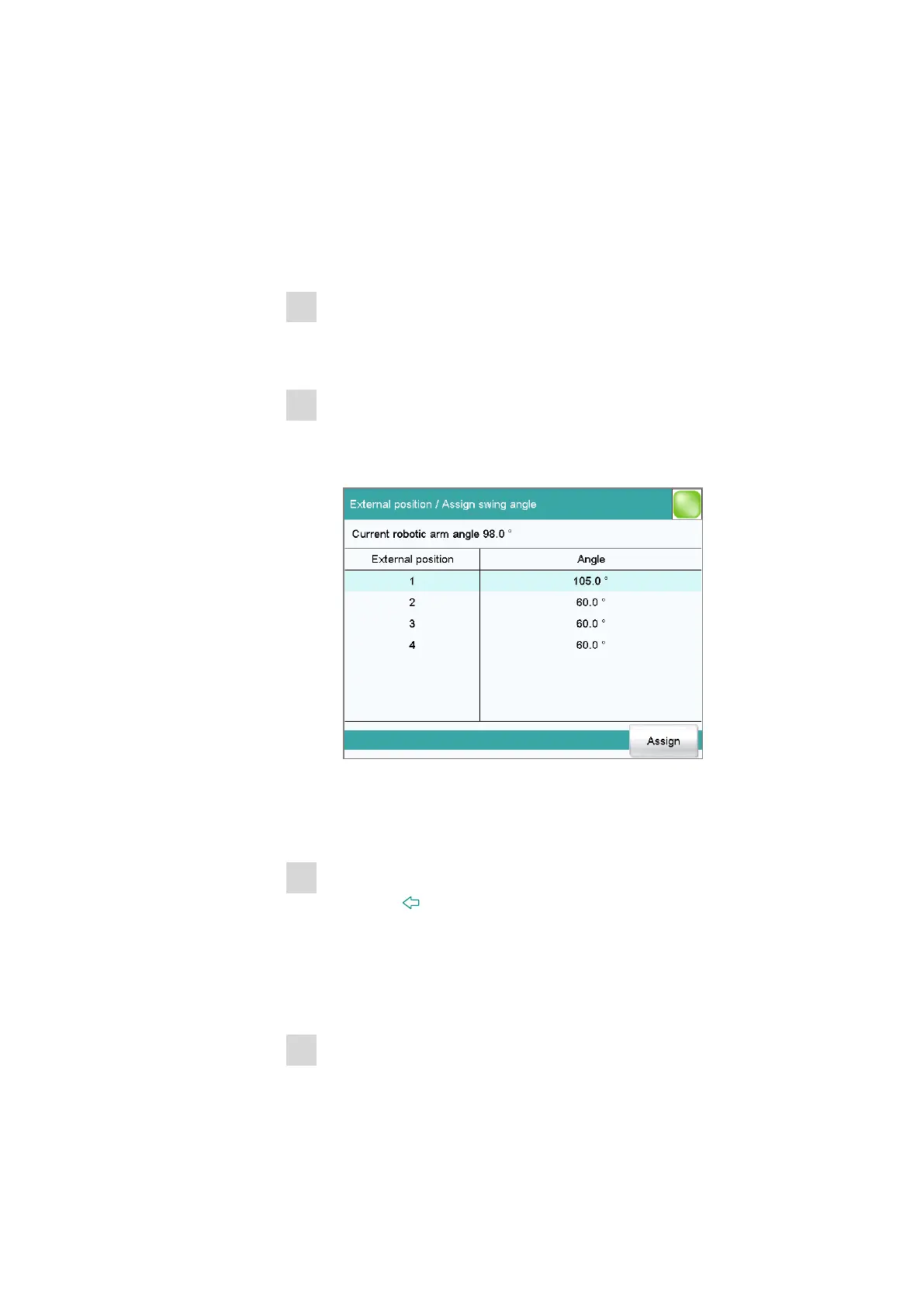
■ Tap on [Assign Ext. pos.].
The External position / Assign swing angle dialog is dis-
played:
■ Select the desired external position and tap on [Assign].
The current angle position of the robotic arm is assigned to the exter-
nal position.
3
Move to the external position
■ Tap on [ ].
The next higher-level dialog is displayed.
■ Select Move to ext. pos. = External position X (X = 1…4) and
tap on [Start].
The robotic arm swings to the desired position.
4
Move to lift position
■ Move the lift to the desired height with the arrow keys [⇧] or [⇩].















 To Next Page