• Operating Mode: This parameter controls how the MOBOTIX camera gener-
ates and displays the live images. Selecting the
Quality
option (factory
default) will always read the full area of the image sensor. This will deliver the
best image quality. Selecting the
Frame rate
option will always deliver the
highest frame rate of the camera. As this reduces the bandwidth, image
quality is somewhat reduced.
•
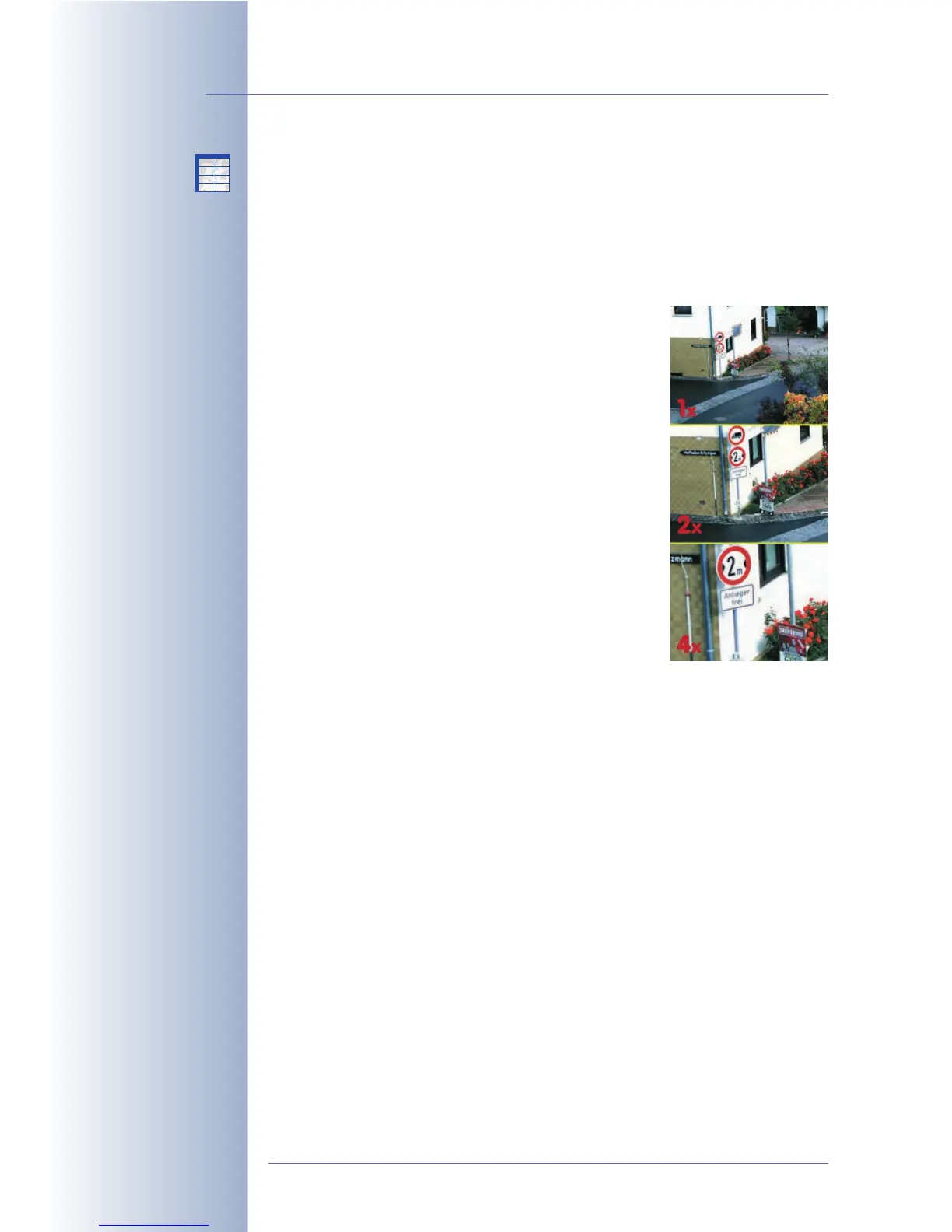
Digital Zoom: The 1x Zoom, 2x Zoom and 4x Zoom buttons of the Live
screen provide for zooming into or out of the image
with 2x and 4x enlargement;
11
11
xx
xx
ZZ
ZZ
oo
oo
oo
oo
mm
mm
displays the
unzoomed view.
The
Lock Zoom
option sets the current zoom factor
and disables the functions of the zoom softbuttons.
Setting the
Unlock Zoom
(default) option allows to
freely set the zoom factor using the softbuttons.
The
Lock Pan
option sets the position of the
zoomed camera image without allowing any
changes. Setting the
Unlock Pan
option (default)
allows moving the image pan by clicking in the live
image (for more information on panning, see sec-
tion 4.3.2,
Setting Image Formats
).
Using the Define Rectangle Position
button (with
selected
Lock Pan
option), you can set a rectangle
within the live image to be used as zoom position.
The rectangle is defined in the same manner as
described above for Resolution > Custom Size.
• Frames per Second / Maximum Frame Rate: Defines how many live
images per second the MOBOTIX camera creates (in frames per second, or
fps). Note that the frame rate displayed in the browser and in the MxViewer
cannot be higher than the value set here.
Using this setting, you can actively reduce the camera's processing time and
thus free capacity for other tasks (e.g. if several users must be able to access
the camera at the same time over the Internet). It is recommended that you
set the maximum frame rate not any higher than actually required. Thus, a
frame rate of 1 frame/second would be more than sufficient for a camera
used as web cam.
• Mirror & Rotate Image: These settings enable you to mirror the camera
image either horizontally or vertically and to rotate it 180 degrees. This can
make sense if the camera has been mounted to the ceiling upside-down or
uses mirrors in connection with presentation systems (mirrored image).
Caution
::
::
Note that this setting may reduce the maximum frame rate.
© MOBOTIX AG • Security-Vision-Systems • Made in Germany
www.mobotix.com • sales@mobotix.com • 10.10.2006
106/288
Software Camera Manual Part 2
1x, 2x, 4x digital zoom
with panning
Maximum frame rate
Set the maximum frame
rate not higher than
actually necessary
X
X
-
-
-
-
X
X
Kamerafunktionen
Kameramodell



 To Next Page