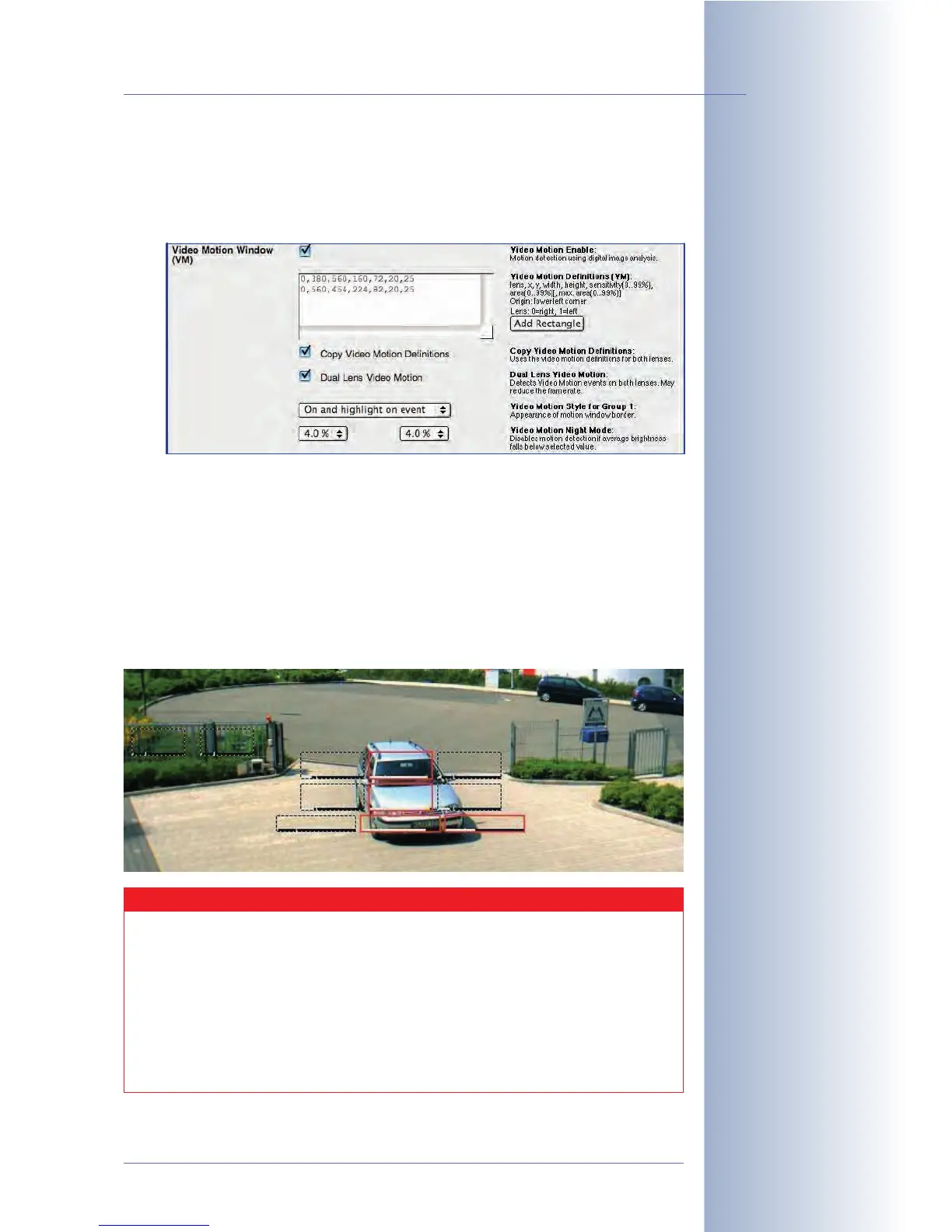
Video Motion Events:
• Video Motion Window (VM): The video motion sensor reacts to movements
in freely definable image areas, called video motion windows. By default,
the video motion windows are shown as dotted frames in the Live screen.
You can define several independent video motion windows for each image
sensor (camera lens). The other parameters of this event allow setting the
conditions for triggering an event if the camera software detects movements.
For example, the percentage value controls how many of the video motion
window's pixels have to change before the camera triggers an event. For
additional information on this topic, see section 7.6.2,
Video Motion Detec-
tion
.
Hint: Using the $(SEN.VIM) variable will display the number of the video
motion window that has triggered an alarm in the camera's event image.
© MOBOTIX AG • Security-Vision-Systems • Made in Germany
www.mobotix.com • sales@mobotix.com • 10.10.2006
153/288
Software Camera Manual Part 2
To trigger an alarm if the
camera detects move-
ments in the image: VM
Rather set several small
Video Motion windows
than one large window
Video motion windows
Caution
MOBOTIX Dual camera models will also evaluate the video motion
windows of the sensor (
Right
,
Left
) that is currently
not
shown on the
Live screen.
In contrast, MOBOTIX Night models (with factory defaults) will only
evaluate the video motion windows of the currently active image sen-
sor (
Right
,
Left
, or
Auto
). Activate the Dual Lens Video Motion option if
you would like to evaluate the video motion windows on both image
sensors on Night models.



 To Next Page