Signal and Exposure Events:
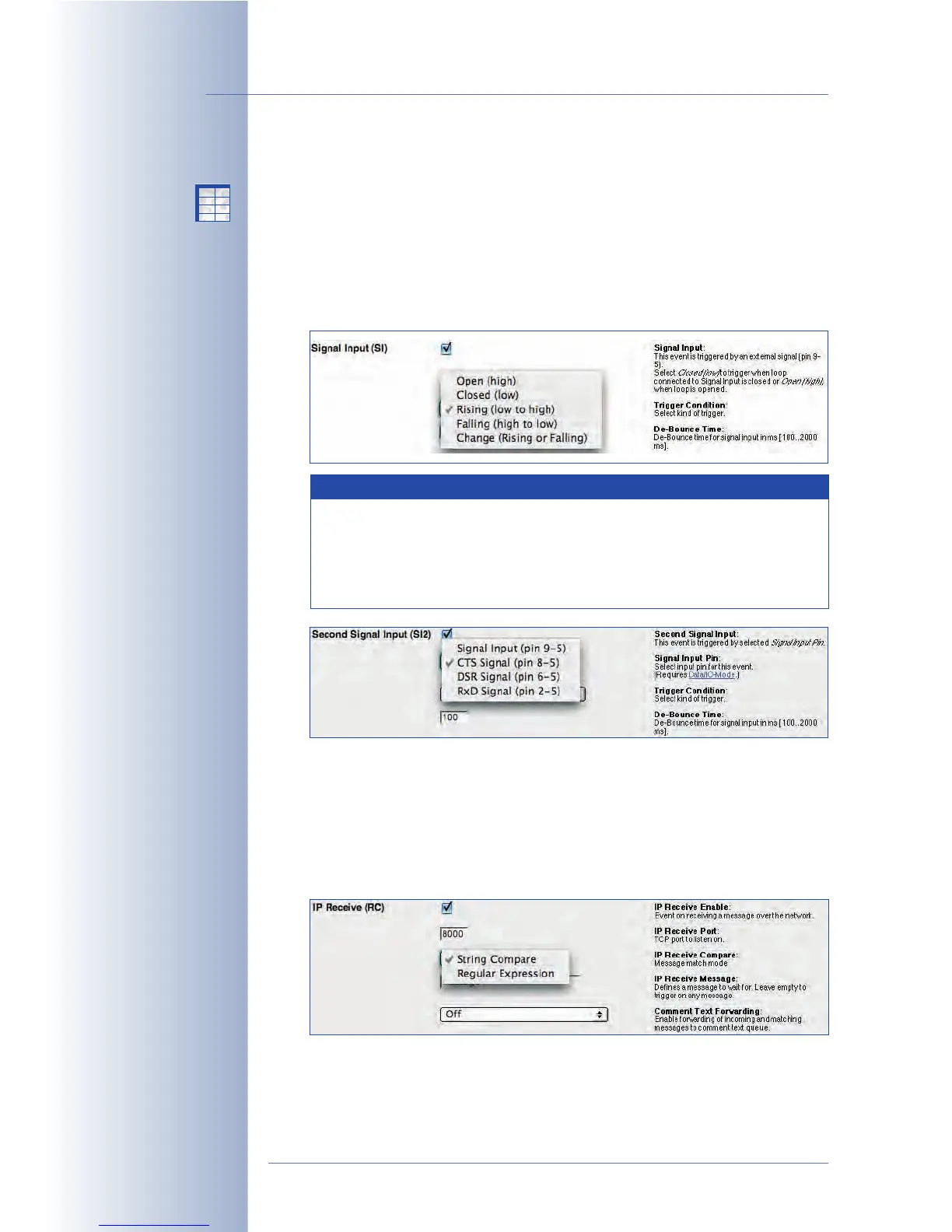
• Signal Input (SI): The signal input of the camera can trigger an event, if a
door switch has been opened (using pins 9 and 5 of the serial interface), for
example. The camera can trigger events if the signal input assumes a certain
state (
Closed (low)
,
Open (high)
) or with
Rising (low to high)
,
Falling (high to
low)
or changing (
Change (Rising or Falling)
) flank of the signal input. To pre-
vent the camera from switching back and forth too often, you can set the
De-Bounce Time as required.
Hint: Use the $(SEN. SIN) variable to show the current value of the image
sensor in the live image of the camera (values
0
or
1
).
• IP Receive (RC): When receiving a TCP/IP network message on a selectable
port, the camera can trigger an event. The event can be triggered upon
receiving any network message, only if the message contains the same
string as set here, or if it matches a specific text.
© MOBOTIX AG • Security-Vision-Systems • Made in Germany
www.mobotix.com • sales@mobotix.com • 10.10.2006
156/288
Software Camera Manual Part 2
Signal input: pin 9-5
To trigger an alarm using
network messages: RC
Note
In addition to the regular signal input, the camera provides
three signal input lines (SI2: pin 8-5, SI3: pin 6-5, SI4: pin 2-5).
To use these additional signal input lines, make sure that
Admin Menu > Serial Interface has been set to
Data
und
I/O
Mode
.
X
X
-
-
-
-
X
X
Kamerafunktionen
Kameramodell



 To Next Page