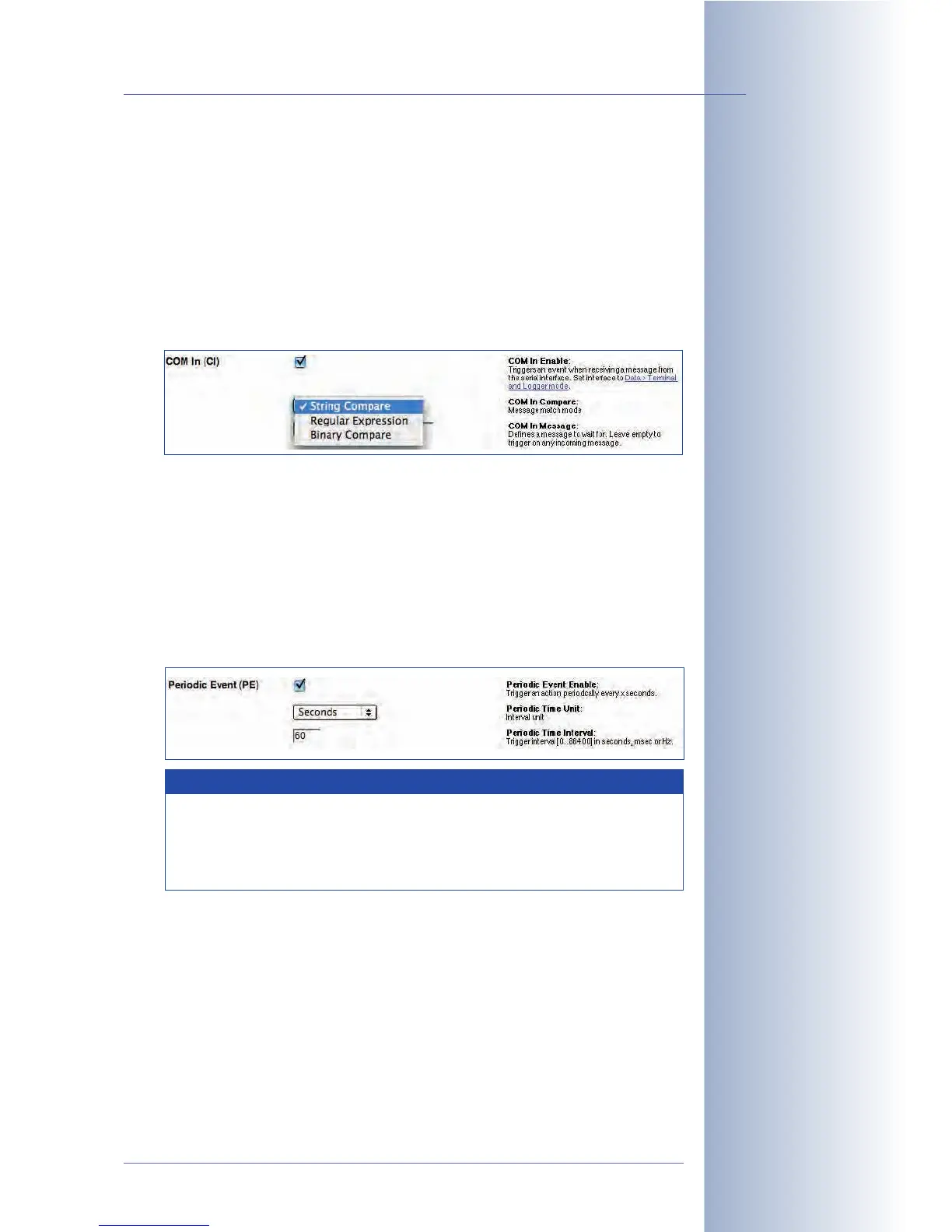
The
String Compare
option triggers an event if the received text is identical to
the text entered here. The
Regular Expression
option triggers an event if the
regular expression finds a match when compared to the received text.
For more information on regular expressions and text matching, see the
camera help and the reference manual.
• COM In (CI): The camera can trigger an event when it receives a message
on its serial interface (RS232). The event can be triggered upon receiving any
RS232 message, if the message contains the same string as set here, or if it
matches a specific text.
The
String Compare
option triggers an event if the received text is identical to
the text entered here. The
Regular Expression
option triggers an event if the
regular expression finds a match when compared to the received text.
For more information on regular expressions and text matching, see the
camera help and the reference manual.
Time-Related Events:
• Periodic Event (PE): The periodic event can trigger events at specific intervals
(milliseconds, seconds, Hz; maximum interval is 86,400 seconds = 24 hours).
• Time Task (TT): The Time Task event can trigger events at specific intervals
and at specific points in time (minimum interval is 1 minute). Open Setup
Menu > Event Settings and activate the TT event, then open Admin Menu >
Time Task and configure a corresponding
Time Task (TT) event
.
© MOBOTIX AG • Security-Vision-Systems • Made in Germany
www.mobotix.com • sales@mobotix.com • 10.10.2006
157/288
Software Camera Manual Part 2
Triggering events using
the serial interface
Note
When using the periodic event, you can set the time interval, but
not the precise time when the event will be triggered. In order to
create events at specific points in time, use the Time Tasks in
conjunction with the Time Task (TT) event.



 To Next Page