Installation wizard. When calling the number "17" within your telephone system, the
returned MSN may be "2".
If it is not possible to determine your camera's MSN using this method, you need to
contact the administrator of your telephone system. You may also enter a fake
MSN (e.g. "12345") first and change it to the correct one later on (Admin Menu >
ISDN Data Connections > Dial-In Connection > Camera MSN).
If you do not enter an MSN (possible only for Data Dial-In), your MOBOTIX camera
can be accessed via any MSN assigned to your ISDN line.
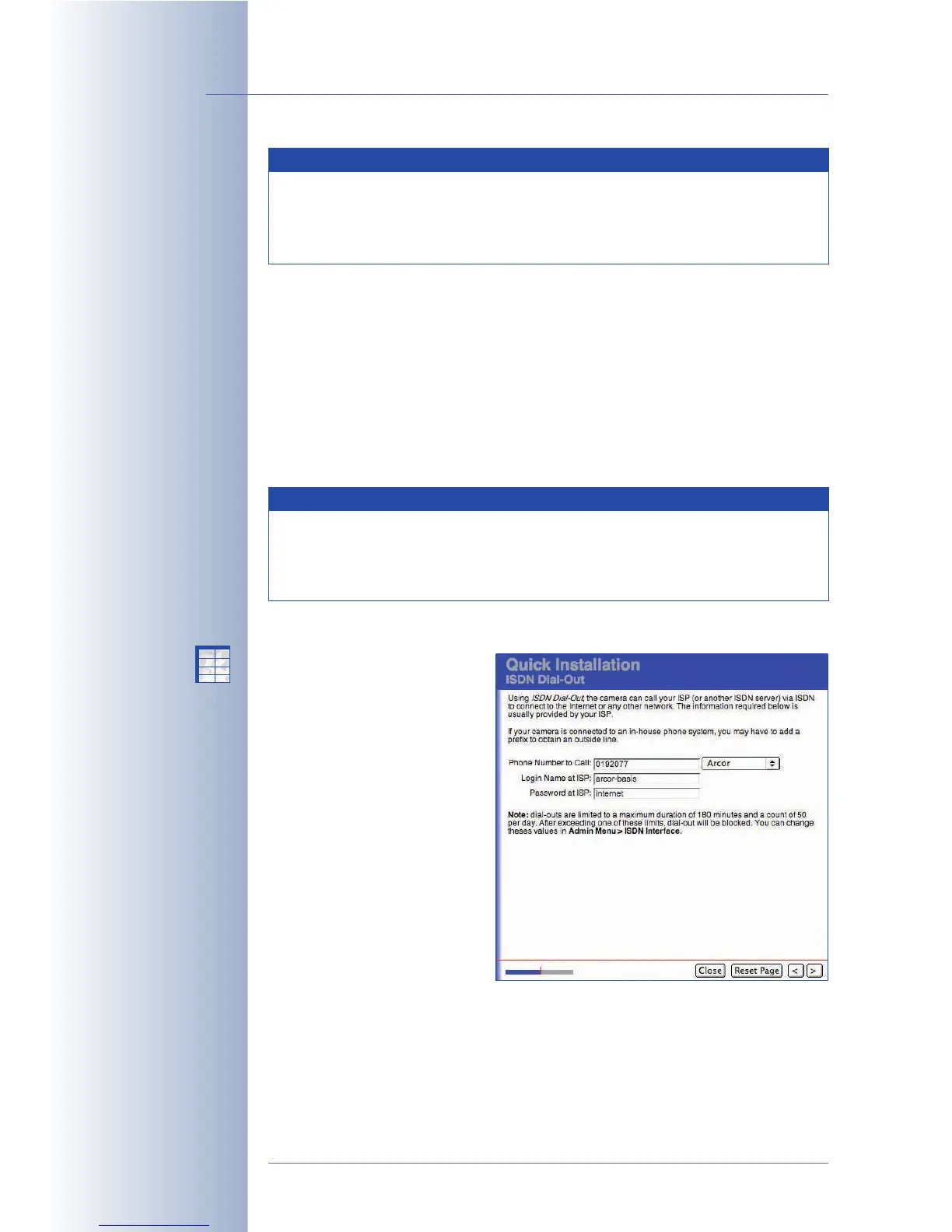
ISDN Dial-Out / Provider
If you have activated the ISDN
Dial-Out interface, you are
prompted to enter your Internet
provider's access information
(e.g. T-Online, Arcor, Freenet,
MSN, etc.). Contact your
provider to obtain the access
information. You may also use
any call-by-call access. You will
find that certain Internet
providers have been preset on
your MOBOTIX camera. Please
note that these connections are
not free of charge. For detailed
information, please contact your
Internet provider or call-by-call
service.
© MOBOTIX AG • Security-Vision-Systems • Made in Germany
www.mobotix.com • sales@mobotix.com • 10.10.2006
72/288
Software Camera Manual Part 2
If you are using a
telephone system and the
camera requires an
outside line, make sure
that you add all required
prefixes to successfully
get an outside line.
X
X
-
-
-
-
X
X
Kamerafunktionen
Kameramodell
Note
If the camera receives a telephone call, the camera displays the
caller's phone number (MSN) in the Admin Menu > Phone Dial-In
dialog. You can then automatically copy the MSN to the corresponding
field.
Note
Note: Normally, your provider will assign three MSNs to one ISDN line.
Please note that—depending on the type of ISDN line you are
using—you may have only two ISDN channels available, so only two
devices can establish an active connection at the same time.



 To Next Page