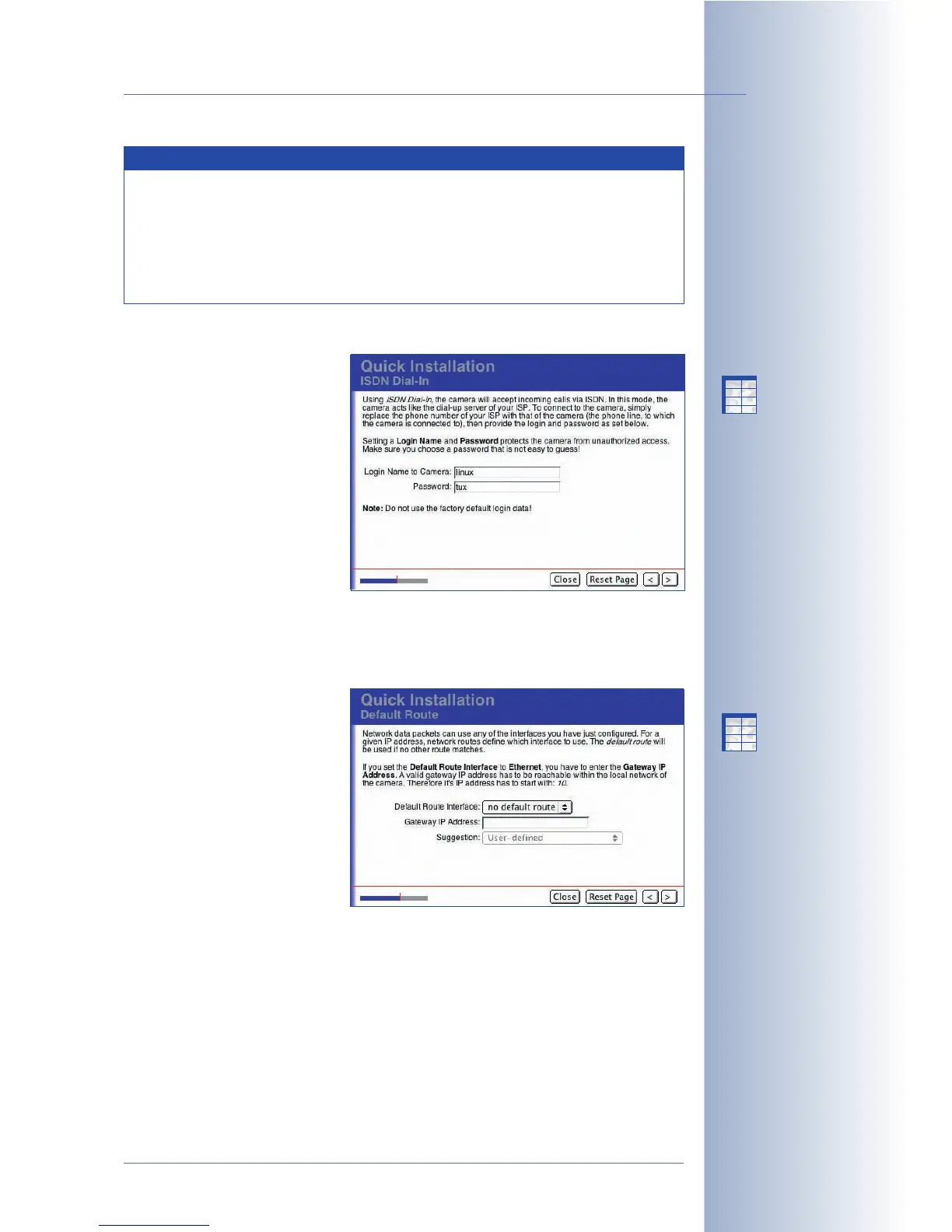
ISDN Dial-In
If you have activated the ISDN
Dial-In interface, you can enter
a user name and password on
this page. When you dial-in to
your MOBOTIX camera using an
ISDN card or modem, you need
to enter the corresponding
access information as well as
the camera's telephone number
in the RAS configuration dialog
of your computer. For security
reasons, we strongly
recommend that you change the default user name (linux) and the default
password (tux).
Default Route
By defining a standard route,
you set your camera's standard
connection for transferring data
(e.g. for FTP connections, e-
mails, etc.).
No Default Route
: This option is
only available if you have
activated the Ethernet for LAN
option on the Network
Interfaces page and have
activated neither the ISDN Dial-
Out nor the ISDN Dial-In interfaces. Choose this option if the camera is not
supposed to transfer data to the outside world.
Network
: Select this option if you would like data to be transferred using a certain
router within the network, the so-called "gateway". Enter the IP address of the
gateway provided by your network administrator.
© MOBOTIX AG • Security-Vision-Systems • Made in Germany
www.mobotix.com • sales@mobotix.com • 10.10.2006
73/288
Software Camera Manual Part 2
RAS access data:
User name: linux
Password: tux
The Default Route allows
using different gateways
for different tasks
X
X
-
-
-
-
X
X
Kamerafunktionen
Kameramodell
X
X
-
-
-
-
X
X
Kamerafunktionen
Kameramodell
Note
In order to limit the costs for ISDN connections, dial-outs are limited by
factory default to a maximum duration of 180 minutes and a
maximum of 50 per day. After exceeding one of these limits, your
MOBOTIX camera will block further dial-out attempts. You can modify
these settings later on (Admin Menu > ISDN Connections > Dial-Out
Parameters).



 To Next Page