ISDN Dial-Out
: Select this option if you would like data to be transferred using ISDN
and the camera itself has to establish the ISDN data connection (i.e. it dials out
automatically).
ISDN Dial-In
: Select this option if you would like the camera to be accessed via a
dial-in connection established by another device (ISDN router or computer) to your
camera's ISDN interface.
If you cannot decide on a default route, do not change the
No Default Route
setting
for the time being and proceed with the instructions given in the Quick Installation
wizard.
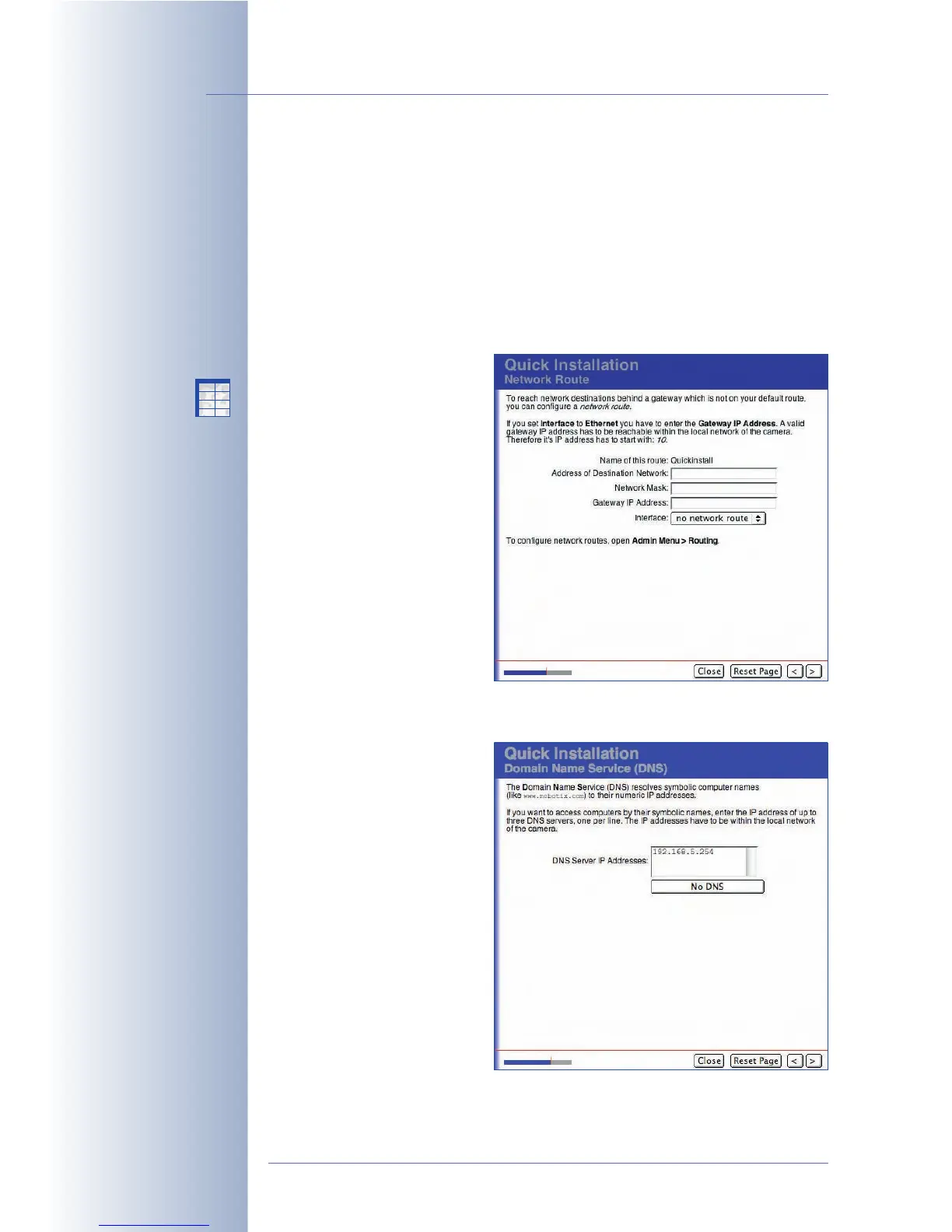
Network Route
If you have activated the
Ethernet for LAN and the ISDN
Dial-Out interfaces on the
Network Interfaces page and
you have set Network as
default route, you need to
define a route for ISDN Dial-Out
at this point. Enter the IP
address of the target network
and the corresponding network
mask. Ask your network
administrator to provide the
access information for ISDN
Dial-Out.
Domain Name Service (DNS)
The Domain Name Service
(DNS) resolves symbolic
computer names (like
www.mobotix.com) to their
numeric IP addresses. Normally,
an external DNS server is used
that is not part of the local
network. Your network
administrator or Internet
provider will provide the IP
addresses of potential (public or
local) DNS servers.
To ensure accessibility of a
public DNS server, make sure
you have correctly configured
the Ethernet interface and a
valid gateway IP address.
© MOBOTIX AG • Security-Vision-Systems • Made in Germany
www.mobotix.com • sales@mobotix.com • 10.10.2006
74/288
Software Camera Manual Part 2
Routing allows setting the
routes to be used by the
camera for connecting to
different networks
Set the DNS server(s)
X
X
-
-
-
-
X
X
Kamerafunktionen
Kameramodell



 To Next Page