If you have activated the ISDN Dial-Out interface and set it as the default route,
you will not be prompted to enter a DNS server. In this case, the DNS servers of the
provider are used that will be assigned automatically when establishing the ISDN
connection.
Note: You can enter up to three different IP addresses in the DNS Server IP
Addresses field (one per line). Defining several DNS servers provides a safeguard
against failures if one of the servers cannot be reached.
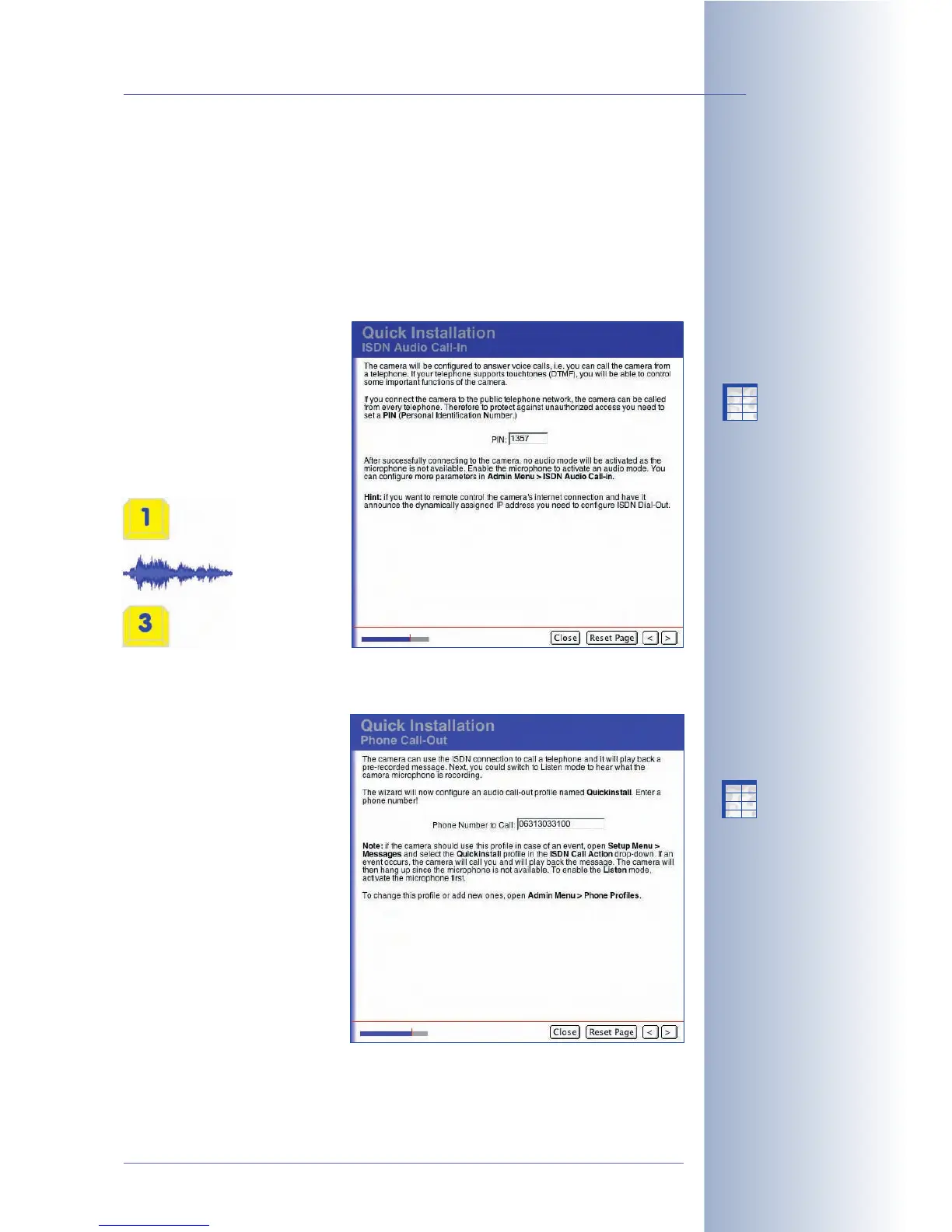
ISDN Phone Dial-In
If you have activated the ISDN
Phone Dial-In interface on the
Network Interfaces page, you
are prompted to enter a PIN
number in this dialog (default is
1357). When you try to access
your MOBOTIX camera from a
telephone,
you will need
to enter this
PIN first in
order to
activate the
remote control
via telephone.
For additional information on this topic, see section 9.6,
Remotely Controlling the
Camera Using a Phone
.
ISDN Phone Call-Out
If you have activated the ISDN
Phone Dial-Out interface on
the Network Interfaces page,
you are prompted to enter a
phone number in this dialog.
When making a (voice) phone
call to a telephone, the camera
will dial this number. You can
change this telephone number
in Admin Menu > Phone
Profiles later on and you can
also add more telephone
numbers to be called until a call
has been completed
successfully.
© MOBOTIX AG • Security-Vision-Systems • Made in Germany
www.mobotix.com • sales@mobotix.com • 10.10.2006
75/288
Software Camera Manual Part 2
Factory default PIN for
Phone Call-In: 1357
Do not forget any
prefixes required to get
an outside line!
X
X
-
-
-
-
X
X
Kamerafunktionen
Kameramodell
X
X
-
-
-
-
X
X
Kamerafunktionen
Kameramodell



 To Next Page