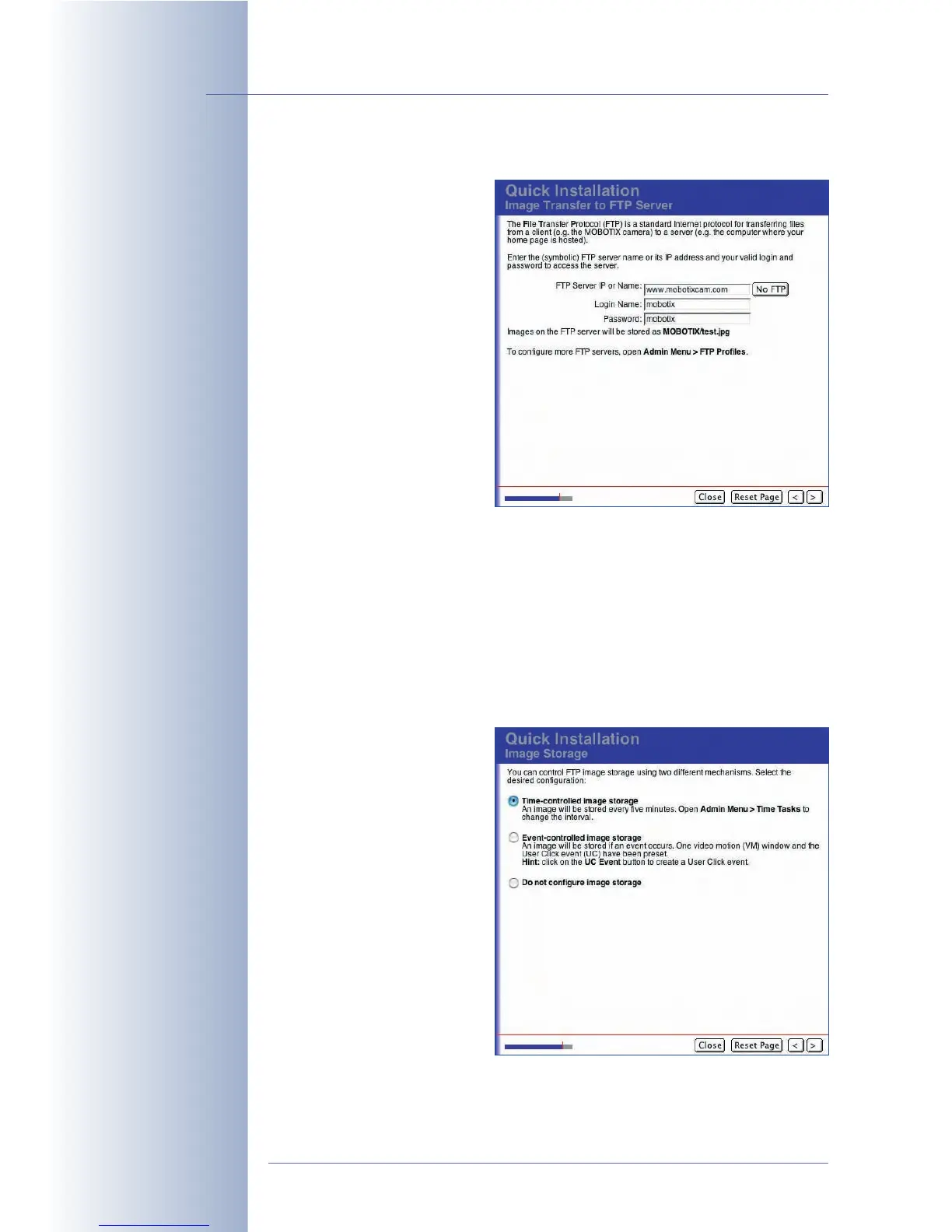
Image Transfer to FTP Server
On this page, you can set the
access data for transferring
images to an FTP server. This
FTP server could be either an
external web server on the Inter-
net or a local FTP server on a
computer in your network.
If you do not want to configure
image transfer via FTP, leave
these text fields untouched and
proceed with the Quick Installa-
tion wizard.
If you have configured an exter-
nal FTP server (web server), your
website provider should give
you the access information once
your domain has been set up. In the FTP Server IP or Name field, you can enter
either the domain name (e.g. www.mobotix.de) or a (numeric) IP address. In any
case, make sure to enter the correct user name and password for the FTP connec-
tion.
Note that the FTP server name must be entered without mentioning the protocol (no
http:// or ftp:// prefix), e.g. www.mobotix.de (not www.mobotix.de or ftp:/
/ftp.mobotix.de). The same applies when entering the FTP server's IP
address. Enter it without http:// and without ftp:// (e.g. 80.237.222.43).
When using a
local FTP server
, you need to enter its IP address within the local net-
work and its user name and
password assigned by your net-
work administrator. The camera
will automatically store the cur-
rent live or event image as
test.jpg in the predefined
MOBOTIX directory on the FTP
server.
If you have filled out the fields
on the Image Transfer to FTP
Server page, you can automati-
cally configure an image trans-
fer to an FTP server on the fol-
lowing page (Image Storage).
© MOBOTIX AG • Security-Vision-Systems • Made in Germany
www.mobotix.com • sales@mobotix.com • 10.10.2006
76/288
Software Camera Manual Part 2
Ask your Internet service
provider for FTP access
information
MOBOTIX offers a free
FTP test account for a
limited amount of time:
intl-support@mobotix.com
Image transfer:
• Scheduled
• Event-controlled



 To Next Page