You can define image transfer to be Time-controlled image storage or Event-
controlled image storage.
Time-controlled image storage
creates an FTP profile,
which stores a live image as test.jpg in the MOBOTIX directory on the FTP
server every five minutes.
Event-controlled image storage
transfers an event image to the FTP server when
the camera detects a movement in the motion detection window of the live image
(dotted frame) or when the UC Event button on the camera's user interface is
clicked in the browser (factory default). Your MOBOTIX camera automatically cre-
ates the required file and directory names.
The FTP profile created by the Quick Installation wizard is stored in Admin Menu >
FTP Profiles as FTPQI1 (or FTPQI2, etc. for multiple configuration runs using the
Quick Installation wizard). Open this dialog to view and modify the stored FTP pro-
files.
If you would like to skip this step and postpone configuring image transfer via FTP,
simply activate the Do not configure image storage option.
For more information on image transfer to an FTP server see sections 7.7.2,
FTP File
Transmission (FT Action)
, and 7.8.2,
FTP Profiles
.
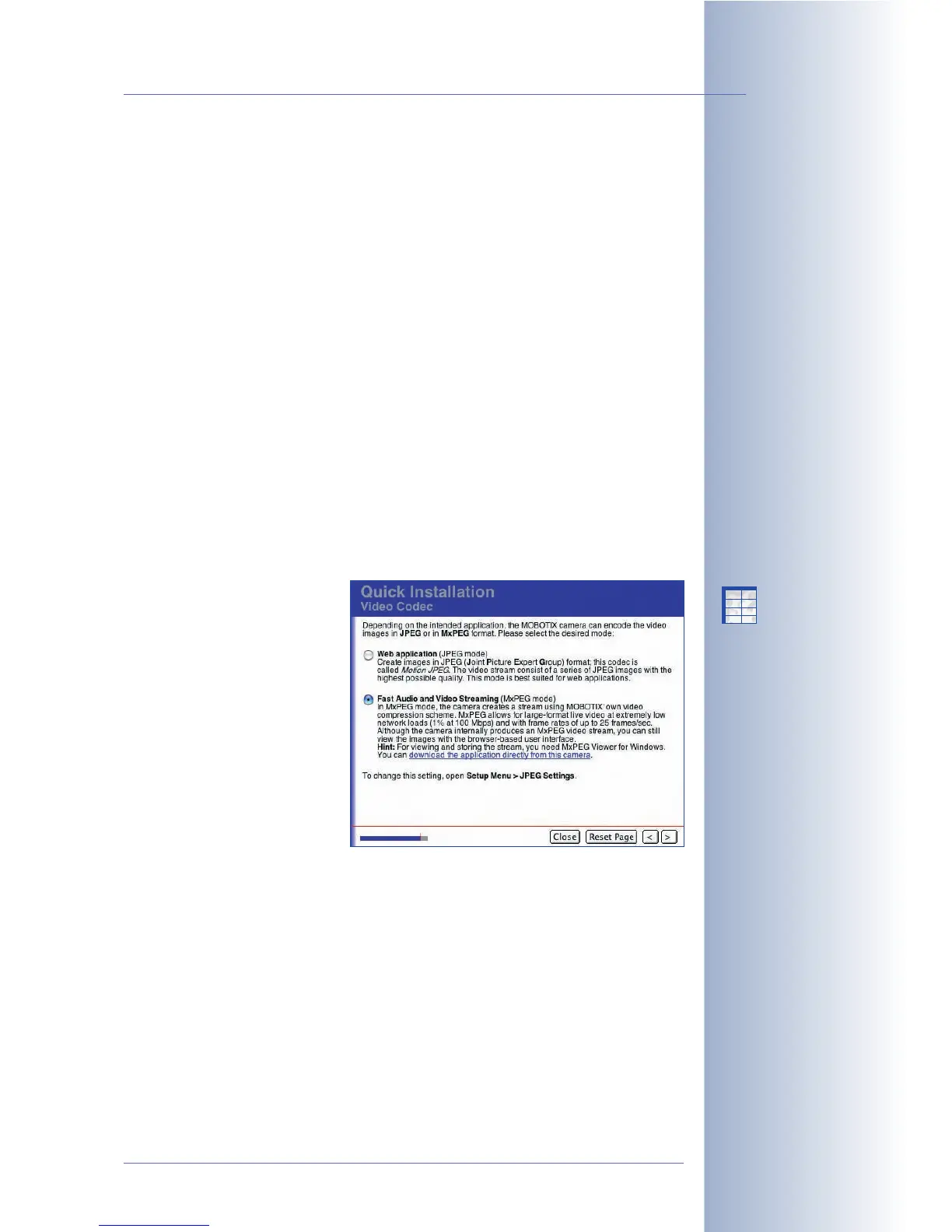
Video Codec
Depending on the application,
the MOBOTIX camera can
encode the video images in
JPEG or in MxPEG format.
MxPEG provides large-format
live video at extremely low net-
work loads (1% on a 100 Mbps
network) while delivering frame
rates of up to 30 frames/sec to
a browser window. On top,
MxPEG also includes the audio
channel from the camera's inte-
grated microphone to the web
browser.
Regardless of the chosen video codec, the live image is displayed in every web
browser. If a browser does not support MxPEG (or if ActiveX has not been installed),
the camera automatically switches to JPEG. Moreover, the camera can continue
storing images in JPEG format (e.g. on a web server using FTP) even though it is
running in MxPEG mode.
• Web Application (JPEG Mode): The camera creates the images in JPEG
(Joint Picture Expert Group) format; this codec is called
Motion JPEG
. The
video stream consists of a series of JPEG images with the highest possible
quality. This mode is best suited for web applications.
© MOBOTIX AG • Security-Vision-Systems • Made in Germany
www.mobotix.com • sales@mobotix.com • 10.10.2006
77/288
Software Camera Manual Part 2
The Admin Menu allows
setting the options for
image transfers (FTP
Profiles, Time Tasks)
MxPEG mode for high-
resolution live video with
low bandwidth
requirements
JPEG mode for Web
applications
X
X
-
-
-
-
X
X
Kamerafunktionen
Kameramodell



 To Next Page