Deactivating the Supervisor feature can also be performed in Admin Menu >
Users and Passwords, but this also requires administrator access rights (on top of
the Supervisor rights and the corresponding password), whereas administrator
privileges are not required if the Supervisor him/herself deactivates this feature.
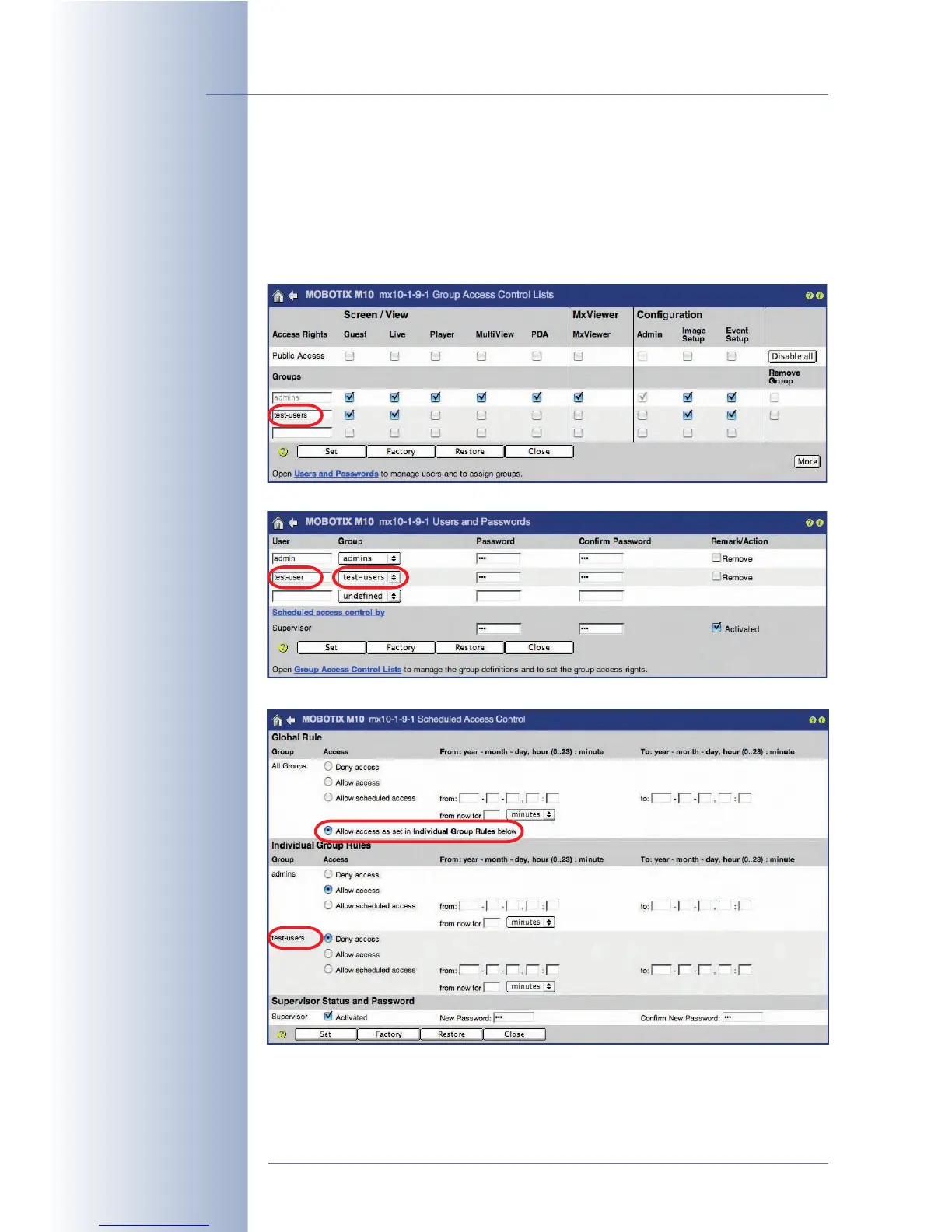
Example for Scheduled Access of a User Group
© MOBOTIX AG • Security-Vision-Systems • Made in Germany
www.mobotix.com • sales@mobotix.com • 10.10.2006
90/288
Software Camera Manual Part 2
Create the test-users
group
Create the test-user
and assign it to the
test-users group
Assign the rights of the
individual user groups
Set the access times for
the test-users group



 To Next Page