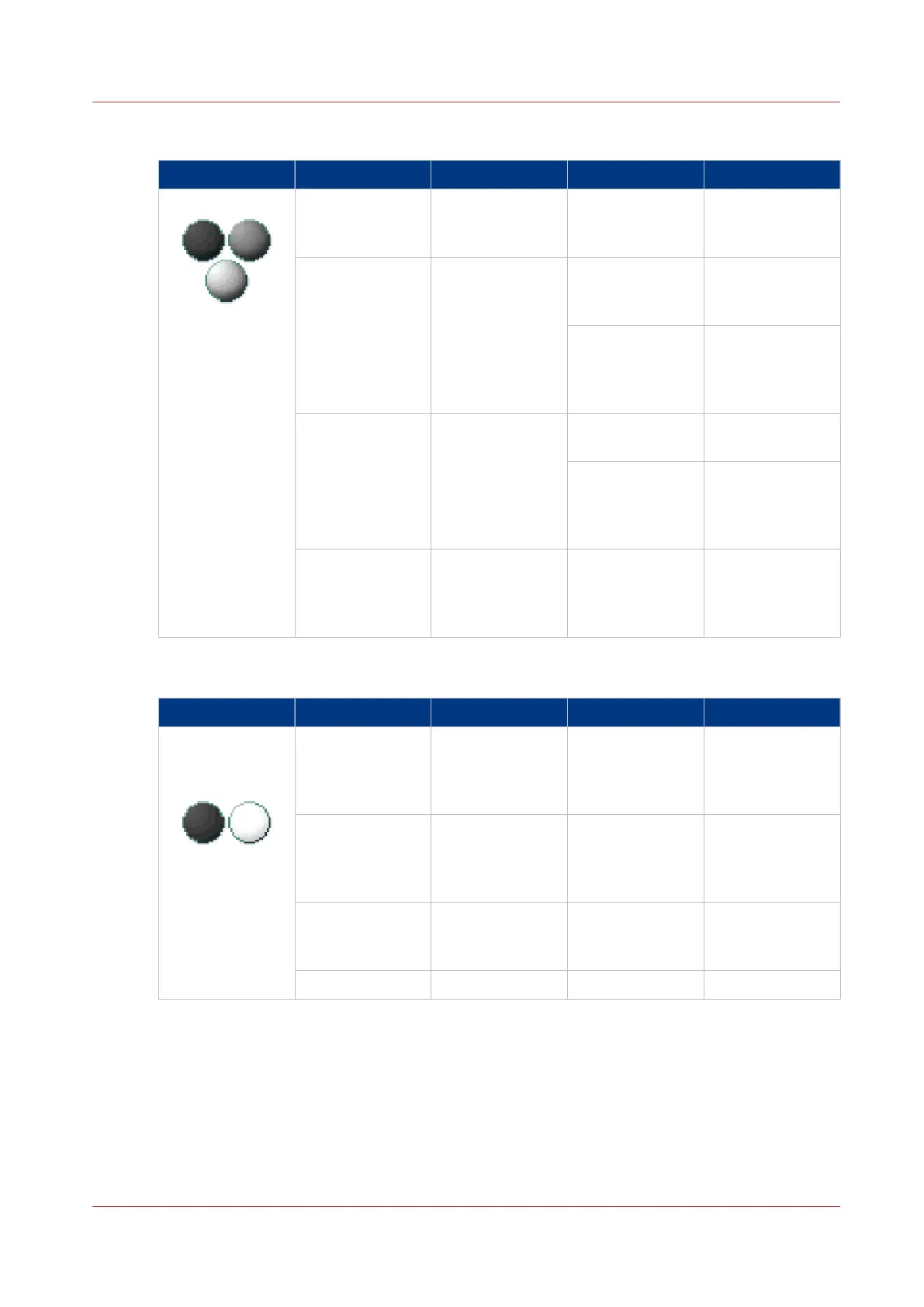
Colour mode: Greyscale
[Colour] mode [File type] [Organisation] [Compression] [JPEG quality]
[Greyscale] [TIFF]
[TIFF multipage]
[Raw]
[Striped]
[Tiled]
[LZW]
[Packbits]
[None]
Not applicable
[PDF]
[PDF multipage]
Not applicable [Flate]
[LZW]
[None]
Not applicable
[JPEG] [Maximum]
[High]
[Medium]
[Low]
[PDF/A]
[PDF/A multi-
page]
Not applicable [Flate]
[None]
Not applicable
[JPEG] [Maximum]
[High]
[Medium]
[Low]
[JPEG] Not applicable Not applicable [Maximum]
[High]
[Medium]
[Low]
Colour mode: Black and White
[Colour] mode [File type] [Organisation] [Compression] [JPEG quality]
[Black&white] [TIFF]
[TIFF multipage]
[Raw]
[Striped]
[Tiled]
[Group 4]
[Group 3]
[Packbits]
[None]
Not applicable
[PDF]
[PDF multipage]
Not applicable [Group 4]
[Flate]
[LZW]
[None]
Not applicable
[PDF/A]
[PDF/A multi-
page]
Not applicable [Group 4]
[Flate]
[None]
Not applicable
[CALS] Not applicable Not applicable Not applicable
File type
Chapter 4 - Use the Printing System
237



 To Next Page