R&S
®
ZVA / R&S
®
ZVB / R&S
®
ZVT Measurement Examples
Port Conversion
Operating Manual 1145.1084.12 – 30 89
7. Connect one balanced port of your DUT to ports 1 and 3 of the network analyzer, the other
balanced port of your DUT to ports 2 and 4 of the network analyzer, in accordance with the selected port
combination and reference impedances.
8. Back in the More Ratios dialog, select the balanced ratio that you wish to measure.
9. Click OK to close the More Ratios dialog and perform the measurement.
To obtain balanced wave quantities,
1. Calibrate your test setup, define the balanced port configuration and set the reference
impedances as described above.
2. Click Trace – Measure – Wave Quantities – More Wave Quantities...
3. Select the balanced wave quantity that you wish to measure.
4. Click OK to close the More Wave Quantities dialog and perform the measurement.
Measuring balanced S-parameters...
The following example shows how to activate the true differential mode in order to obtain mixed-mode S-
parameters. We use a 2-port DUT with balanced input and balanced output and a 4-port network analyzer
as described above.
1. Calibrate your test setup as outlined above (Measuring balanced wave quantities and ratios)
2. Click Trace – Measure – More S-Params...
3. In the Port Configuration panel of the More S-Parameters dialog opened, click Balanced Ports and
Port Groups.
4. In the Predefined Configs tab of the Balanced Ports and Port Groups dialog opened, select the
port configuration that is suitable for your DUT.
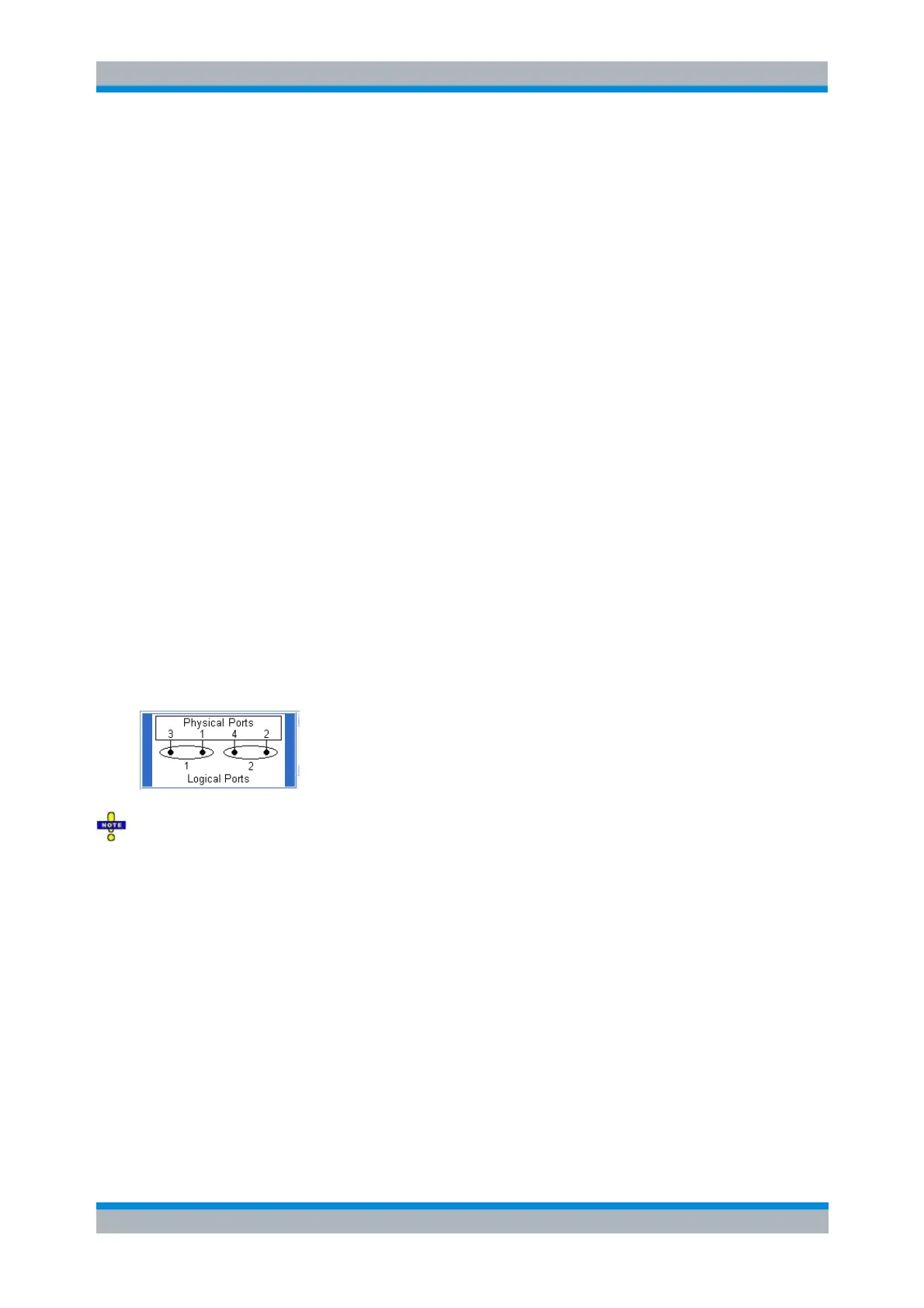
The true differential mode requires logical port combinations with independent power sources. Do not
use ports 1/2 or ports 3/4 to create a logical port.
Exception: On R&S ZVA67 and on R&S ZVA24/40 network analyzers with four ports and four generators,
all ports have independent internal sources. You can use an arbitrary combination of two source ports.
5. Open the True Diff Mode tab and enable True Differential Mode.
6. Open the Def Balanced Port tab and assign the appropriate differential and common mode
reference impedances to both logical ports.
7. Click OK to close the Balanced Ports and Port Groups dialog.
8. Connect one balanced port of your DUT to ports 1 and 3 of the network analyzer, the other
balanced port of your DUT to ports 2 and 4 of the network analyzer, in accordance with the selected port
combination and reference impedances.
9. Back in the More S-Parameters dialog, select the mixed-mode S-parameter that you wish to
measure.
10. Click OK to close the More S-Parameters dialog and perform the measurement.



 To Next Page