R&S
®
ZVA / R&S
®
ZVB / R&S
®
ZVT Remote Control
Remote Control: Introduction
Operating Manual 1145.1084.12 – 30 576
instrument. In general, program development is further simplified by a graphical program
environment.
Rohde & Schwarz offers various R&S ZVA driver types (LabView, LabWindows/CVI, IVI,
VXIplug&play...) for different programming languages. The drivers are available free of charge on
the product pages in the R&S internet, along with installation information.
GPIB Explorer
The GPIB Explorer is a software tool that allows you to connect to the analyzer, obtain an overview of all
implemented remote control programs, test programs, compile and run test scripts. The program can be
opened from the Windows Start Menu: Programs – R&S Network Analyzer – GPIB Explorer or by starting
the executable file iecwin32.exe in the program directory of the network analyzer (e.g. C:\Program
Files\Rohde&Schwarz\Network Analyzer\Bin).
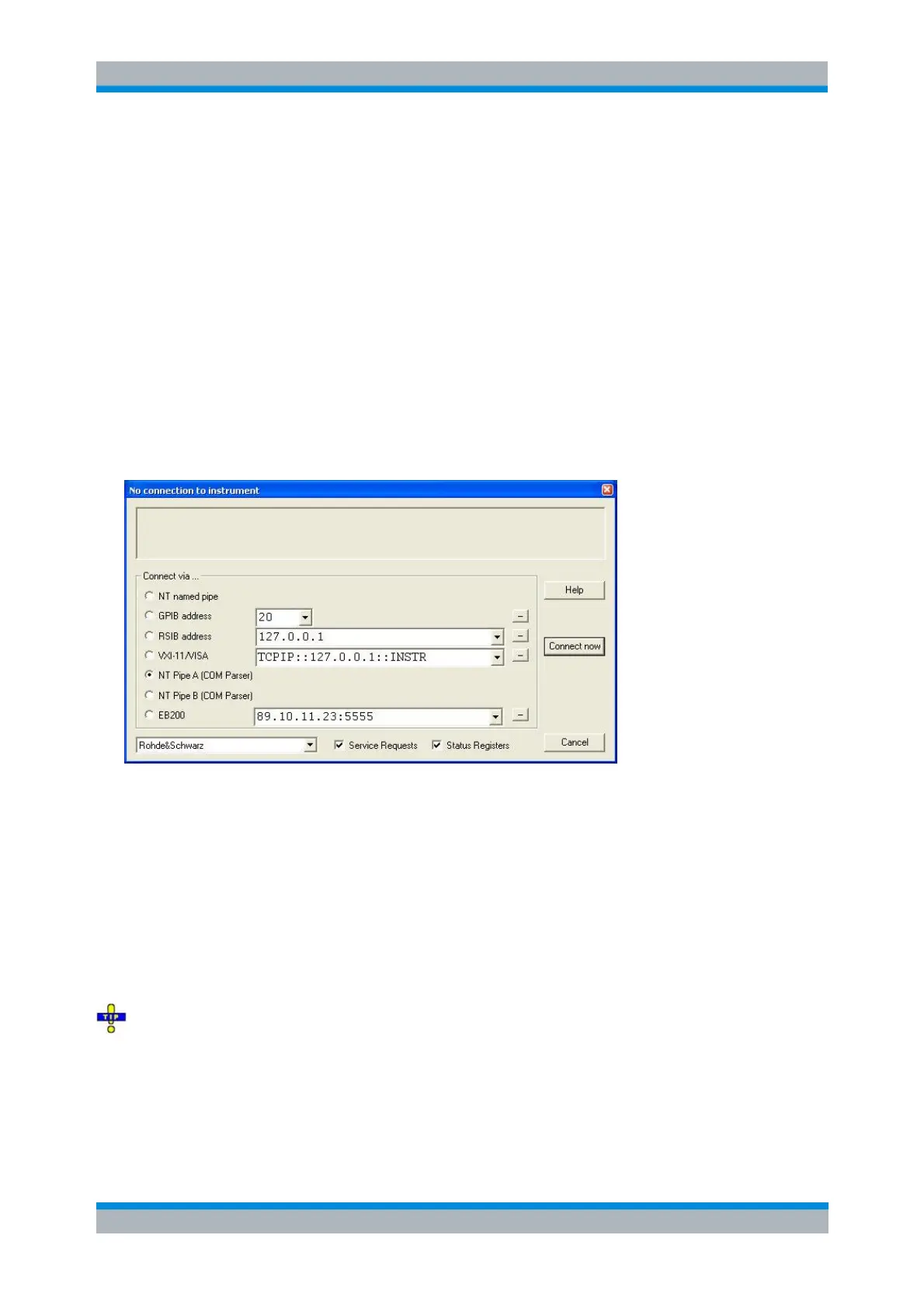
After the GPIB Explorer is started, the interface and protocol for the connection to the instrument can be
selected in a dialog:
The following options are provided:
NT named pipe (not supported at present)
GPIB address (for connection to controllers equipped with a National Instruments GPIB interface
using the GPIB bus connector)
RSIB address and VXI-11/VISA (for LAN connection, requires an appropriate IP or local host
address; see LAN Connection sections in the Getting Started guide)
Named pipe A/B (only for a GPIB Explorer installed on the analyzer, recommended for "remote"
test on the instrument)
EB200 (not supported at present)
Select Info – Setup Info to look up the IP address information of your analyzer. If you run the GPIB
explorer on the analyzer, the local host address (loopback address) is 127.0.0.1.
After the connection is established, the GPIB explorer displays a tree view of all commands included in the
current firmware version of the network analyzer. The programs can be selected for execution by a single
mouse click.



 To Next Page