R&S
®
ZVA / R&S
®
ZVB / R&S
®
ZVT GUI Reference
Trace Menu
Operating Manual 1145.1084.12 – 30 157
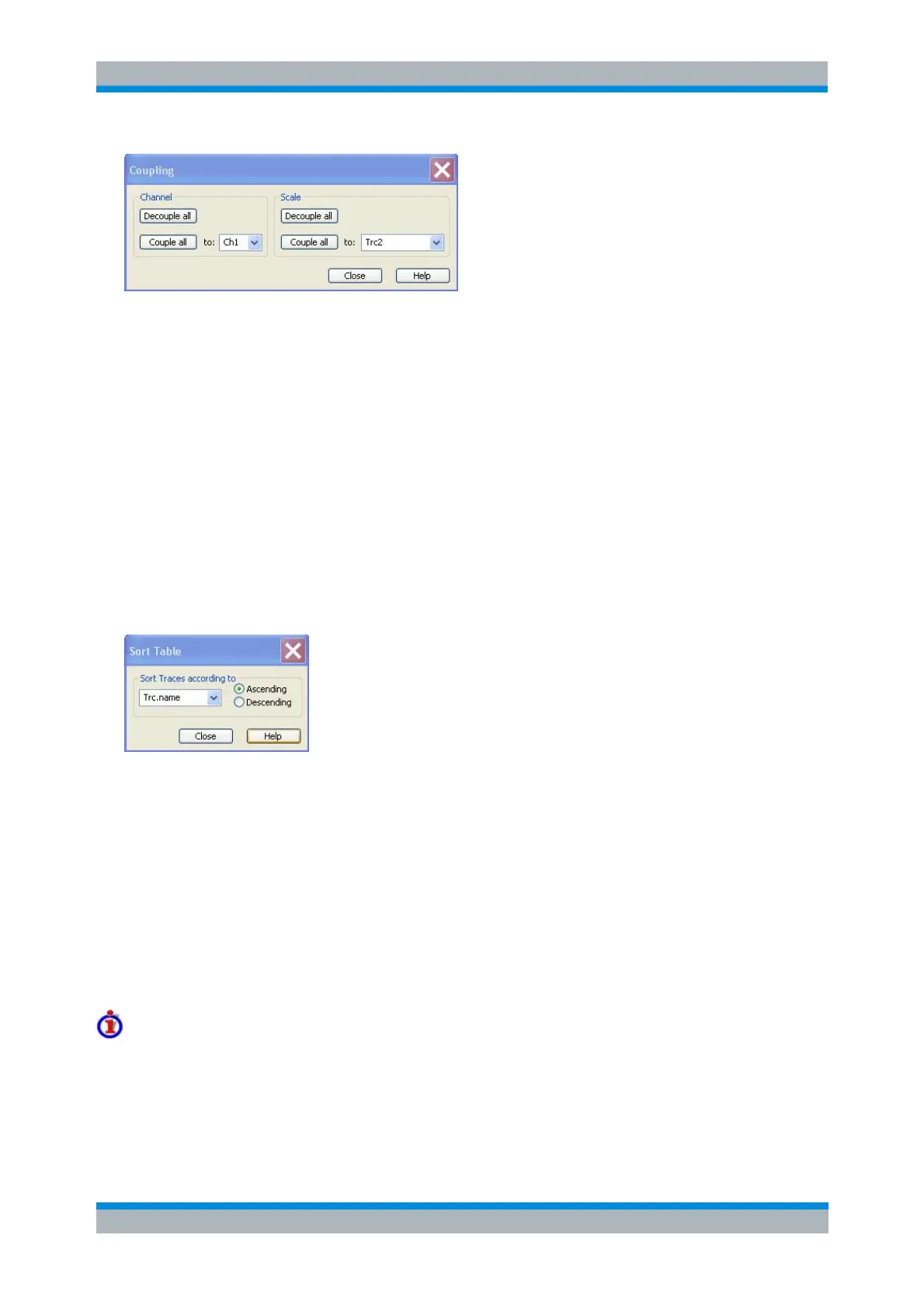
The channel and scale coupling is set in two independent panels.
Decouple All assigns independent channel or scale settings to all traces in the Trace Manager. If
the channel and trace names include numbers, the trace with the lowest number is assigned to
the channel with the lowest number and so forth. Measurement or data traces and their
associated memory traces are assigned to the same channel.
Couple All assigns all traces to the channel or scale settings selected in the corresponding drop-
down lists. All channel or scale settings except the selected ones are lost. The analyzer displays a
confirmation dialog box before deleting the unused channels.
Sort Table
Changes the order of the traces (table rows) in the Trace Manager dialog.
The drop-down list contains all trace properties that can provide the sorting criterion. The
properties correspond to the column headers in the Trace Manager.
The two radio buttons qualify whether the traces in the table are sorted in ascending or
descending order, according to the property selected in the pull-down list.
No command, display configuration only.
Trace Funct
The Trace Funct(ions) store traces to the memory and perform mathematical operations on traces
Refer to section Trace Types in the System Overview chapter to learn more about data traces,
memory traces, and mathematical traces.



 To Next Page