R&S
®
ZVA / R&S
®
ZVB / R&S
®
ZVT GUI Reference
Trace Menu
Operating Manual 1145.1084.12 – 30 106
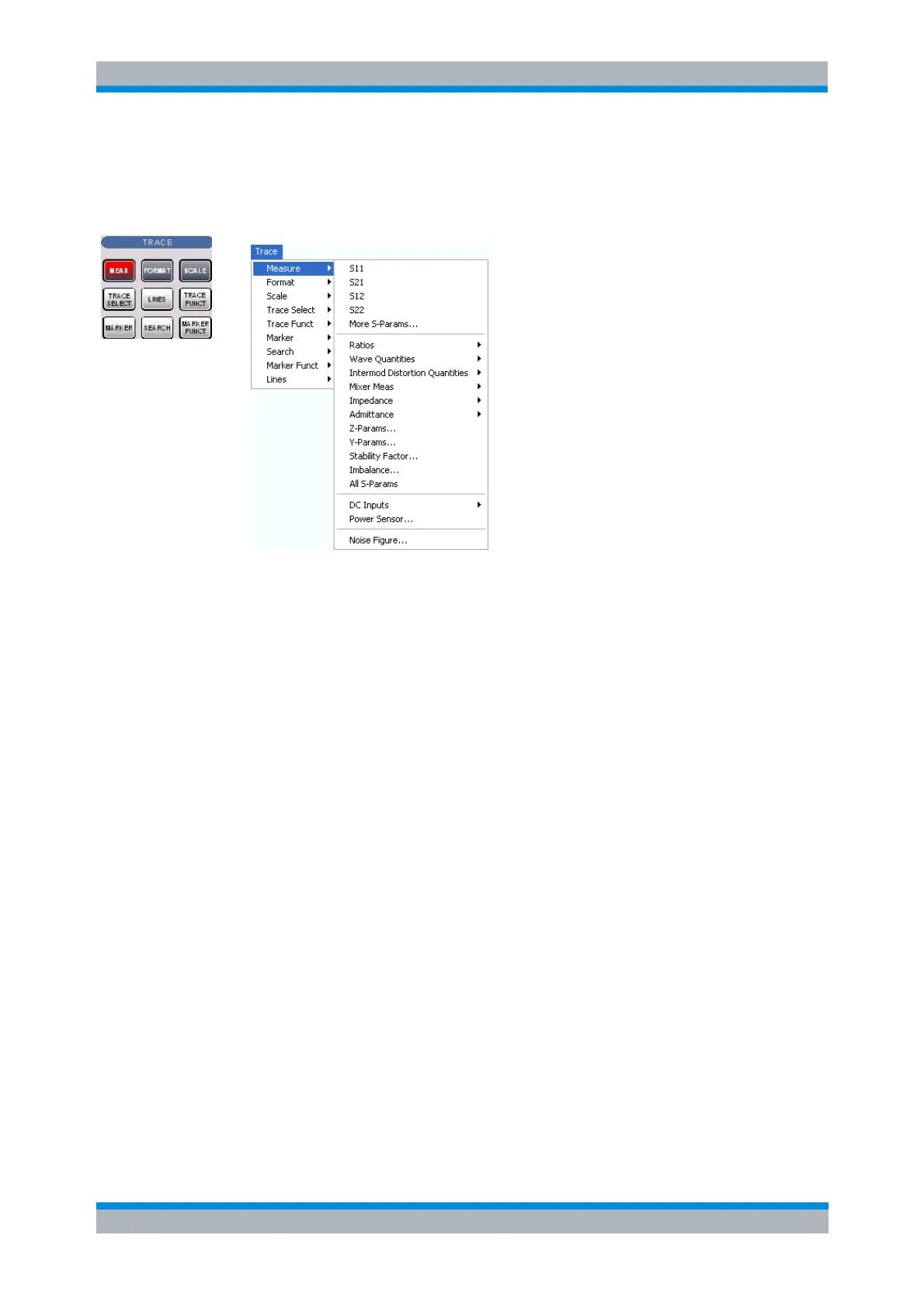
Measure
The Measure submenu selects the quantity to be measured and displayed.
S11, S12, S21, S22 select the four elements of the standard 2-port scattering matrix (S-
parameters).
More S-Parameters opens a dialog to select S-parameters for multiport measurements or mixed
mode S-parameters.
Ratios opens a submenu to select and define ratios of wave quantities.
Wave Quantities opens a submenu to select the absolute (unratioed) power of the analyzed
signals (wave quantities).
Intermod Distortion Quantities provides the results of the intermodulation distortion measurement
(intermodulation products, intercept points, noise level).
Mixer Meas provides the group delay of a mixer and derived results
Impedance opens a submenu to convert reflection S-parameters into matched-circuit impedances
(converted Z-parameters).
Admittance opens a submenu to convert reflection S-parameters into matched-circuit admittances
(converted Y-parameters).
Z-Parameters opens a dialog to select arbitrary open-circuit impedance parameters describing a
linear circuit.
Y-Parameters opens a dialog to select arbitrary short-circuit admittance parameters describing a
linear circuit.
Stability Factor selects one of the three factors K, μ
1
or μ
2
to assess the stability of linear circuits
(e.g. amplifiers).
Imbalance opens a dialog to select the imbalance for balanced ports.
All S-Params displays all S-parameters that the analyzer can measure in the appropriate diagram
areas.
DC Inputs selects and configures the measurement of DC power levels and the Power Added



 To Next Page