R&S
®
ZVA / R&S
®
ZVB / R&S
®
ZVT GUI Reference
Trace Menu
Operating Manual 1145.1084.12 – 30 115
Wave Quantities
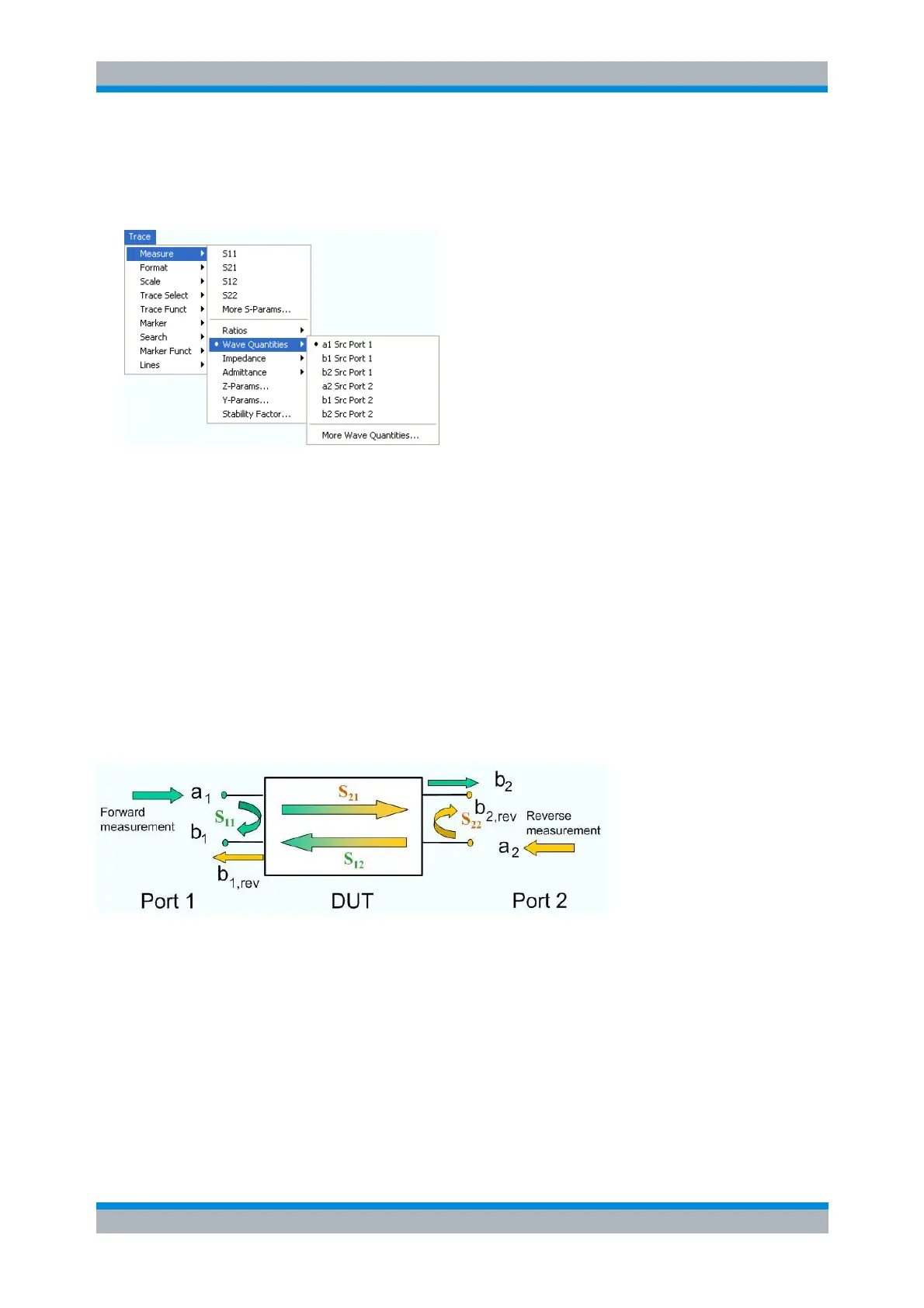
The Wave Quantities submenu selects a wave quantity to be measured and displayed.
a1 Src Port 1, b1 Src Port 1, b2 Src Port 1, a2 Src Port 2, b1 Src Port 2 and b2 Src Port 2 select
the standard 2-port wave quantities a
1
, b
1
, a
2
, and b
2
, to be measured in forward or reverse
direction with port 1 or 2 providing the stimulus signal.
More Wave Quantities opens a dialog to define and select arbitrary wave quantities for different
detectors and source ports or higher port numbers or frequency offsets. In true differential mode,
the dialog also offers balanced wave quantities.
In contrast to S-parameters, wave quantities are not system error corrected. A power calibration can be
applied to wave quantities; see Data Flow in the System Overview chapter.
a1 Src Port 1, b1 Src Port 1, b2 Src Port 1, a2 Src Port 2, b1 Src Port 2, b2 Src Port
2
Select the standard 2-port wave quantities a
1
, a
2
, b
1
, and b
2
for different source ports:
The predefined wave quantities are obtained with different source ports. a1 Src Port 1, b1 Src Port 1 and
b1 Src Port 2 are measured at Port 1 of the analyzer. a2 Src Port 2, b2 Src Port 1 and b2 Src Port 2 are
measured at Port 2 of the analyzer.
a1 Src Port 1 is the wave transmitted at test port 1. In a standard S-parameter measurement, this
wave is fed to the input port (port 1) of the DUT (forward measurement).
b1 Src Port 1 is the wave received at test port 1. In a standard S-parameter measurement, this is
the reflected wave at port 1 of the DUT (forward measurement).
b2 Src Port 1 is the wave received at test port 2. In a standard S-parameter measurement, this
wave is transmitted at port 2 of the DUT (forward measurement).
a2 Src Port 2 is the wave transmitted at test port 2. In a standard S-parameter measurement, this



 To Next Page