R&S
®
ZVA / R&S
®
ZVB / R&S
®
ZVT System Overview
Screen Elements
Operating Manual 1145.1084.12 – 30 34
Context Menus
To provide access to the most common tasks and speed up the operation, the analyzer offers context
menus (right-click menus) for the following display elements:
Diagram area
Marker info field
Trace list (separate context menus for trace name section, measured quantity section, format
section, scale section, and channel section)
Channel list (separate context menus for channel name section, sweep range section, additional
parameter section)
Working with context menus requires a mouse. Click inside the display element that you want to work
with using the right mouse button.
Except from some particular screen configurations, anything you can do from a context menu you can also
do from the menu bar or using front panel keys and softkeys. Use whatever method is most convenient for
you.
Dialogs
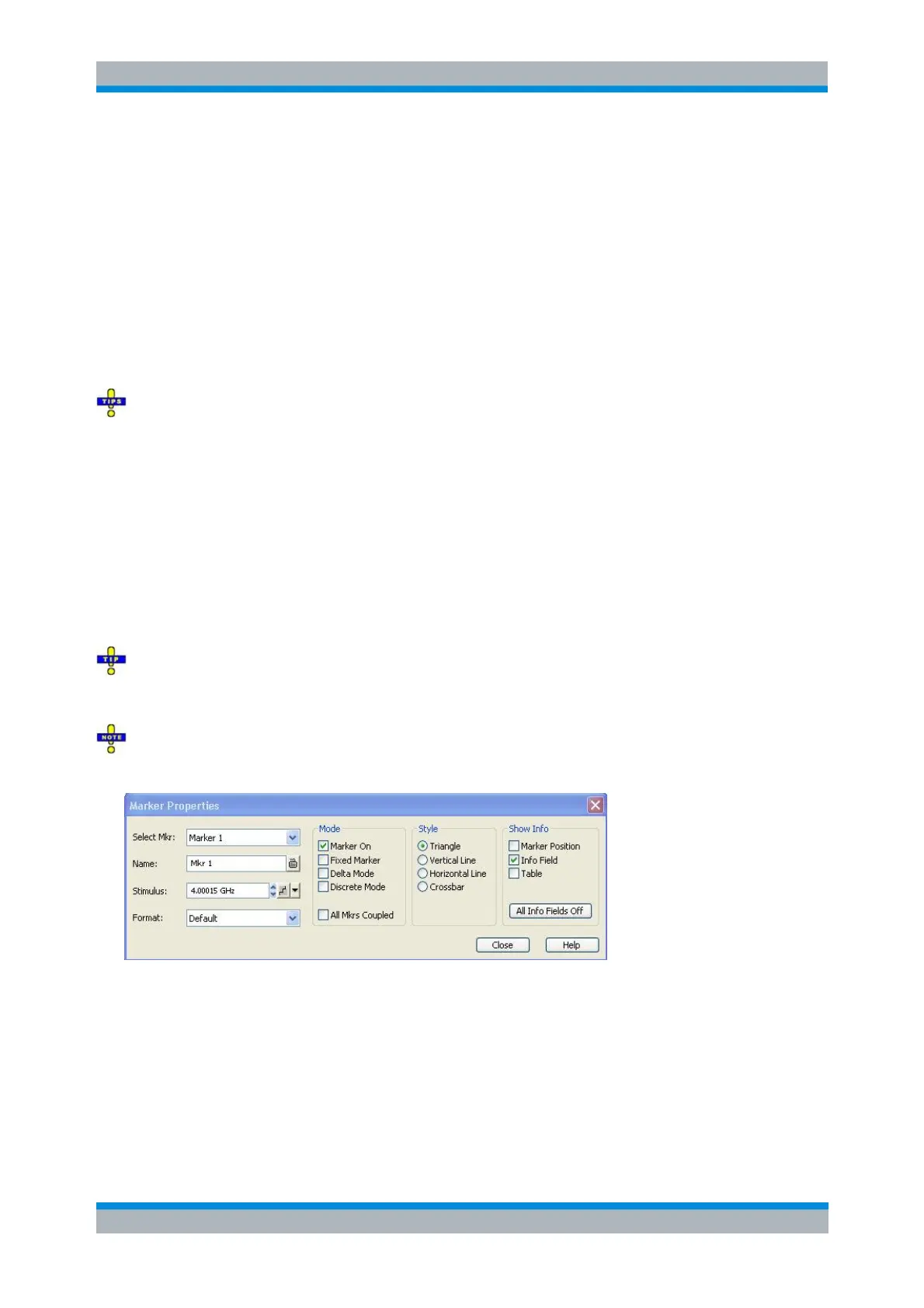
Dialogs provide groups of related settings and allow to make selections and enter data in an organized
way. All softkeys with three dots behind their labeling (as in Marker Properties...) call up a dialog. The
dialogs of the analyzer have an analogous structure and a number of common control elements.
The Dialog Transparency function in the System Config menu varies the transparency of all dialogs.
With an appropriate setting, you can control the dialogs and at the same time view the underlying traces
and display elements.
We assume that you are familiar with standard Windows dialogs and mouse operation. Refer to Using
Front Panel Keys to learn how to control dialogs without a mouse and keyboard.
Immediate vs. Confirmed Settings
In some dialogs, the settings take effect immediately so that the effect on the measurement is observable
while the dialog is still open. This is especially convenient when a numeric value is incremented or
decremented, e.g. via the rotary knob.
In most dialogs, however, it is possible to cancel an erroneous input before it takes effect. The settings in
such dialogs must be confirmed explicitly.



 To Next Page