R&S
®
ZVA / R&S
®
ZVB / R&S
®
ZVT System Overview
Screen Elements
Operating Manual 1145.1084.12 – 30 30
Context menus of the trace list
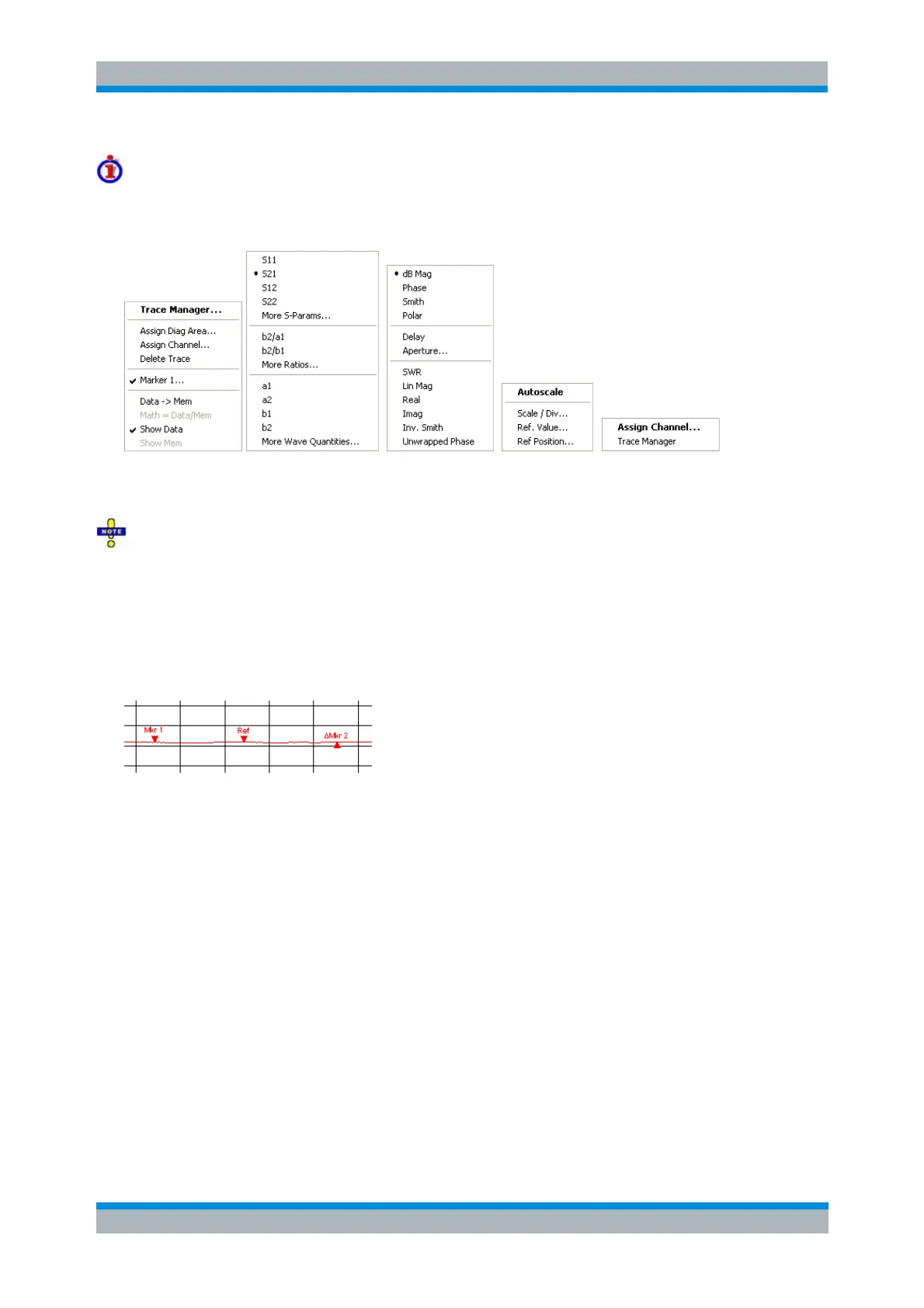
A right mouse click on the trace name, the measured quantity, and the format and scale section of the
trace list opens the following context menus, respectively:
The settings correspond to the most common commands in the Trace – Trace Select, Trace – Trace
Funct, Trace – Meas, Trace – Format and Trace – Scale menus.
A red label Cal Off ! appears behind the trace list if the system error correction no longer applies to
one or more traces; see Calibration Overview.
Markers
Markers are tools for selecting points on the trace and for numerical readout of measured data. The
analyzer provides three different basic marker types.
A (normal) marker (Mkr 1, Mkr 2, ...) determines the coordinates of a measurement point on the
trace. Up to 10 different normal markers can be assigned to a trace.
A reference marker (Ref) defines the reference value for all delta markers.
A delta marker (Δ) indicates the coordinates relative to the reference marker.
The stimulus value of a discrete marker always coincides with a sweep point so that the marker
does not show interpolated measurement values.
The markers 1 to 4 are also used for bandfilter search mode. The examples below show a bandpass
search and a bandstop search, respectively.



 To Next Page