R&S
®
ZVA / R&S
®
ZVB / R&S
®
ZVT GUI Reference
Channel Menu
Operating Manual 1145.1084.12 – 30 239
Stimulus
The Stimulus submenu defines the sweep range in the current channel, depending on the sweep type.
In Cartesian diagrams, the sweep range corresponds to the diagram width and defines the scaling
of the x-axis.
In polar diagrams and Smith charts the stimulus axis is lost but the marker functions easily provide
the stimulus value of any measurement point.
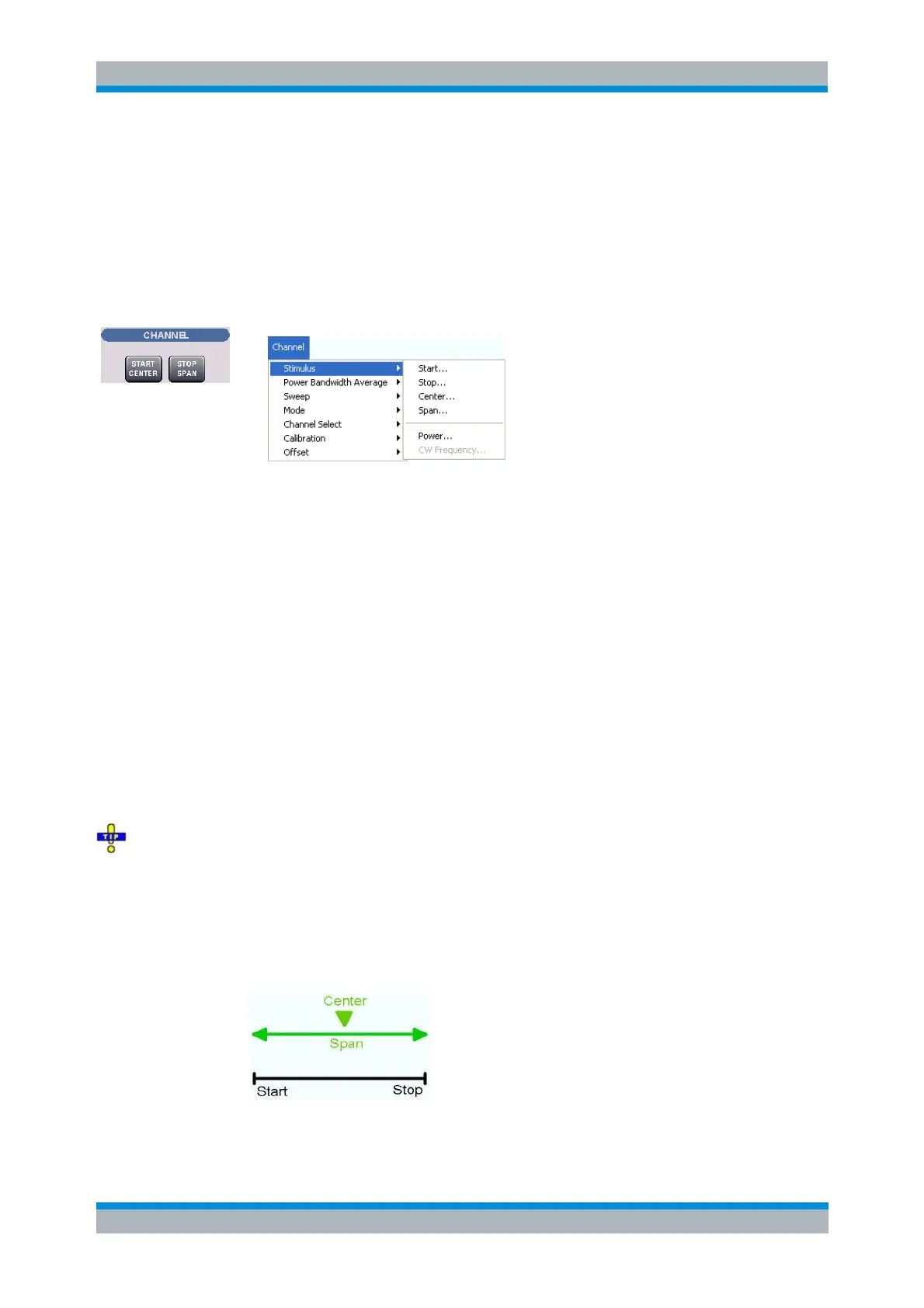
Start is the lowest value of the sweep variable (e.g. the lowest frequency measured) and
corresponds to the left edge of the Cartesian diagram.
Stop is the highest value of the sweep variable (e.g. the highest frequency measured) and
corresponds to the right edge of the Cartesian diagram.
Center corresponds to the center of the Cartesian diagram, i.e. (Start + Stop)/2.
Span corresponds to the diagram width, i.e. (Stop – Start).
Power defines the power of the internal signal source.
CW Frequency sets the fixed frequency for the sweep types Power, Time and CW Mode.
START CENTER opens the input field for the Start frequency, if the range is currently defined by
Start and Stop. It opens the input field for the Center frequency, if the range is currently defined by
Center and Span.
STOP SPAN opens the input field for the Stop frequency, if the range is currently defined by Start
and Stop. It opens the input field for the Span, if the range is currently defined by Center and
Span.
The Marker Functions provide a convenient alternative to the manual entry of the sweep range
parameters. Use the paste marker list for convenient entry of Start and Stop values.
Some of the Stimulus parameters and the STOP SPAN key are not provided for all sweep types; see
Stimulus and Sweep Types.
For a frequency sweep the Start and Stop frequencies or the Center frequency and
Span are alternative settings:
[SENSe<Ch>:]FREQuency:STARt



 To Next Page